19
Assembly
Type 8228
7 ASSEMBLY
7.1 Safety instructions
DANGER
Risk of injury due to electrical voltage.
▶ Shut down and isolate the electrical power source before carrying out work on the system.
▶ Observe all applicable accident protection and safety regulations for electrical equipment.
WARNING
Risk of injury due to non-conforming assembly.
▶ The device must only be assembled by qualified and skilled staff with the appropriate tools.
Risk of injury due to unintentional switch on of power supply or uncontrolled restarting of the
installation.
▶ Take appropriate measures to avoid unintentional activation of the installation.
▶ Guarantee a set or controlled restarting of the process after assembling the device.
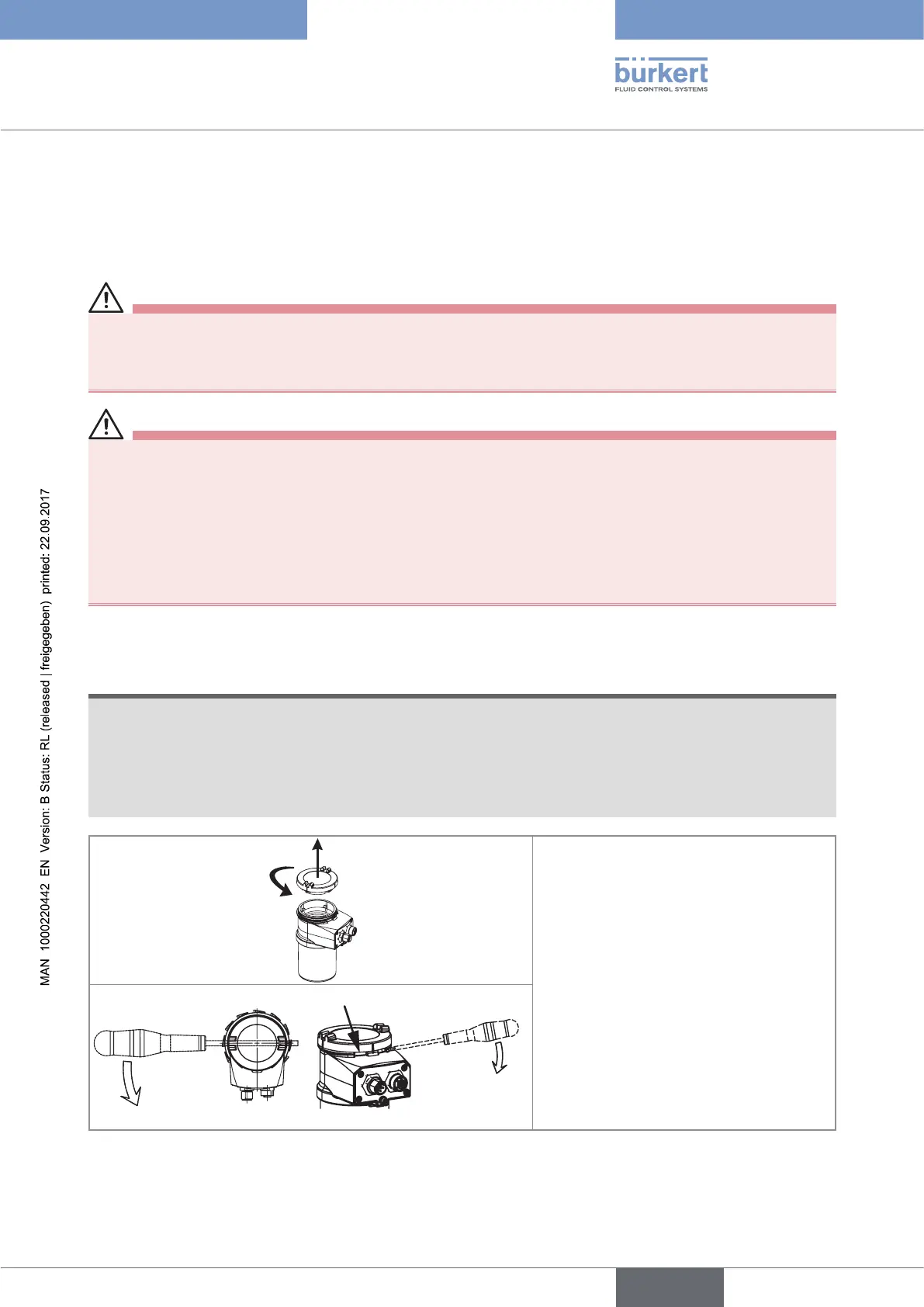
7.2 Removing the cover
NOTE
The tightness of the device is not guaranteed when the cover is removed.
▶ Once the cover is removed, prevent the projection of liquid inside the housing.
The device may be damaged if a metal component comes into contact with the electronics.
▶ Prevent contact of the electronics with a metal component.
2
1
→ [1] Turn the cover counterclockwise with
an angle of about 15° to unlock it.
→ [2] Remove the cover.
If the cover grips to the housing:
→ Use an appropriate tool to unlock the
cover, taking care not to scratch the glass.
→ Insert an apropriate tool into the groove of
the housing.
→ Lever the cover up.
Fig. 4: Removing the cover
English



 To Next Page