36
Operating and commissioning
Type 8228
9.4 Using the dynamic functions
You want to... Choose...
...go back to the Process level, without confirming the modifi-
cations made
dynamic function "MEAS"
...validate the input dynamic function "OK"
...go back to the parent menu dynamic function "BACK"
... abort the current operation and go back to the parent menu dynamic function "ABORT"
...answer the question asked dynamic function "YES" or "NO"
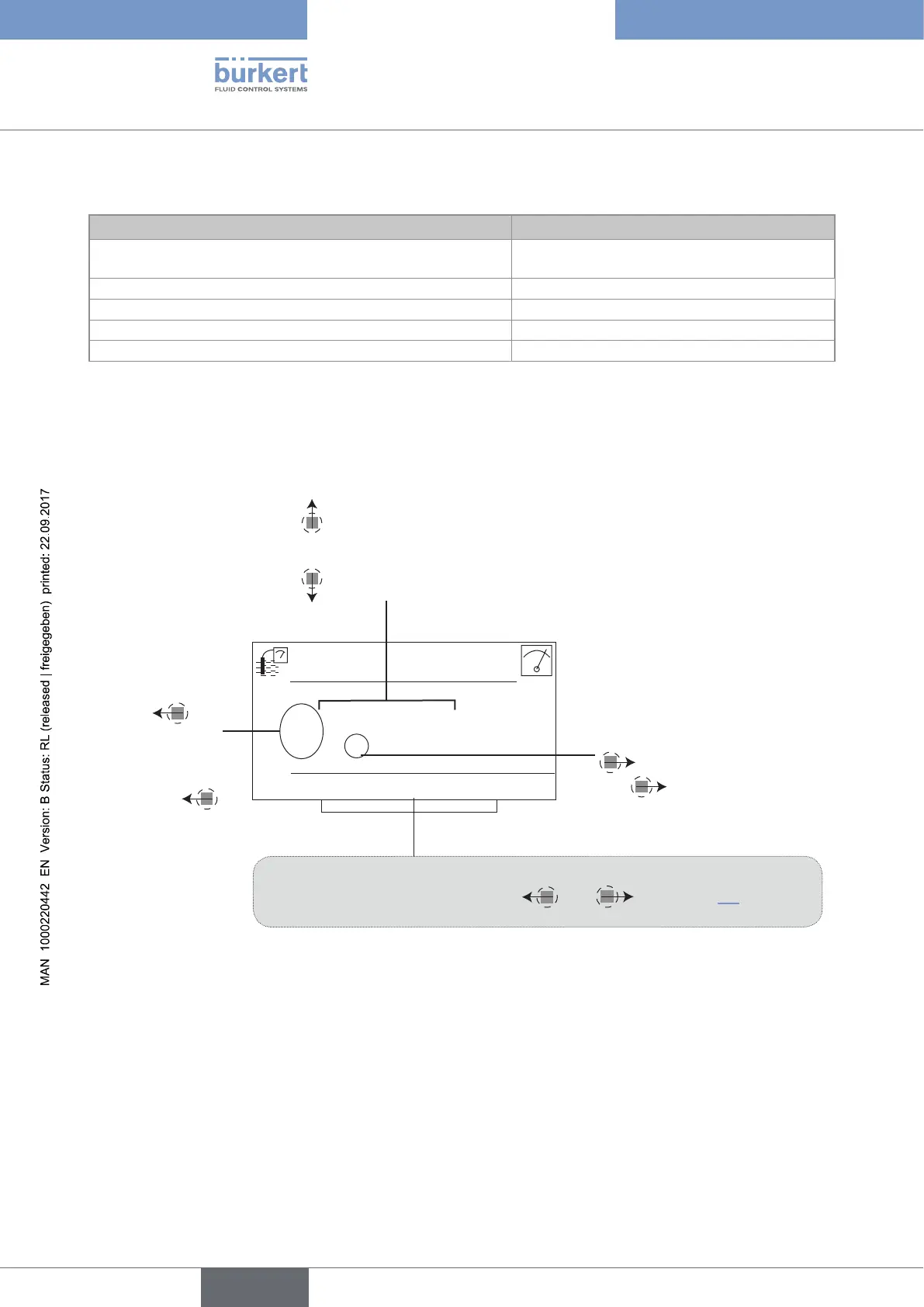
9.5 Entering a numerical value (example)
+0.000°C
Select the digit at
the extreme left of
the numerical value
with
then
allocate the "+" or
"-" sign to the nu-
merical value with
.
Select the digit at the extreme
right of the numerical value with
then move the decimal point
with
.
Modify each digit of the numerical value using:
-
to increase the digit selected,
-
to decrease the digit selected.
Calib.Temp
MEAS ABORT OK
Dynamic functions (accessible through and ): See chap. 9.4.
English



 To Next Page