35
Operating and commissioning
Type 8228
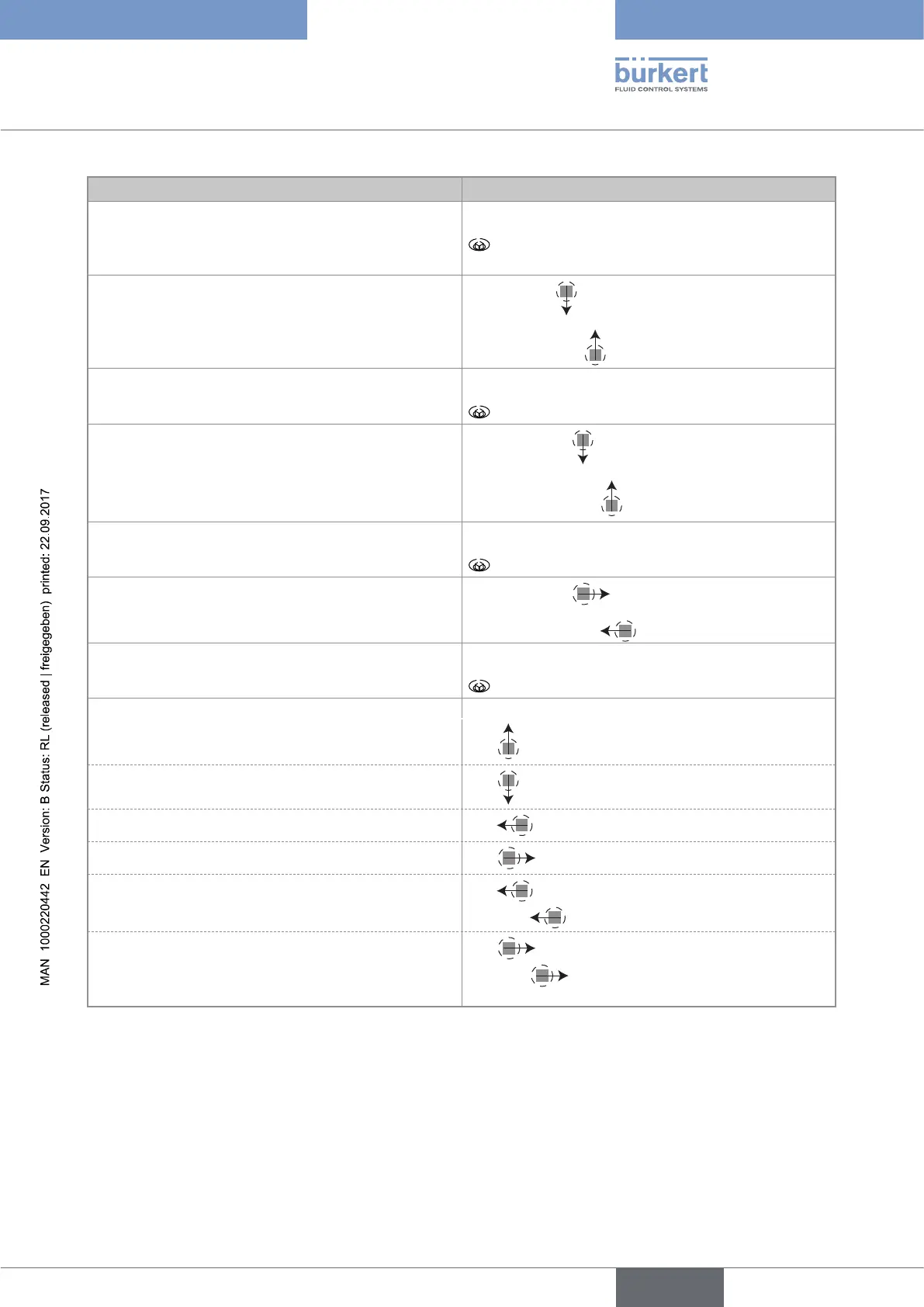
You want to... Press...
• ...access the Settings level
• ...display the Param menu
for at least 2 sec., from any screen of the Process
level
...browse in the menus of the Settings level
• next menu:
• previous menu:
...access the menu displayed
...browse in the menu functions
• next function:
• previous function:
...select the highlighted function
...browse in the dynamic functions bar (MEAS, BACK,
ABORT, OK, YES, NO)
• next function:
• previous function:
...confirm the highlighted dynamic function
...modify a numerical value
- increment the figure selected
-
- decrement the figure selected
-
- select the previous figure
-
- select the next figure
-
- allocate the "+" or "-" sign to the numerical value
-
to the extreme left of the numerical value
then
until the desired sign is displayed
- move the decimal point
-
to the extreme right of the numerical value
then
until the decimal point is in the desired
place
English



 To Next Page