EasyManua.ls Logo

Burkert 8228 ELEMENT - Accessing the Configuration Level

Burkert 8228 ELEMENT
74 pages
Print Icon
To Next Page IconTo Next Page
To Previous Page IconTo Previous Page
Loading...
40
Operating and commissioning
Type 8228
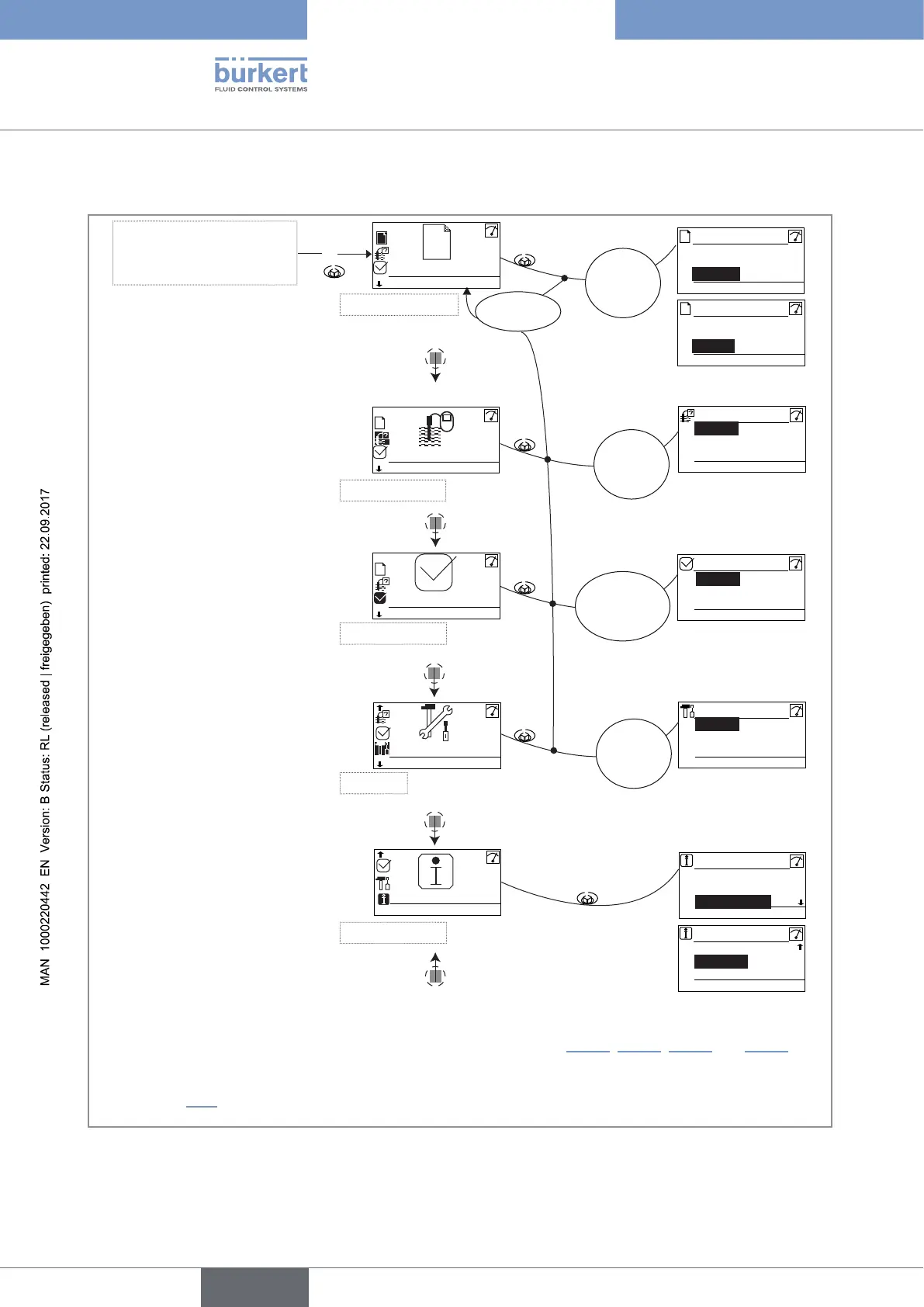
9.9 Accessing the Configuration level
Any view of the
Process level
This is
when the
device is be-
ing parame-
tered............
....................
System
Display
Outputs
MEAS BACK
Param
System
Outputs
Sensor
MEAS BACK
Calibration
System
Outputs
Sensor
MEAS BACK
Test
Code
"Param"
OK
1)
Wrong
code
System
MEAS BACK
Diagnostic
Software
Smiley
MEAS BACK
Info
Error
MEAS BACK
Info
Maintenance
Warning
This is
when the
device is be-
ing parame-
tered............
....................
This is
when the
device is be-
ing parame-
tered............
....................
Param
> 2s
Calib
This is
when the
device is be-
ing parame-
tered............
....................
Info
This is
when the
device is be-
ing parame-
tered............
....................
Diagnostic
Test
Parameters Menu
Calibration Menu
Diagnostic Menu
Test Menu
Information Menu
Product
Code
"Calib"
OK
1)
Code
"Diagnostic"
OK
1)
Code
"Test"
OK
1)
Sensor
This is
when the
device is be-
ing parame-
tered............
....................
Display
Outputs
Sensor
MEAS BACK
Param
1)
Only if the access code to the menu has been customized. See chap. 9.11.3, 9.12.2, 9.13.1 and 9.14.1.
See chap. 9.10 for the detailed menu functions
English

Table of Contents

Related product manuals