47
Operating and commissioning
Type 8228
9.11.5 Setting the data displayed in the Process level
See chap. 9.9 to access the Parameters menu.
CondS
TDSppm
Filter:
None
Fast
Slow
EnabledLine1 / Line2:
PVar:
Disabled
CondR
TempC
TempF
µS/cm
°C
Unit:
mS/cm
°F
If PVar = "TempC"
If PVar = "TempF"
If PVar = "CondS"
If PVar = "CondS"
W.cm
kW.cm
If PVar = "CondR"
If PVar = "CondR"
M
W.cm
If PVar = "CondR"
ppm
If PVar = "TDSppm"
Display
This is
when the
device is be-
ing parame-
tered............
....................
Param
This is
when the
device is be-
ing parame-
tered............
....................
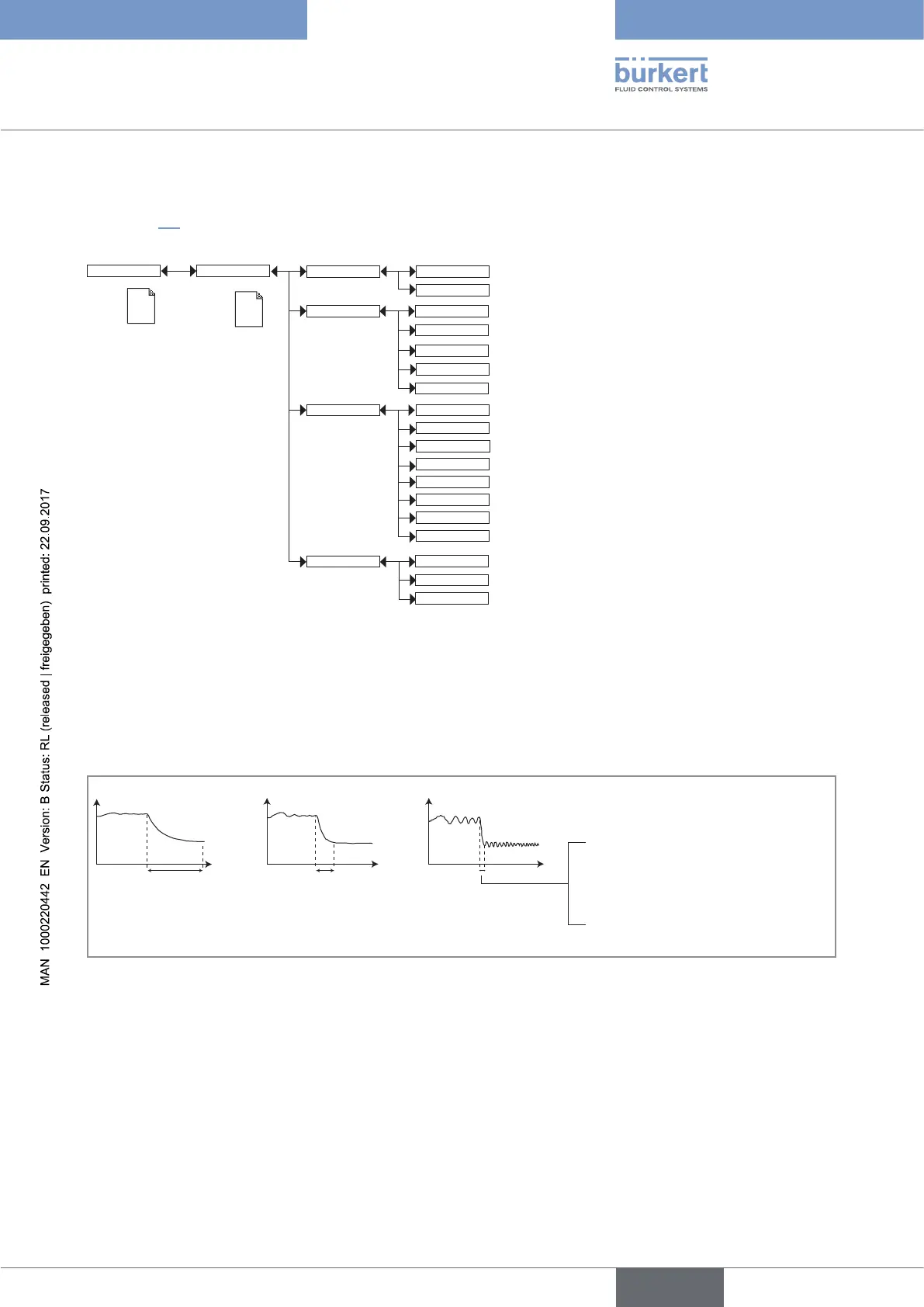
PVAR: choose the process value to be displayed on the line selected.
UNIT: choose the unit for the process value displayed.
FILTER: choose the filter level for the measurement values displayed on the line selected. Three filter levels are
proposed: “slow”, “fast” or “none”.
t
t
"slow" "fast" "none"
3 s (conductivity measurement)
280 s (temperature measurement)
Fig. 32: Filter curves
English



 To Next Page