37
Operating and commissioning
Type 8228
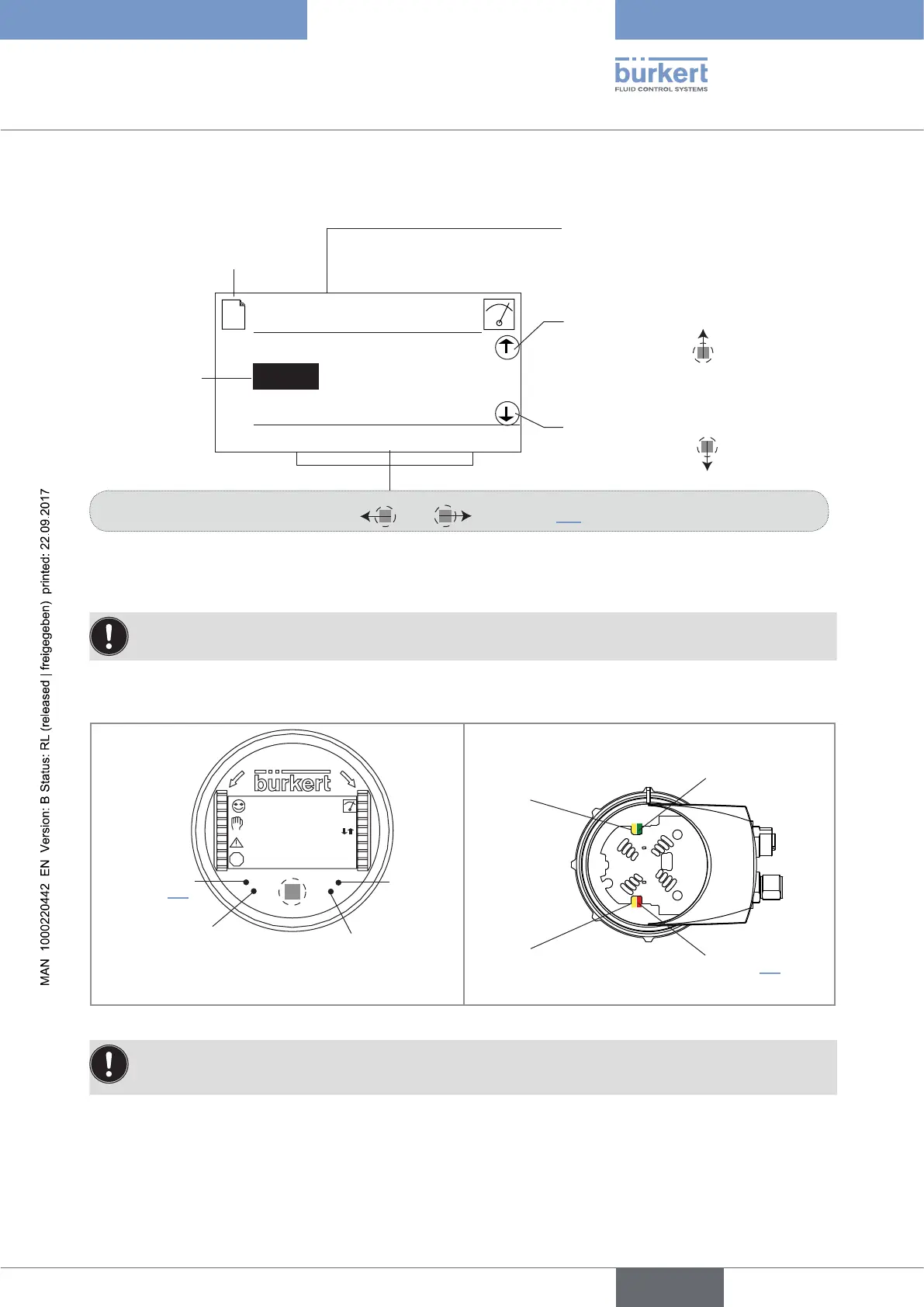
9.6 Browsing in a menu (example)
The arrow indicates that some more
functions are available which can be
displayed by using
The arrow indicates that some more
functions are available which can be
displayed by using
Title of the current menu, sub-menu or
function.
Highlighted
function
The icon identifies the current
menu
This is
when the
device is be-
ing parame-
tered............
....................
Dynamic functions (accessible through and ): See chap. 9.4.
Line1
Param
MEAS ABORT OK
Line2
Contrast
9.7 Knowing the display
The display module is only equipped on some versions of the device. It can be ordered as an accessory.
9.7.1 Knowing the icons and LEDs
O
P
E
N
L
O
C
K
CondS
0.000µS/cm
TempC
23.8 °C
ERR
Red LED:
shows an error.
See chap. 10.3
not used
Yellow LED: shows that transis-
tor 1 is switched
Yellow LED: shows that transistor 2
is switched
Red LED: shows an error.
See chap. 10.3
Yellow LED: shows that
transistor 2 is switched
Green LED: shows that
the device is energized
Yellow LED: shows that
transistor 1 is switched
Fig. 30: Position of the symbols and description of the LEDs with or without display module
The LEDs of the display module are duplicated on the electronic board that is located under the display
module: these LEDs can only be seen if the device has no display module.
English



 To Next Page