20
Assembly
Type 8228
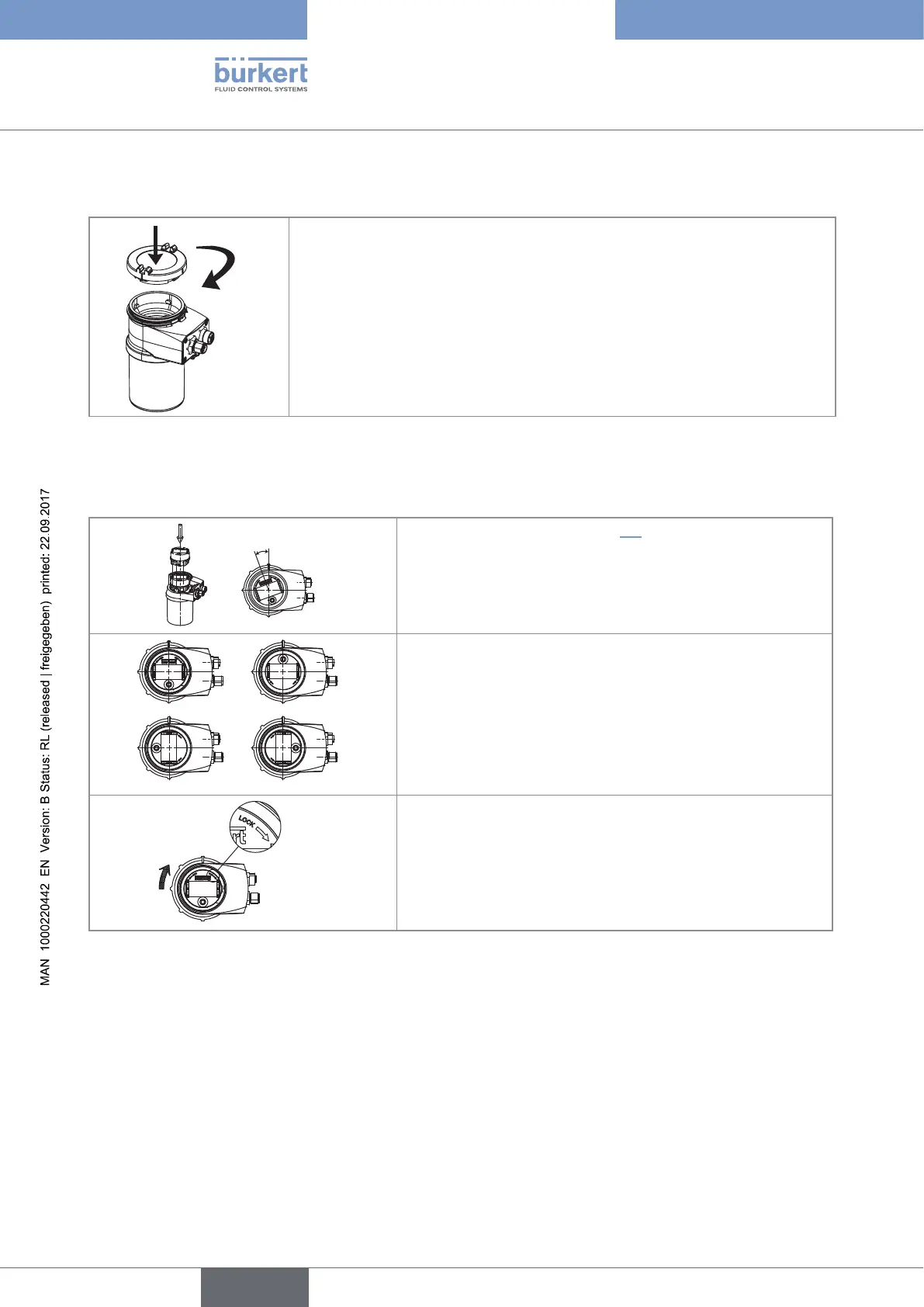
7.3 Mounting the cover
2
→ Check that there is a seal on the housing and that it is not damaged. Replace
it if necessary.
→ Grease the seal if necessary, using a component compatible with the seal
material.
→ [1] Set the cover to ensure that the 4 grooves of the cover match with the 4
pins of the housing.
→ [2] Turn the cover clockwise with an angle of about 15° to lock it.
Fig. 5: Closing the cover
7.4 Mounting the display module
20°
→ Remove the cover (see chap. 7.2).
→ Set the display module at an angle of about 20° in relation to
the desired position.
a)
c)
→ The module can be mounted in 4 different positions, at 90°
intervals.
→ Fully push in the module and turn clockwise to lock it.
Fig. 6: Mounting the display module
English



 To Next Page