3- 88
Printing from Macintosh
トップ
Chapter 3
Printing Methods for
Different Objectives
Chapter 4
Maintaining the
Printer
Chapter 5
Using the Printer in a
Network Environ-
ment
Chapter 6
Troubleshooting
Chapter 7
Operation of the
Function Menus
Index
TOP
Contents
Chapter 2
Using a Variety of
Media
Chapter 1
Basic Procedures
3
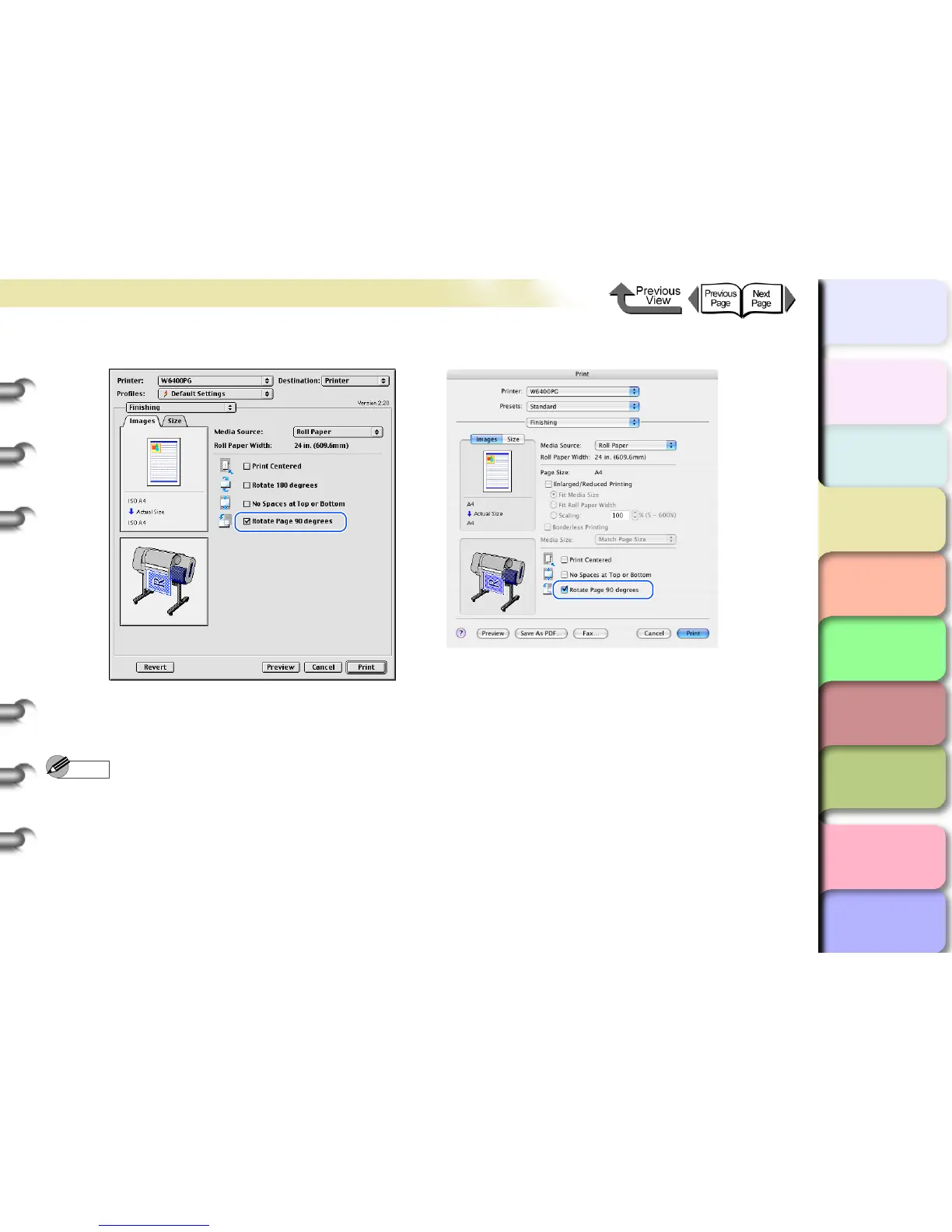
Select Rotate Page 90 degrees.
4
Confirm the content of the preview, then click the Print button.
The print job starts.
Note
z To achieve the best print results, you should confirm the appearance of the original in the Print Preview before printing.
For more details about how to display the Preview, please refer to “Confirming the Print Image (Print Preview)” in
“Before You Begin”. (→ P.3-64)


 To Next Page
 Loading...