3- 110
Printing from Macintosh
トップ
Chapter 3
Printing Methods for
Different Objectives
Chapter 4
Maintaining the
Printer
Chapter 5
Using the Printer in a
Network Environ-
ment
Chapter 6
Troubleshooting
Chapter 7
Operation of the
Function Menus
Index
TOP
Contents
Chapter 2
Using a Variety of
Media
Chapter 1
Basic Procedures
5
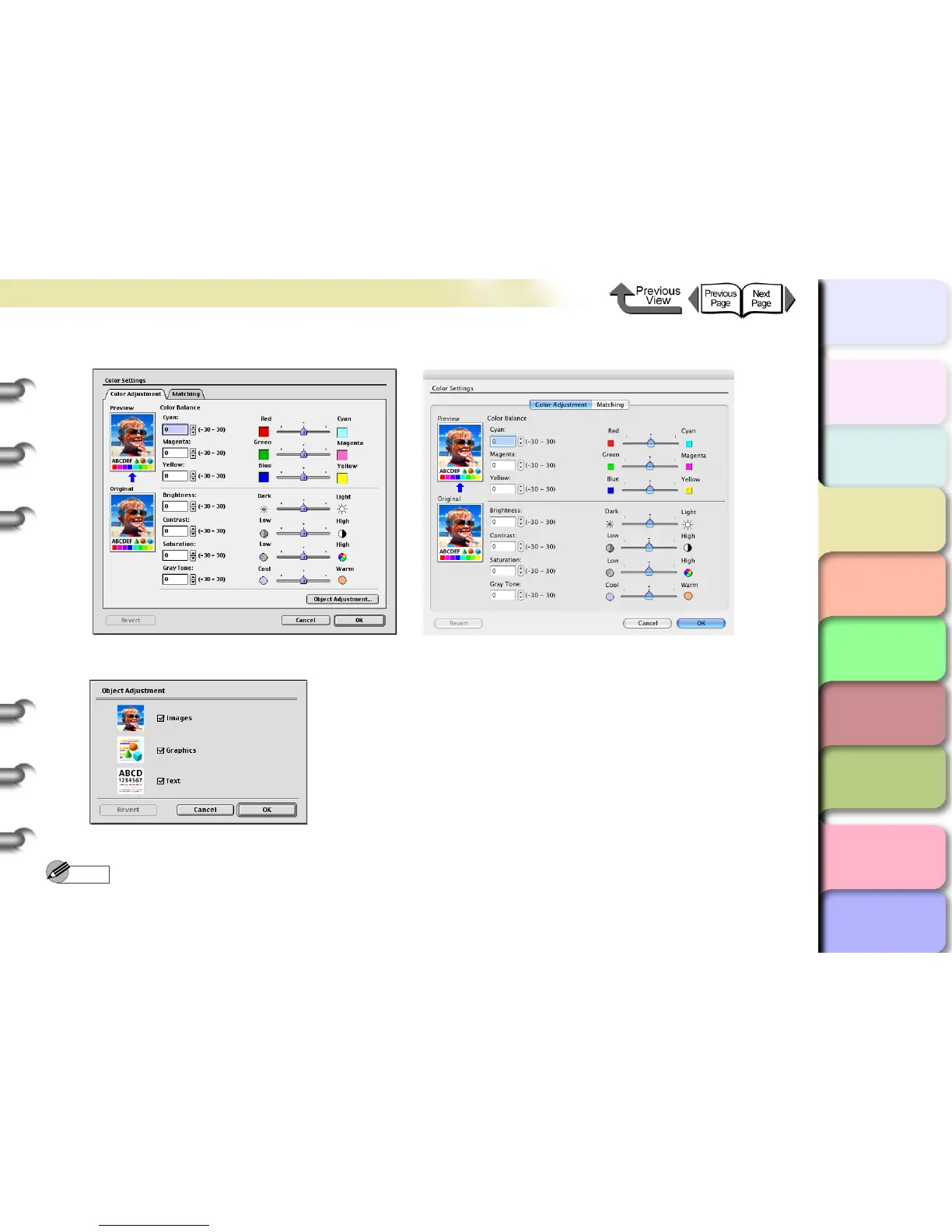
The Color Settings dialog box opens.
6
Confirm that the Color Adjustment panel is displayed, then click the Object Adjustment button.
The Object Adjustment dialog box opens.
Note
z This function is not provided for OS X, Step 6 to Step 8 are not required.


 To Next Page
 Loading...