4- 22
Replacing the Maintenance Cartridge
TOP
Chapter 3
Printing Methods for
Different Objectives
Chapter 4
Maintaining the
Printer
Chapter 5
Using the Printer in a
Network Environ-
ment
Chapter 6
Troubleshooting
Chapter 7
Operation of the
Function Menus
Index
Contents
Chapter 2
Using a Variety of
Media
Chapter 1
Basic Procedures
6
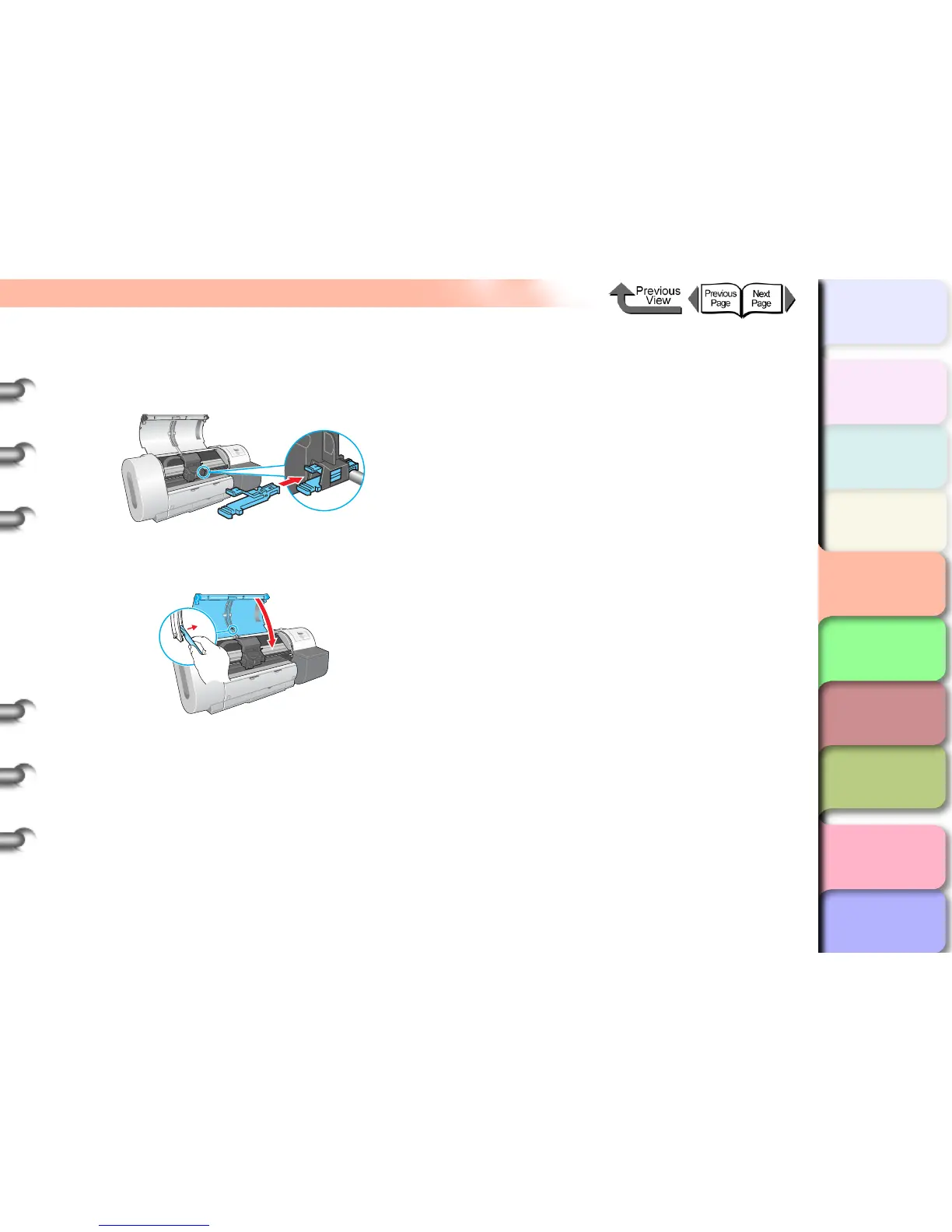
Install the new shaft cleaner into the
carriage.
Push in the shaft cleaner until you hear it catch.
7
Raise the upper cover stopper to release the
lock then close the upper cover.
The carriage returns to the home position and the
printer enters the Online mode.


 To Next Page
 Loading...