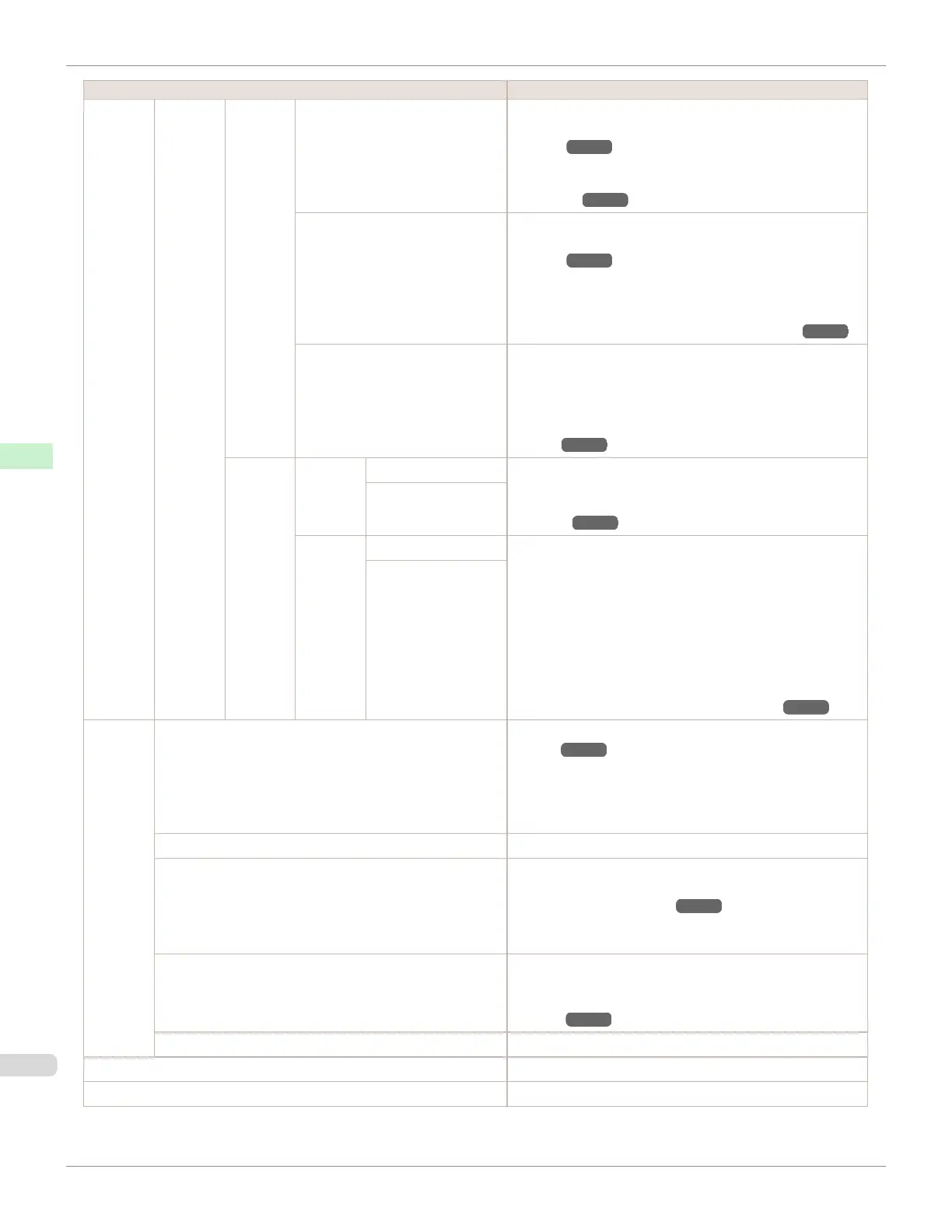
Setting Item Description, Instructions
Adjust
Printer
Feed
Priority
Adj.
Quality
Auto(GenuinePpr) Specify this mode with paper identified in the Paper Refer-
ence Guide. (See "Displaying the Paper Reference
Guide.") ➔P.347
The printer prints and reads a test pattern for automatic ad-
justment of the feed amount. (See "Automatic Banding Ad-
justment.") ➔P.534
Auto(OtherPaper) Specify this mode with paper not in the Paper Reference
Guide. (See "Displaying the Paper Reference
Guide.") ➔P.347
The printer prints and reads a test pattern for automatic ad-
justment of the feed amount. Note that this function takes
more time and consumes more ink than Auto(Genu-
inePpr). (See "Automatic Banding Adjustment.") ➔P.534
Manual Use this mode with highly transparent media or other paper
for which Auto(GenuinePpr) or Auto(OtherPaper) cannot
be used.
Print a test pattern for adjustment of the feed amount based
on the type of paper. (See "Manual Banding Adjust-
ment.") ➔P.536
Adjust
Length
Adjust-
ment-
Print
A:High Print a test pattern for particular types of paper to compen-
sate for paper stretching or shrinkage, after which you enter
the amount of adjustment. (See "Adjusting Line
Length.") ➔P.538
B:Standard/Draft
Change
Settings
A:High Displayed when you have selected Feed Priority > Adj.
Priority > Print Length.
Adjustment relative to the amount of stretching or shrinkage
of the current paper.
Enter either the adjustment results from AdjustmentPrint
or the discrepancy that you measured (as a percentage).
For paper that tends to stretch, increase the feed amount by
choosing a higher adjustment value. For paper that tends to
shrink, decrease the feed amount by choosing a lower ad-
justment value. (See "Adjusting Line Length.") ➔P.538
B:Standard/Draft
Mainte-
nance
Head Cleaning Clean the Printhead. (See "Cleaning the Print-
head.") ➔P.550
Choose Head Cleaning A if printing is faint, oddly colored,
or contains foreign substances.
Choose Head Cleaning B if no ink is printed at all, or if
printing is not improved by Head Cleaning A.
Nozzle Check Print a test pattern to check the nozzles.
Replace P.head Execute when replacing the Printhead. Follow the instruc-
tions displayed to complete the required procedure. (See
"Replacing the Printhead.") ➔P.551
Not displayed during a warning message that the remaining
Maintenance Cartridge capacity is low.
Repl. maint cart Execute when replacing the Maintenance Cartridge. Follow
the instructions displayed to complete the required proce-
dure. (See "Replacing the Maintenance Car-
tridge.") ➔P.557
Head Info Indicates information about the printhead.
GL2 Replot Clear the print data in the replot buffer.
GL2 BufferClear Print in monochrome.
Menu Settings
iPF670
User's Guide
Control Panel Printer Menu
462













 To Next Page