Important
•
There may be ink around the nozzles of the Printhead you remove. Handle the Printhead carefully during replace-
ment. The ink may stain clothing.
•
Do not open the Printhead pouch until immediately before installation. After removing the Printhead from the pouch,
install it right away. If the Printhead is left after the pouch is opened, the nozzles may dry out, which may affect print-
ing quality.
Access the menu for Printhead replacement
Caution
•
When replacing the Printhead immediately after printing, wait a few minutes before replacing it. The metal parts of the
Printhead become hot during printing, and there is a risk of burns from touching these parts.
Important
•
Your hands may become dirty during Printhead replacement. Use the gloves provided with the new Printhead for re-
placement.
Note
•
Prepare a new Ink Tank when ink levels are low.
•
When the remaining capacity of Maintenance cartridge is low, prepare a new Maintenance cartridge.
1
On the Tab Selection screen of the Control Panel, press ◀ or ▶ to se-
lect the Settings/Adj. tab ( ).
Note
•
If the Tab Selection screen is not displayed, press the Menu button.
2
Press the OK button.
The Set./Adj. Menu is displayed.
3
Press ▲ or ▼ to select Maintenance, and then press the OK button.
4
Press ▲ or ▼ to select Replace P.head, and then press the OK button.
Ink begins being drawn in. When it finishes, instructions are displayed on the Display Screen.
It takes about two minutes to complete.
Replace the Printhead
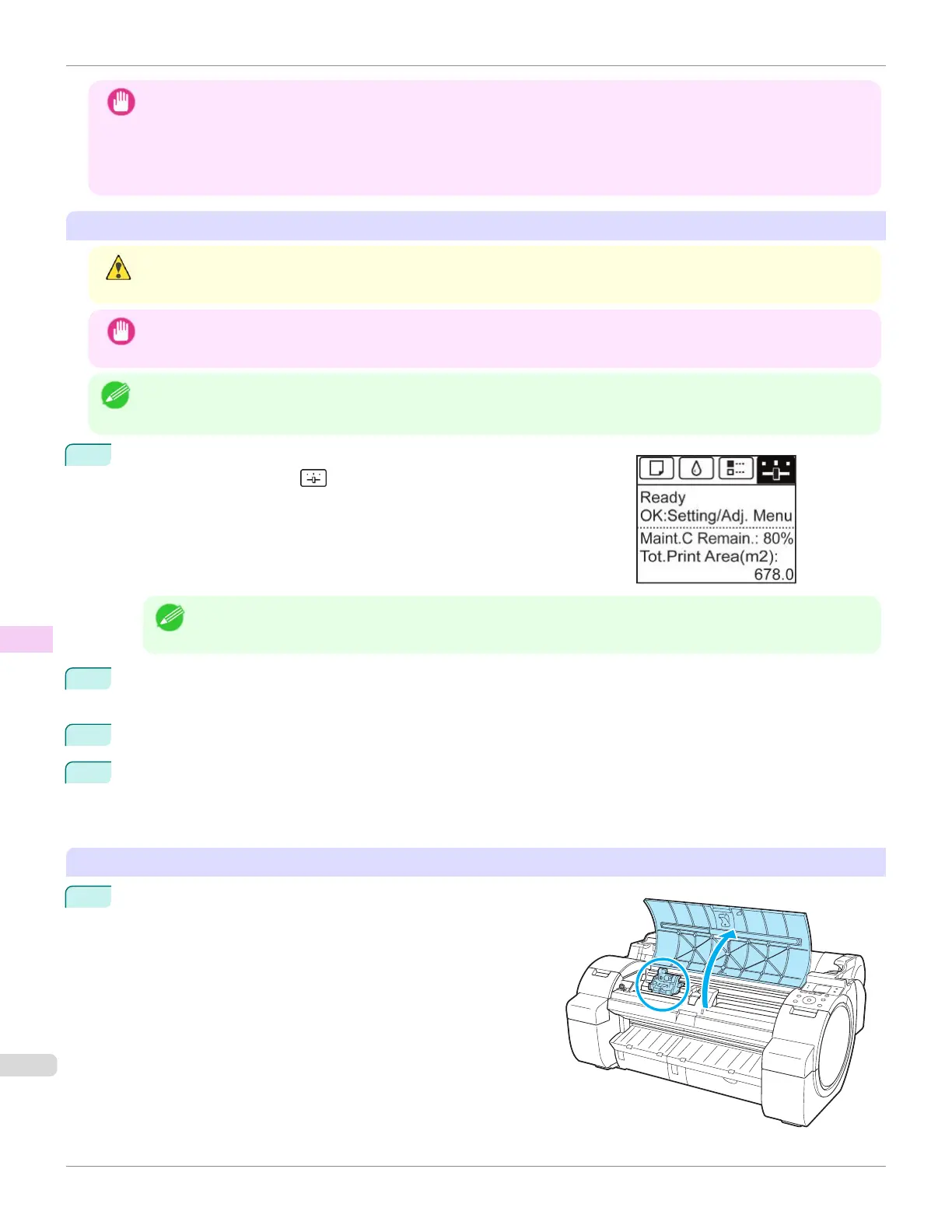
1
Open the Top Cover.
Instructions are now shown on the Display Screen regarding
Printhead replacement.
Replacing the Printhead
iPF670
User's Guide
Maintenance and Consumables Printheads
552













 To Next Page