3
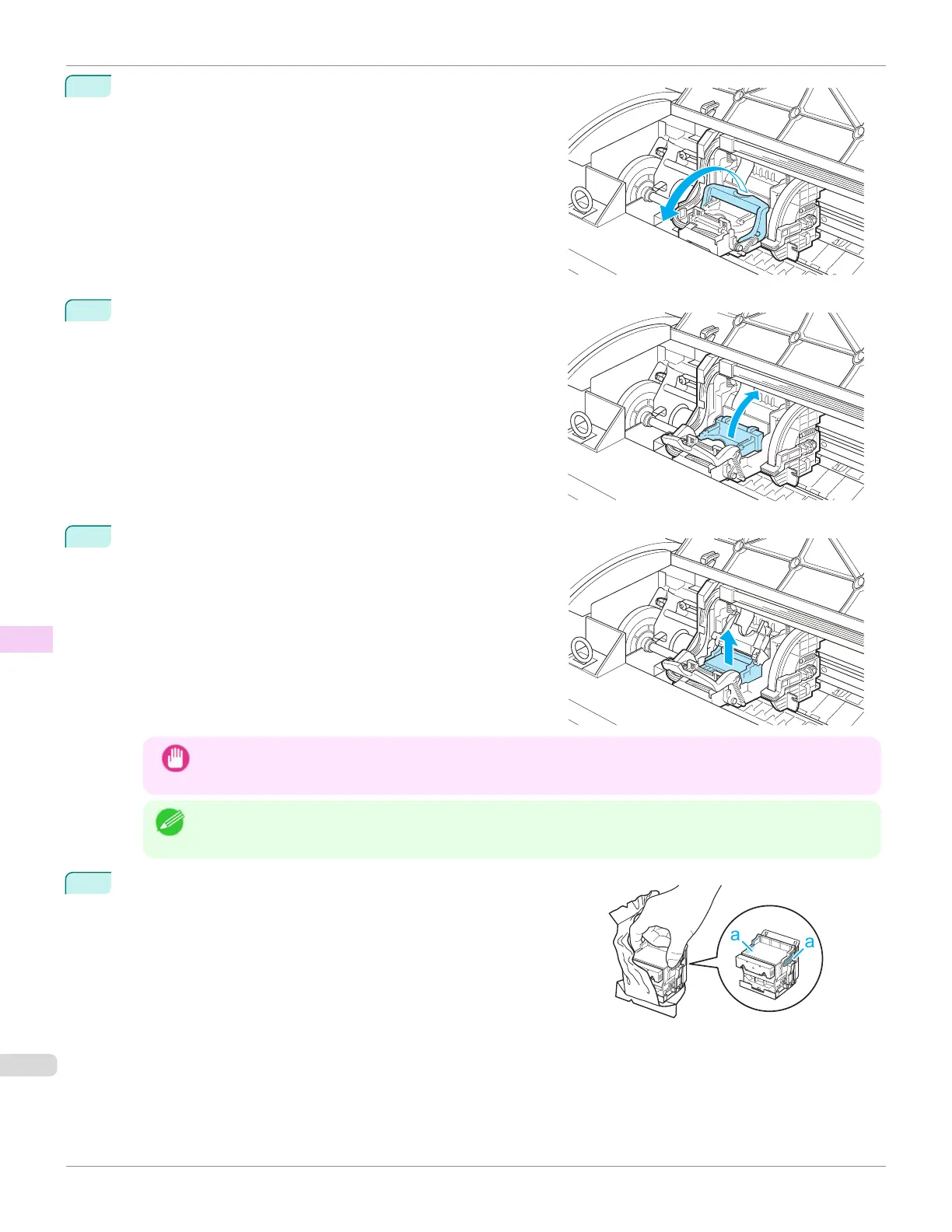
Pull the Printhead Fixer Lever forward all the way to open it
completely.
4
Pull up the Printhead Fixer Cover to open it completely.
5
Remove the Printhead and press the OK button.
Important
•
Never touch the metal contacts of the Carriage. Furthermore, do not allow any dirt or debris to become ad-
hered to the metal contacts of the Carriage. These may damage the printer.
Note
•
Dispose of the used Printhead in accordance with local regulations.
6
Holding the new Printhead by the grips (a), remove it from the
pouch.
Replacing the Printhead
iPF670
User's Guide
Maintenance and Consumables Printheads
554













 To Next Page