Replace the Maintenance Cartridge
1
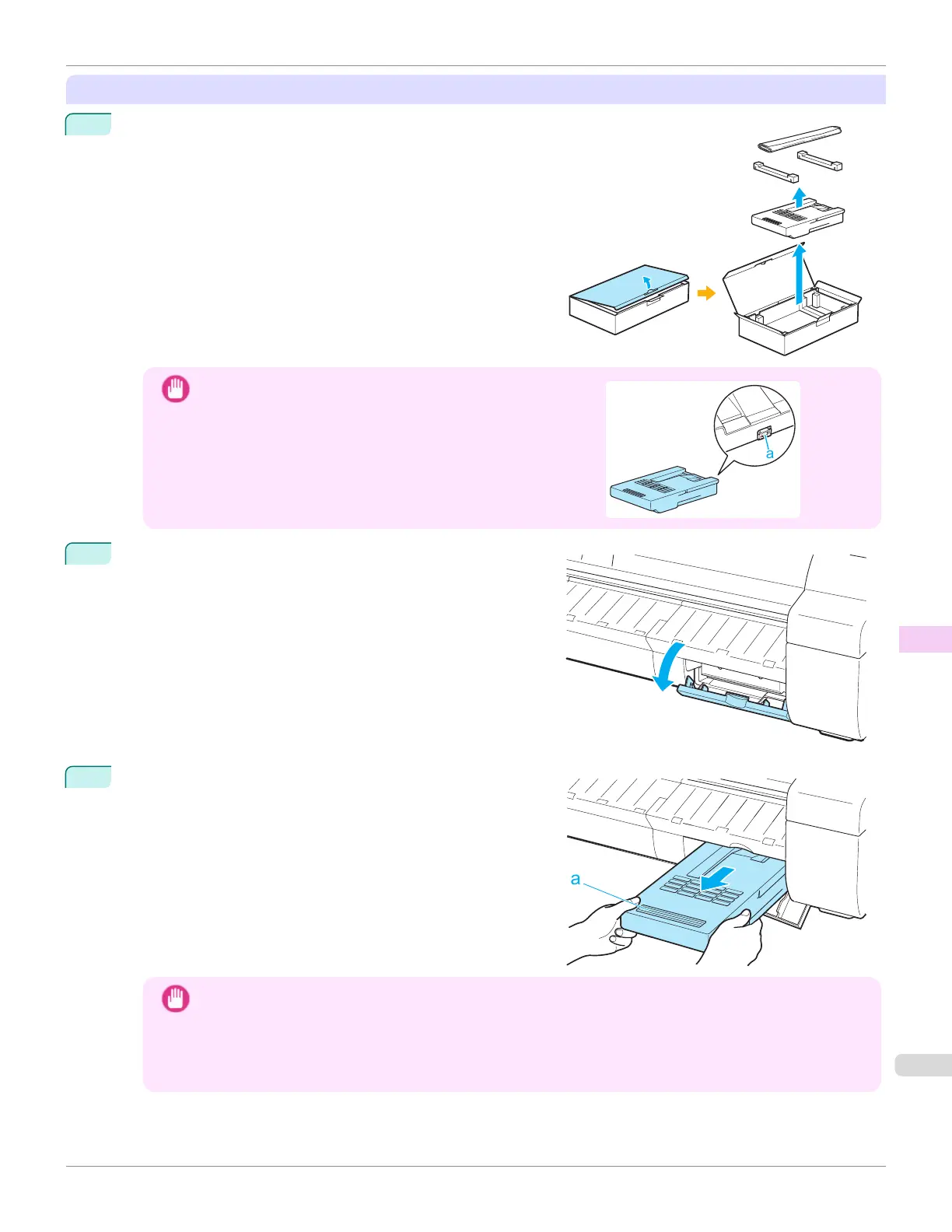
Open the box, remove the plastic bag and packaging material,
and take out the Maintenance Cartridge.
Important
•
Never touch the metal contacts (a). This may damage the
Maintenance Cartridge.
2
At this point, open the Maintenance Cartridge Cover.
3
Hold the used Maintenance Cartridge by the grip (a) with one
hand and put your other hand under the Maintenance Car-
tridge to hold it firmly on the bottom, keeping it level as you
pull it out.
Important
•
Used Maintenance Cartridges are heavy. Always grasp the cartridge firmly and keep the cartridge level dur-
ing removal and storage. If you drop a used Maintenance Cartridge or store it at an angle, ink may leak and
cause stains.
•
The remaining Maintenance Cartridge capacity is recorded on each printer. Do not install a used Mainte-
nance Cartridge in another printer.
iPF670
Replacing the Maintenance Cartridge
User's Guide
Maintenance and Consumables Maintenance Cartridge
559













 To Next Page