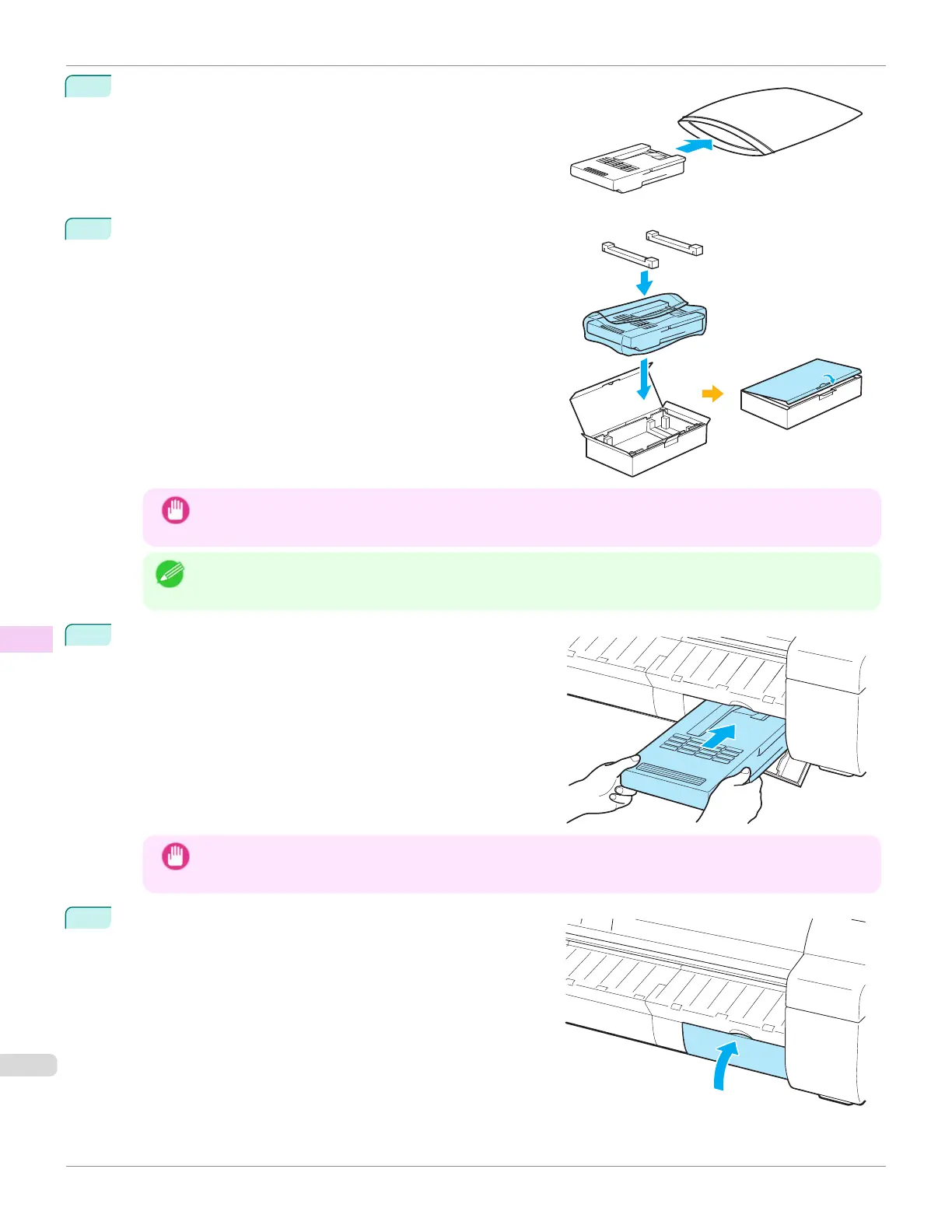
4
Keep the used Maintenance Cartridge level as you put it in the
plastic bag. Expel excess air from the plastic bag and seal the
zipper.
5
Confirm the Maintenance Cartridge is right-side up, put it in the
box with the packaging material attached, and store it so that it
stays level.
Important
•
Always put the used Maintenance Cartridge back in the box and store the box on a flat surface. Also, seal
the zipper thoroughly. Otherwise, ink may leak and cause stains.
Note
•
Put the used Maintenance Cartridge in the plastic bag of the new cartridge, and dispose of it in accordance
with local regulations.
6
Keeping the new Maintenance Cartridge level, insert it all the
way in.
The printer now initializes the Maintenance Cartridge.
Important
•
Do not remove the Maintenance Cartridge during initialization immediately after replacing the Maintenance
Cartridge. The Maintenance Cartridge may become damaged.
7
Close the Maintenance Cartridge Cover.
Replacing the Maintenance Cartridge
iPF670
User's Guide
Maintenance and Consumables Maintenance Cartridge
560













 To Next Page