Troubleshooting Guide
3-28
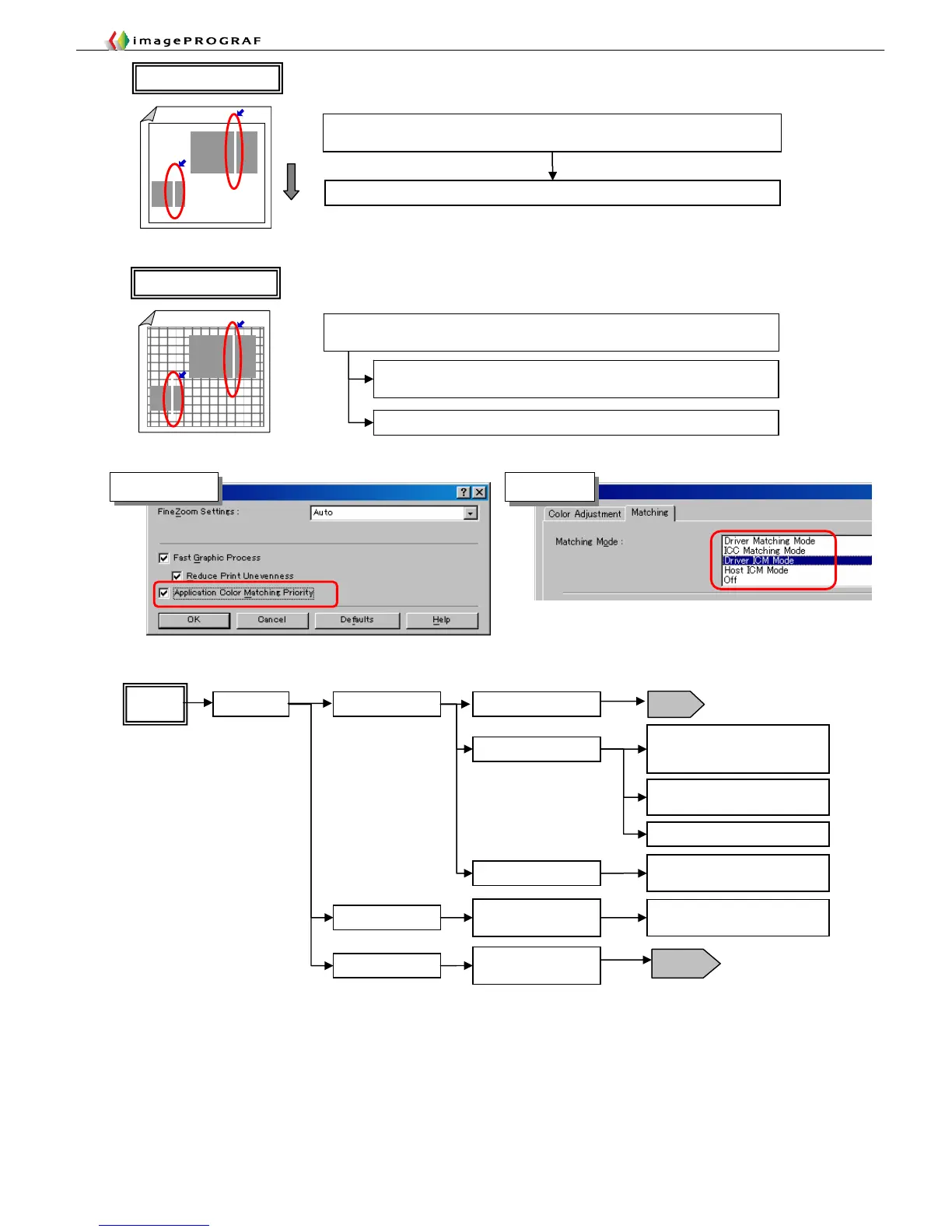
Uncheck “Bitmap print” in the Illustrator print window
Due to an Illustrator bitmap print processing problem, images delivered from Illustrator
are marked with lines
White lines appear only in a pasted image
Explanatory drawing 5
In the printer driver properties dialog box, choose [Layout] -> [Special
Settings] and check [Application Color Matching Priority]
Explanatory drawing 6
White lines appear only in a pasted image
Use a matching mode other than ICM
Inconsistencies between the parts of an image transmitted from Windows when in ICM
mode (Windows color matching)
Any color Horizontal Band blotches
Paper path load
Loosen the tension of the roll
media to eliminate the effect of
back tension, and then check
Check with other paths and other
kinds of paper
Check the spool shaft for faults
Color
lines
Horizontal edge
Band blotches caused
by skewing
Feed paper manually (about 1
m)/set roll media on the spool
(including black
and white)
Check the paper is not caught
anywhere when it is ejected
Elevated paper
Vertical
Non-uniform carriage
scanning
T16
2F26
Perform band adjustment
Faulty carriage encoder
Explanatory drawing 7
Explanatory drawing 2
Special Settings
Matching mode














 To Next Page