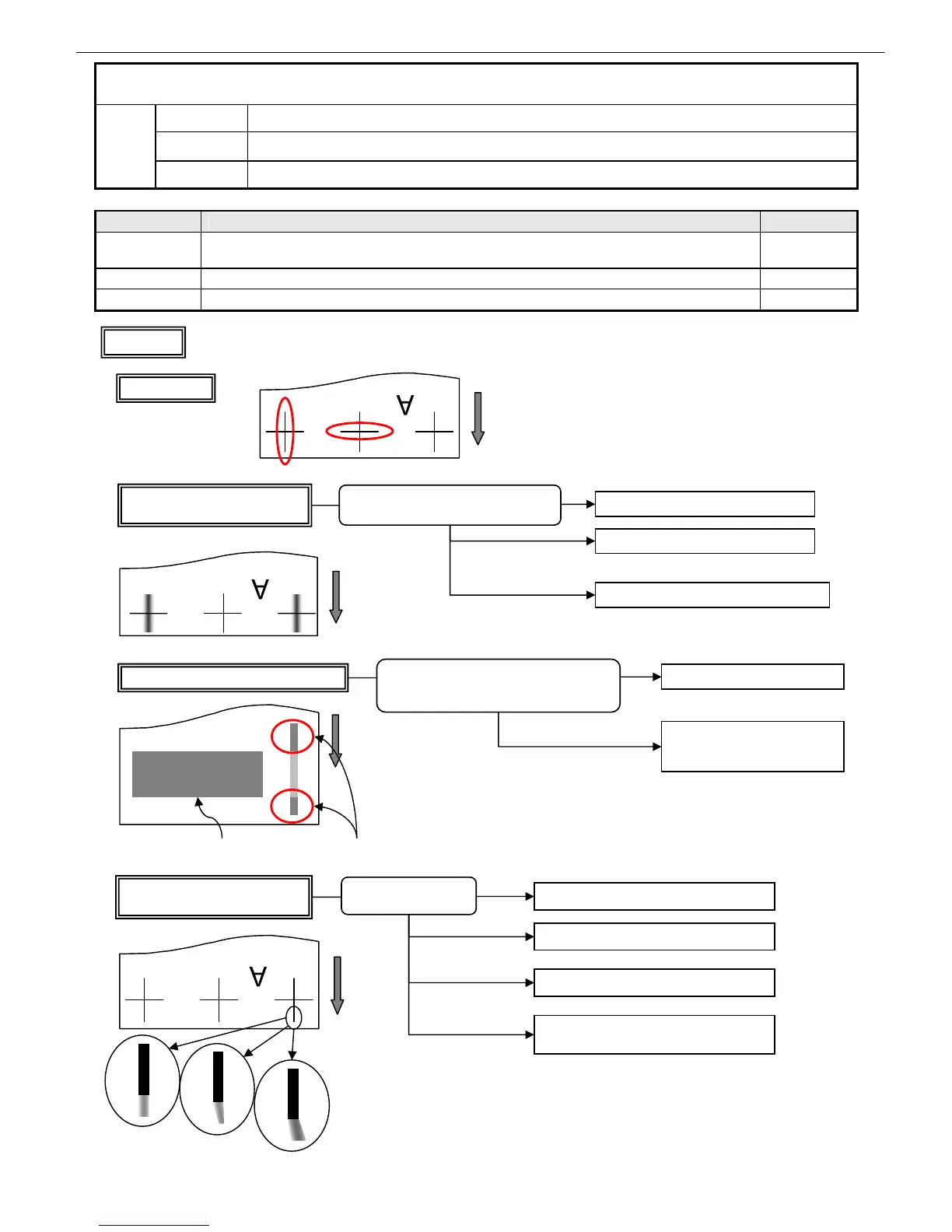
Chapter 4 More Sophisticated Fault Isolation Tasks
3-33
Cause Point to check Action
C3
Check to see if an error has not been detected by running Nozzle Check Print in
User mode.
T03 (P4-3)
C1, C2, C3 Check the direction and conditions of lines. Flow 1
C3 Color misregistration T15 (P4-20)
18. Imaging Failures ④ Line and character errors
C1 Application problem
C2
Printer driver settings
Failure
causes
C3 Main unit
Only the leading end of a rightmost
line is abnormal
Print in an upper mode
May or may not be
avoidable
Rotary printing
Perform Cleaning A
Print a throw-away image (lines) outside the
print area in the same color
Erratic ejection only at
the start of impact
Vertical lines (band) print darker in part
Thickening is an increase in density of an ink
caused by the evaporation of the solvent in the ink.
Print a throw-away image (lines)
outside the print area in the
same color
Rotar
Affected areas move
Ink in the idle nozzles is thickened during
printing, making impact accuracy erratic or
adding to the densit
Photograph or solid print area Darker prints
Only leftmost or rightmost vertical
lines are thick or doubly blurred
Lower the head
Reduce the suction force of the suction fan
Print within the guaranteed print area
Watch for head rubbing
Ink attracted to the suction fan to make
impact accuracy at end points erratic
Watch for head rubbing
Flow 1
Normal image
Vertical line
Horizontal line














 To Next Page