Troubleshooting Guide
4-30
2.PCB Replacement Mode
PCB Replacement mode is used to replace the main controller or maintenance cartridge relay PCB.
At PCB replacement, be sure to have the latest release of firmware transferred to the printer in download mode to keep the
firmware consistent.
(1) Invoke and exit PCB Replacement Mode
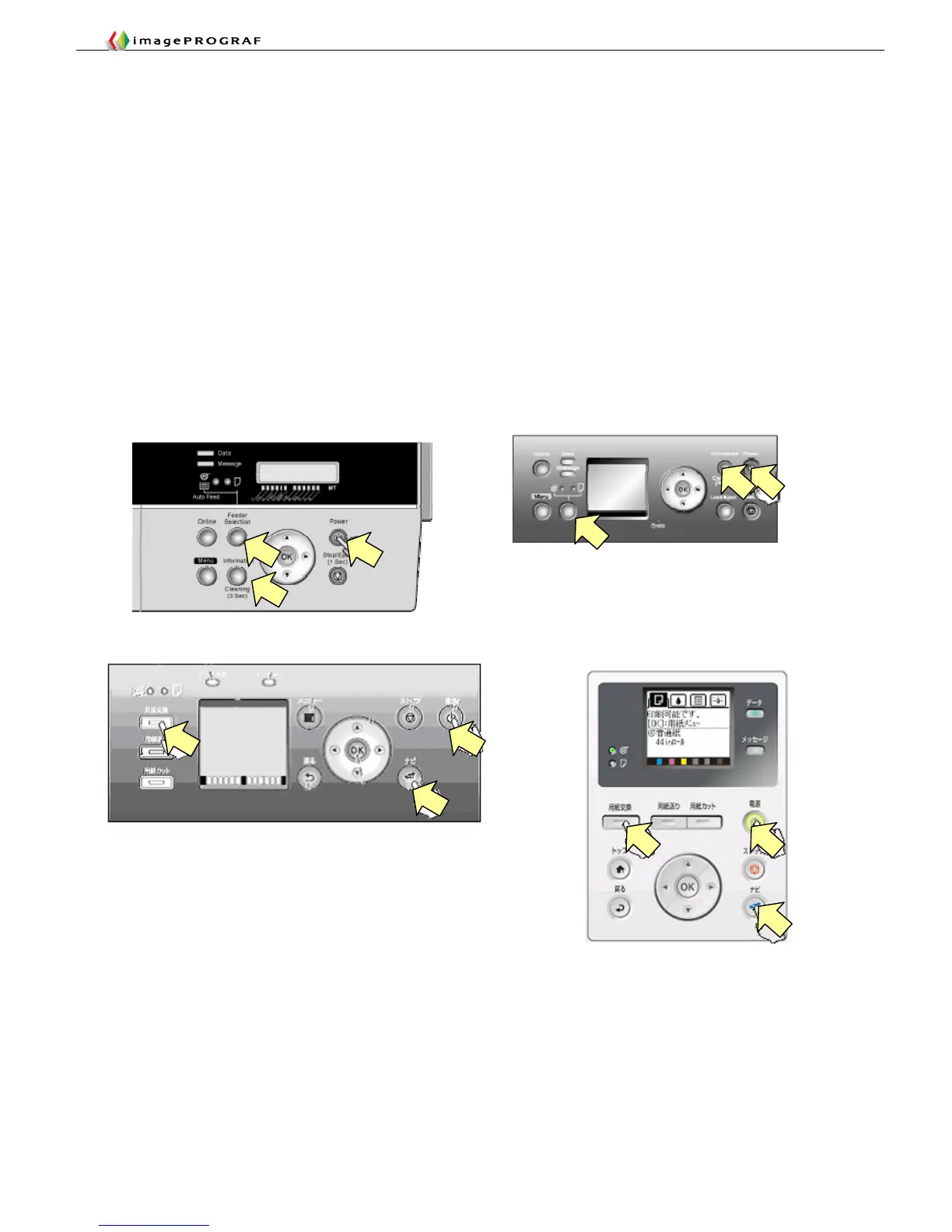
This is the same way as you invoke Service Mode.
Model without [Navigate] button: Switch on the printer while pressing the [Feeder Selection] button and the [Information]
button simultaneously.
Model with [Navigate] button: Switch on the printer while pressing the [Load] button and the [Navigate] button
simultaneously.
To exit Replacement Mode, switch off the printer, then back on.
Model without [Navigate] button
Model with [Navigate] button














 To Next Page