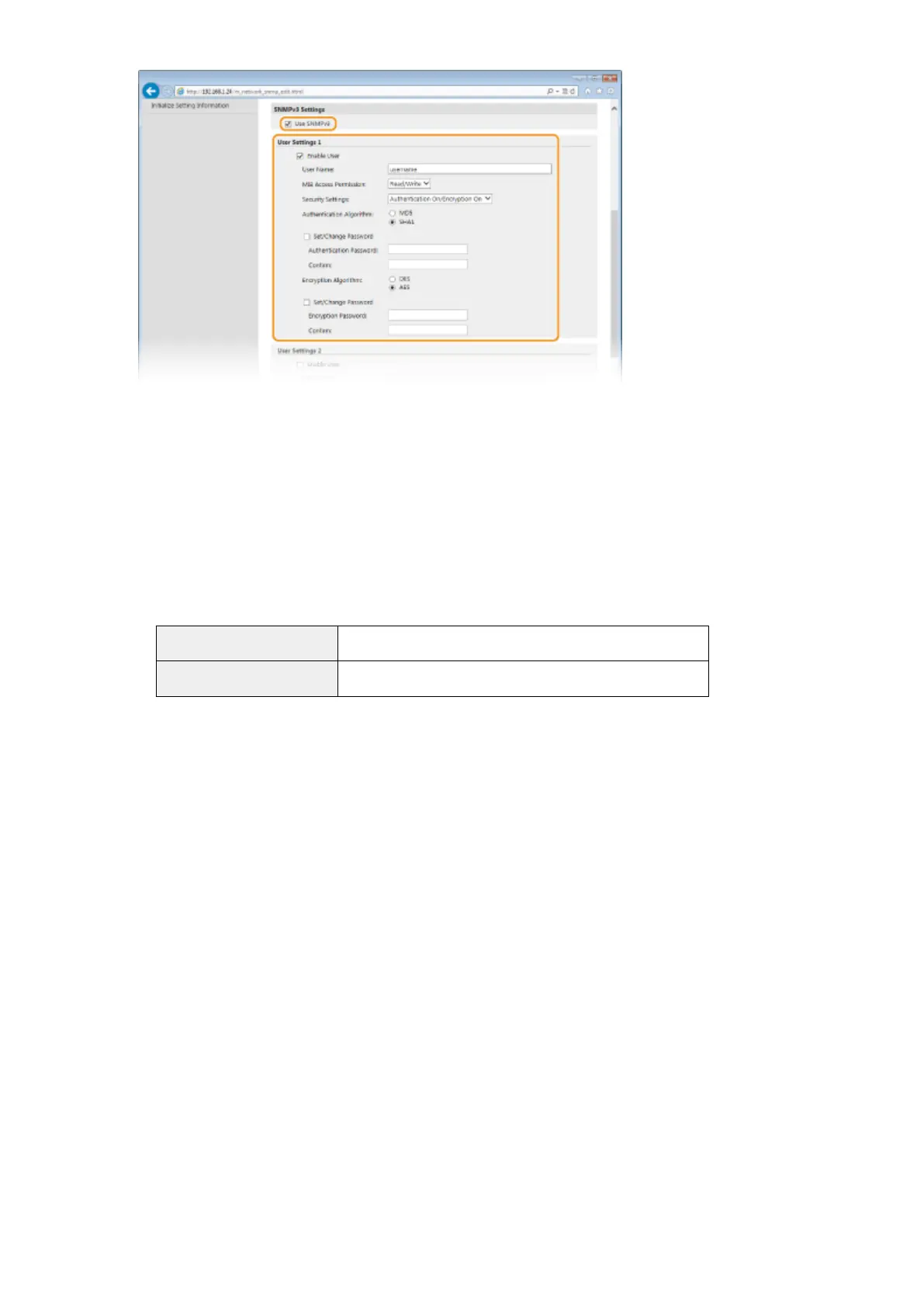
[Use SNMPv3]
Select the check box to enable SNMPv3. You can specify the rest of SNMPv3 settings only when this check box
is selected.
[Enable User]
Select the check box to enable [User Settings 1]/[User Settings 2]/[User Settings 3]. To disable user settings,
clear the corresponding check box.
[User Name]
Enter up to 32 alphanumeric characters for the user name.
[MIB Access Permission]
Select [Read/Write] or [Read Only] for the access privileges to MIB objects.
[Read/Write]
Permits both viewing and changing the values of MIB objects.
[Read Only] Permits only viewing the values of MIB objects.
[Security Settings]
Select [Authentication On/Encryption On], [Authentication On/Encryption Off], or [Authentication Off/
Encryption Off] for the desired combination of authentication and encryption settings.
[Authentication Algorithm]
Click the [Authentication On/Encryption On] or [Authentication On/Encryption Off] for [Security Settings] for
the algorithm that corresponds to your environment.
[Encryption Algorithm]
Click the [Authentication On/Encryption On] for [Security Settings] for the algorithm that corresponds to your
environment.
[Set/Change Password]
To set or change the password, select the check box and enter between 8 and 16 alphanumeric characters
for the password in the [Authentication Password] or [Encryption Password] text box. For conrmation, enter
the same password in the [Conrm] text box. Passwords can be set independently for authentication and
encryption algorithms.
[Context Name 1]/[Context Name 2]/[Context Name 3]
Enter up to 32 alphanumeric characters for the context name. Up to three context names can be registered.
7
Specify Printer Management Information Acquisition Settings.
● With SNMP, the printer management information, such as printing protocols and printer ports, can be
monitored and obtained regularly from a computer on the network.
Network
194










 To Next Page