3
Click [OK].
● To change the port number for multicast discovery, see Changing Port Numbers(P. 226) .
Notifying a device management software of the power status of the machine
1
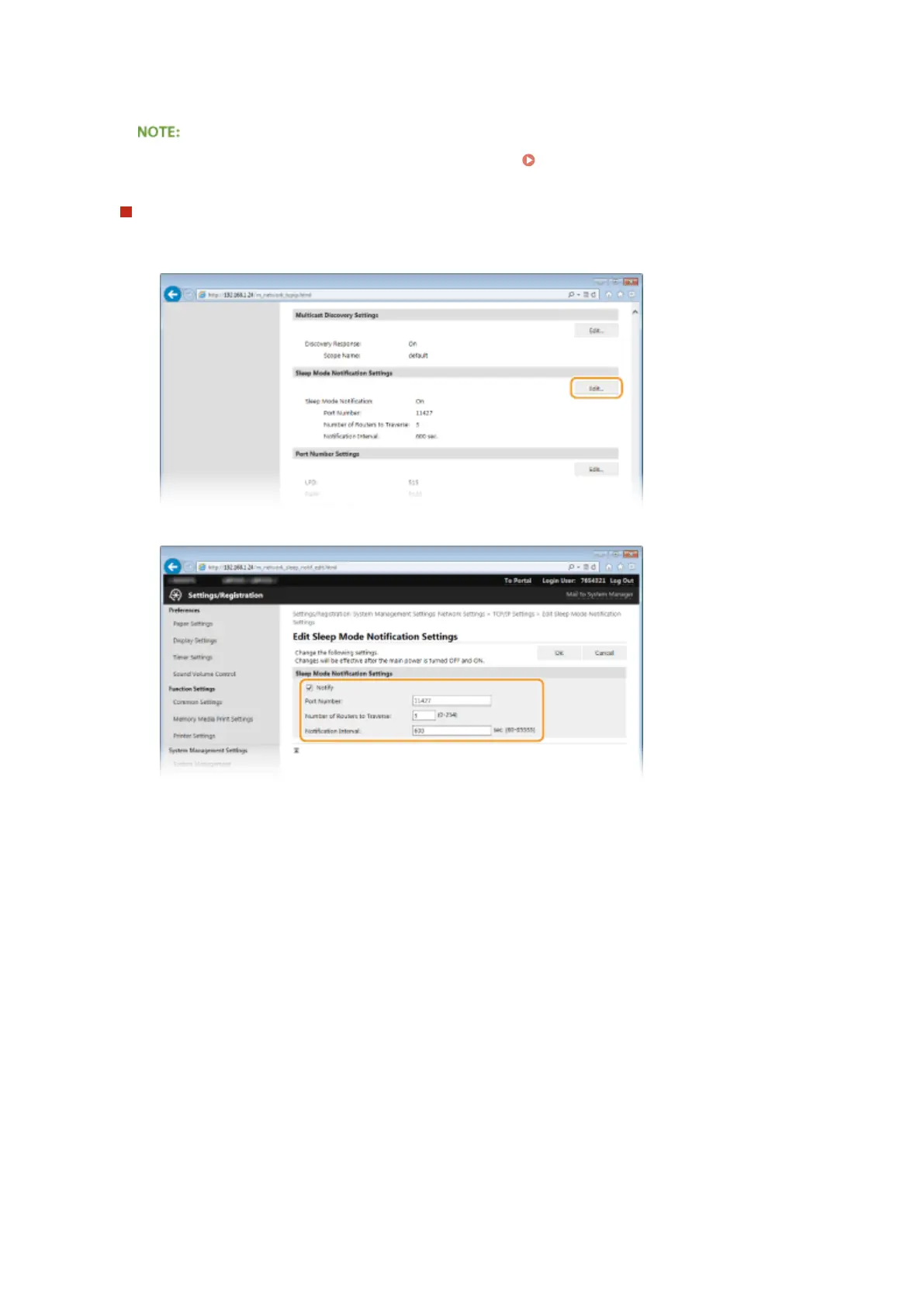
Click [Edit] in [Sleep Mode Notication Settings].
2
Select the [Notify] check box and specify the required settings.
[Notify]
Select the check box to notify a device management software of the power status of the machine. When
[Notify] is selected, you can expect the machine to avoid unnecessary communication during sleep mode
and reduce the total power consumption.
[Port Number]
Change the port number for this function according to the network environment.
[Number of Routers to Traverse]
Specify how many routers the notication packets can pass. Enter a number from 0 to 254.
[Notication Interval]
Specify how often the machine noties a device management software of its power status. Enter a
number in seconds from 60 to 65535.
3
Click [OK].
5
Restart the machine.
● Turn OFF the machine, wait for at least 10 seconds, and turn it back ON.
Network
198










 To Next Page