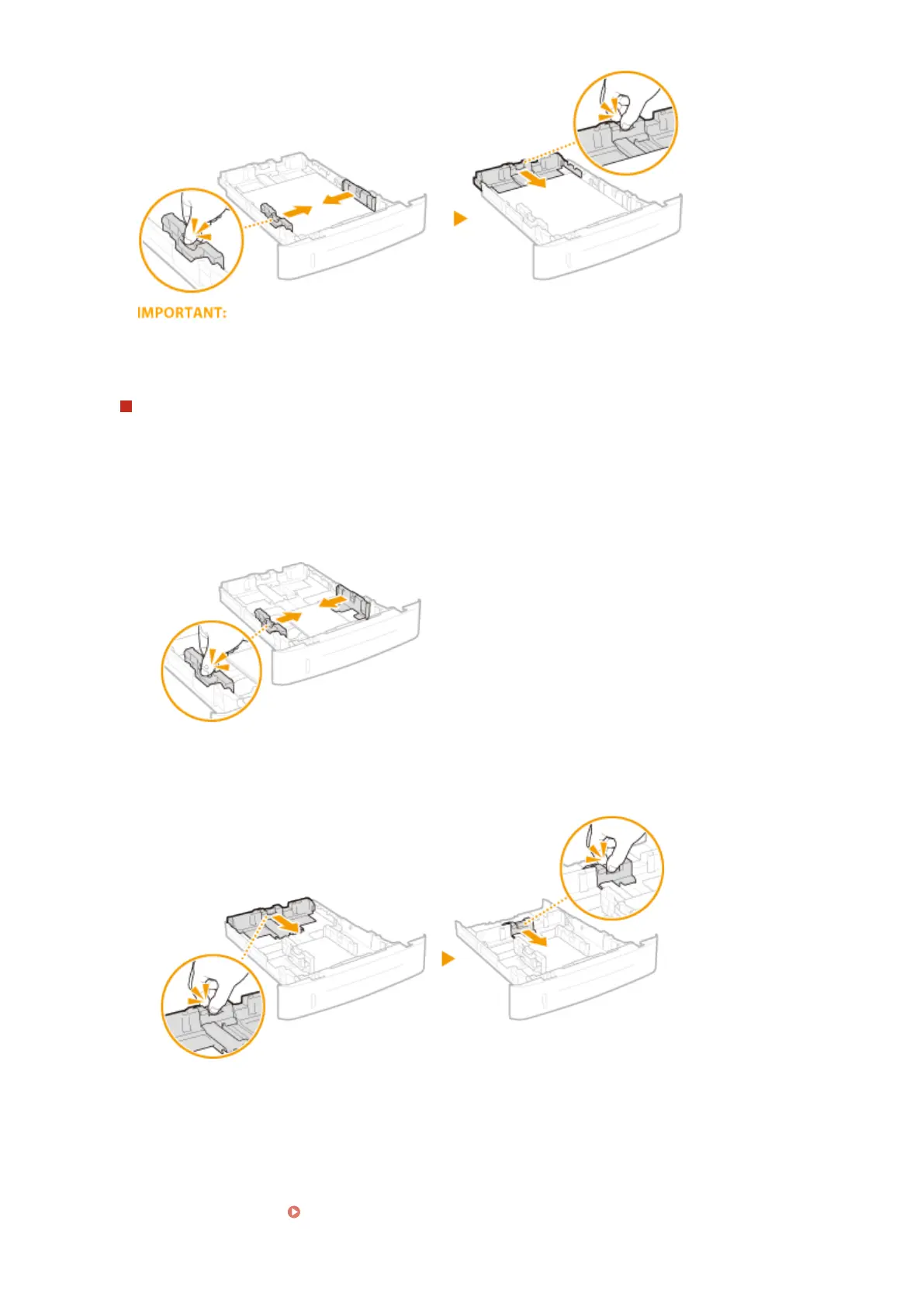
Align the paper guides securely against the edges of the paper
● Paper guides that are too loose or too tight can cause misfeeds or paper jams.
When loading paper with length shorter than A5 size length
When loading A6 size paper or other paper with length shorter than 210 mm, slide the paper guide on the
rear side toward the front side and beyond its position for A5 size paper.
1
Align the paper guides on the left and right sides against the edges of the paper.
● Press the lock release lever and slide the paper guides inward until they are aligned securely against
the edges of the paper.
2
Align the paper guide on the rear side against the edge of the paper.
● Press the lock release lever and slide the paper guide toward the front side and beyond its position for
A5 size paper until it is securely aligned against the edge of the paper.
5
Insert the paper drawer into the machine.
● When you insert the paper drawer with <Notify to Check Paper Settings> set to <On>, a conrmation
screen is displayed. Notify to Check Paper Settings(P. 343)
Basic Operations
39










 To Next Page