4
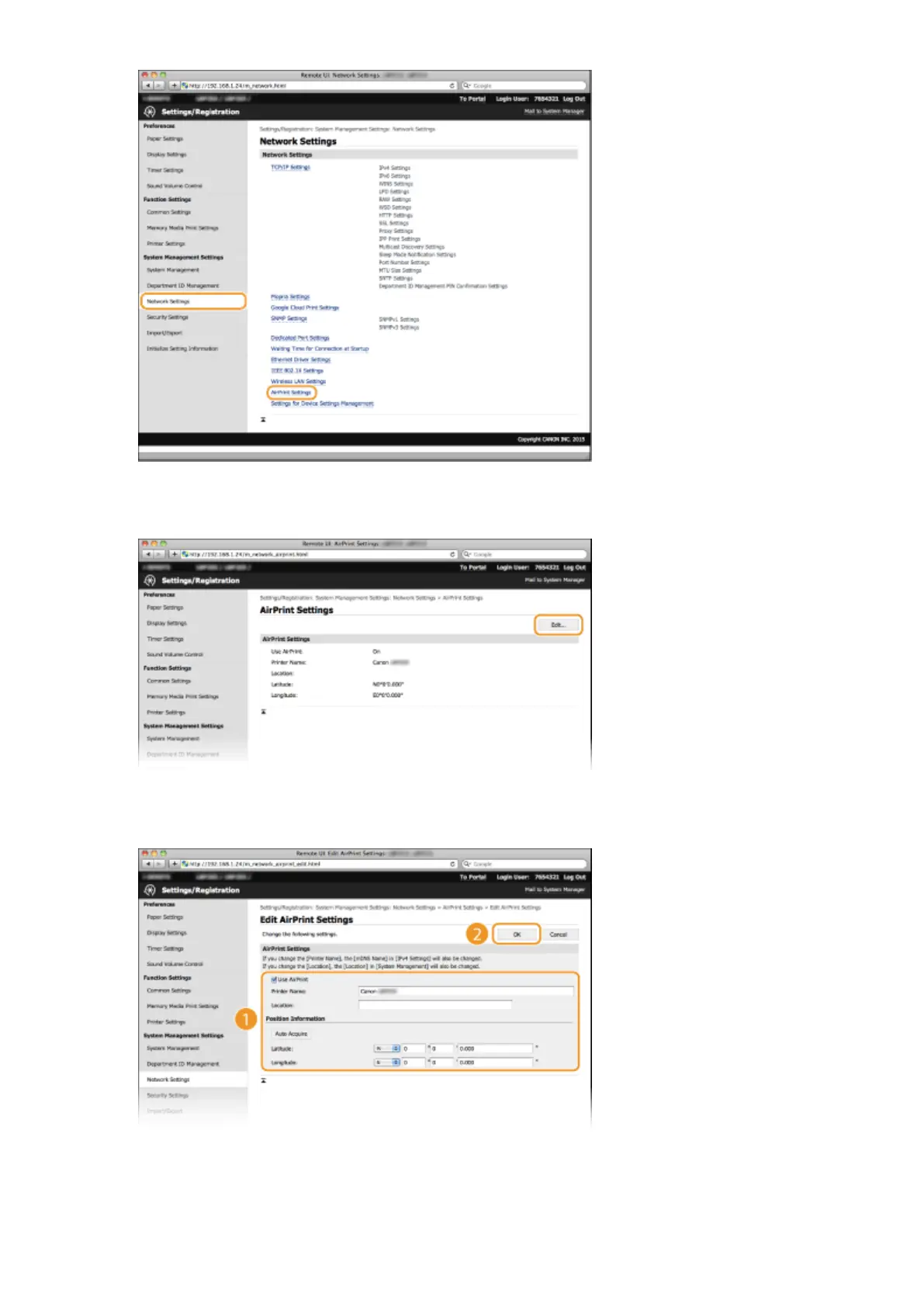
Click [Edit].
5
Specify the required settings, and click [OK].
[Use AirPrint]
Select the check box to enable AirPrint. To disable AirPrint, clear the check box.
[Printer Name]/[Location]/[Latitude]/[Longitude]
Enter the name and the installation location information to help you identify this machine when operating
your Apple device. This information is useful if you have more than one AirPrint printer.
Appendix
446










 To Next Page