Viewing WEP and WPA/WPA2-PSK information
1
Select <Security Settings>, and press .
2
Conrm and select the curr
ent security setting, and press
.
● If the security settings ar
e not congured, <None> is displayed.
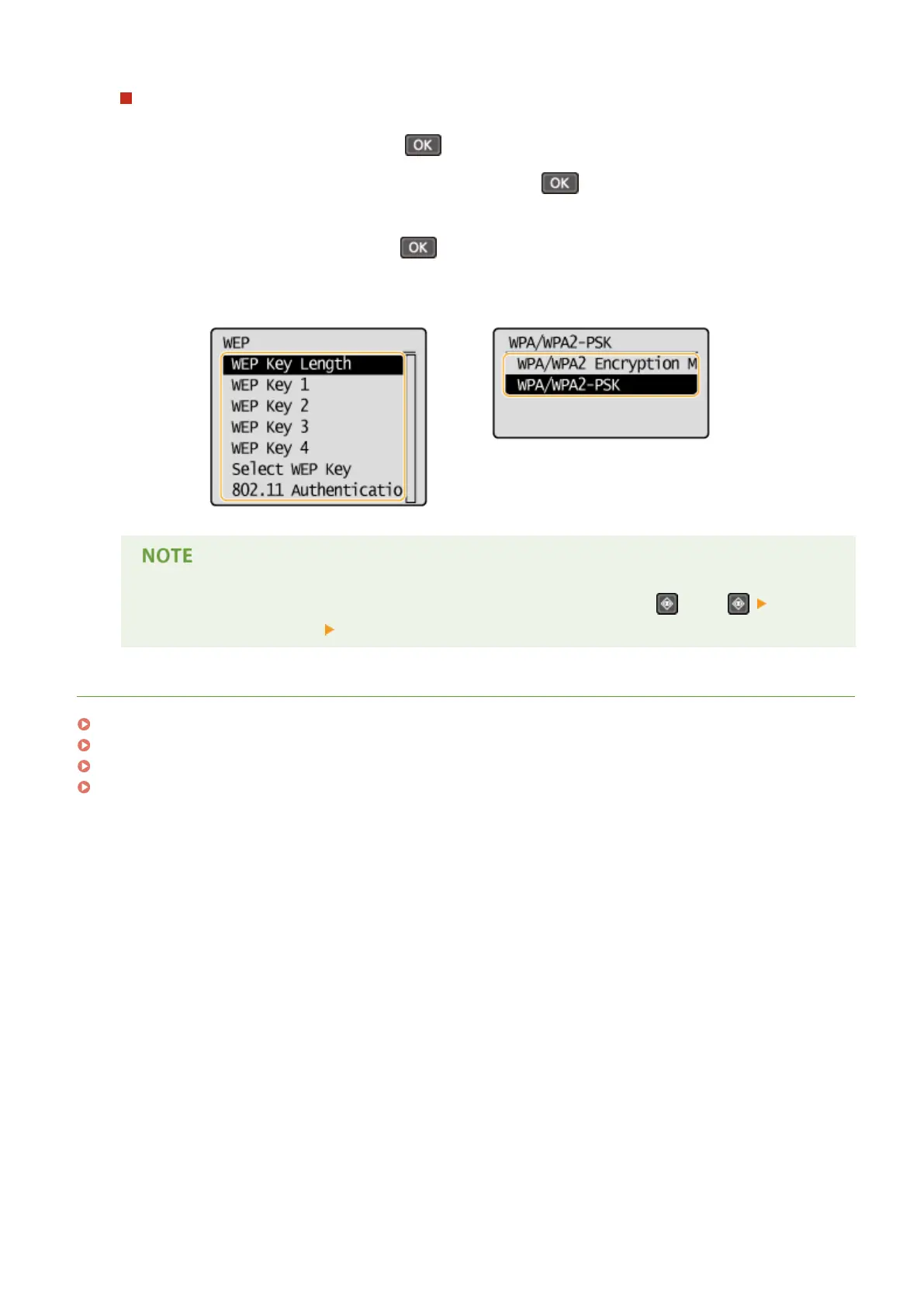
3
Select the setting to view, and press
.
WEP WPA/WPA2-PSK
● <Wir
eless LAN Status> and <Latest Error Information> can be viewed from
. Press
<Network Information> <Network Connection Method> and select the setting to view.
LINKS
Connecting to a Wireless LAN(P. 170)
Setting IPv4 Address(P. 188)
Setting IPv6 Addresses(P. 191)
Conguring DNS(P. 212)
Network (MF244dw / MF232w)
196










 To Next Page