Checking whether the settings are correct
Make sure that the Remote UI screen can be displayed with your computer ( Starting Remote UI(P. 450) ). If
a computer is not available, you can check the connection by using the operation panel ( Testing the
Network Connection(P. 339) ).
Testing the Network Connection
1
Tap <Menu> in the <Home> Screen.
2
Tap <Network Settings>.
● If a screen for entering a PIN is displayed, enter the PIN with the numeric keys and tap <Apply>. Setting
the System Manager PIN(P. 397)
3
Select <TCP/IP Settings> <IPv4 Settings> <PING Command>.
4
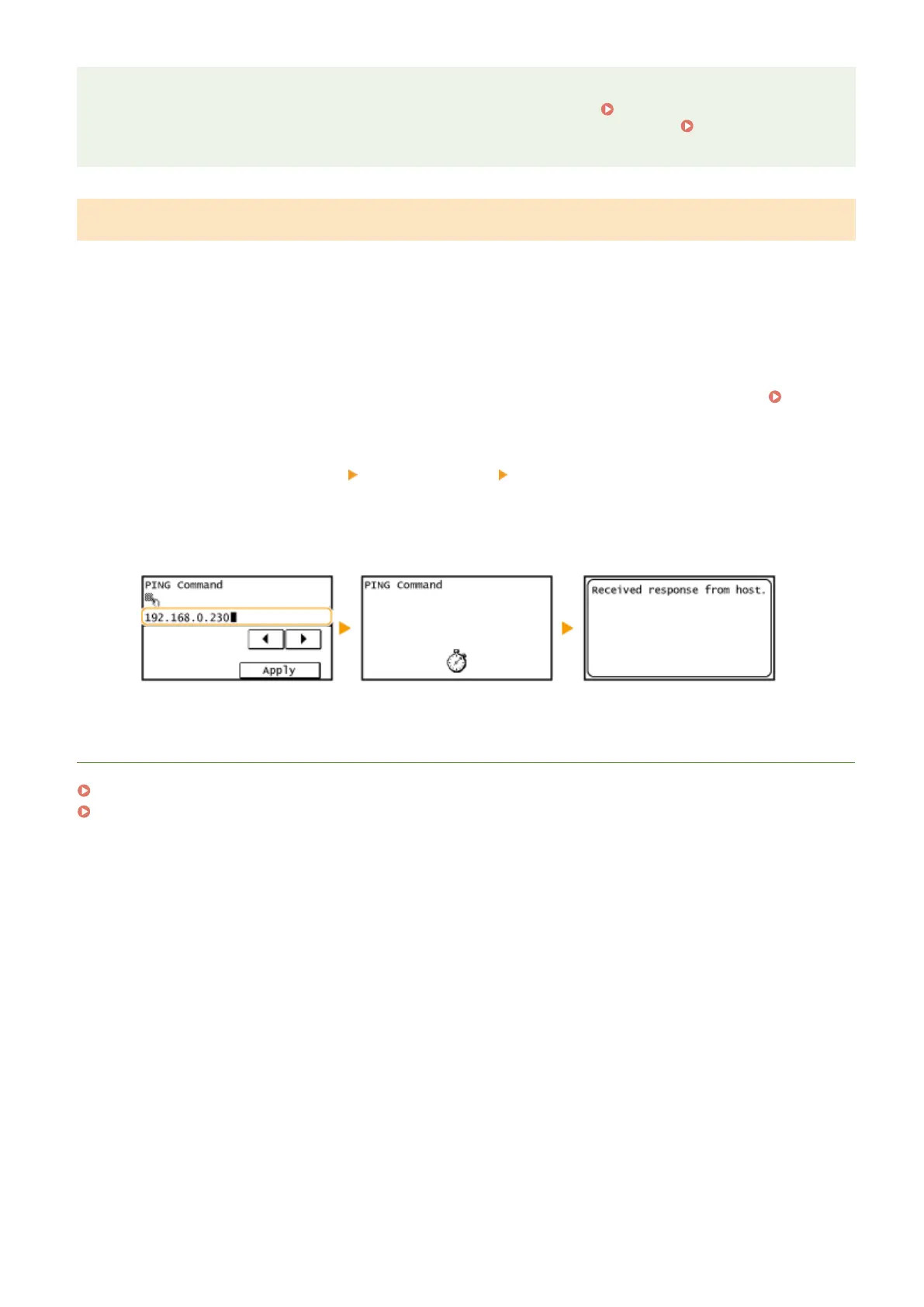
Enter the IPv4 address of another device on the network, and tap <Apply>.
● If a proper connection has been established, the result is displayed as shown above.
LINKS
Setting IPv6 Addresses(P. 340)
Viewing Network Settings(P. 344)
Network
339









 To Next Page