11
Typical HVLS Fan and Smart Control Installation
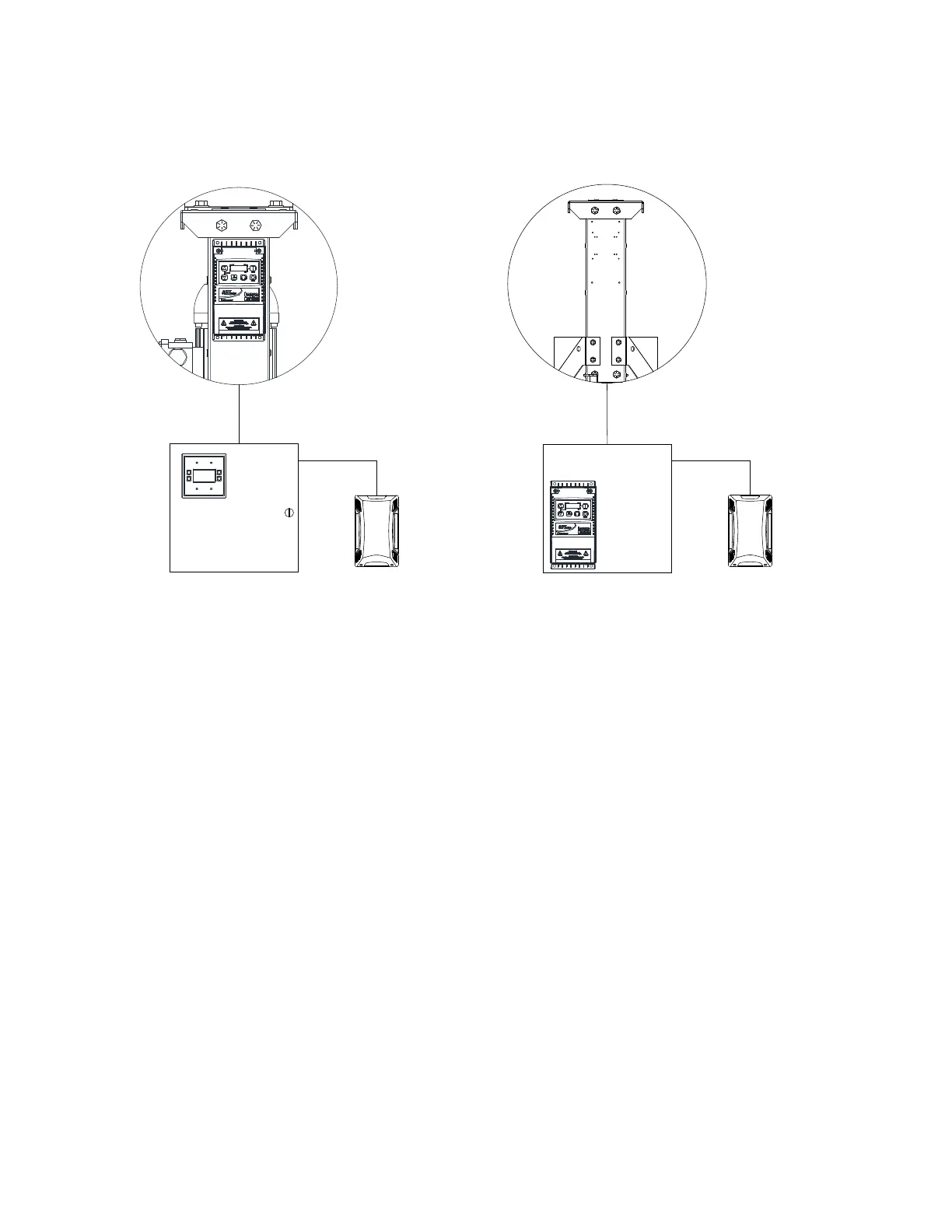
Figure 7 - VFD and Smart Control Mounting Locations
Site Preparation - Fan
1. Provide clearance around installation site to safely rig and lift equipment into its final position. Supports
and roof structure must adequately support fans. Refer to manufacturer’s estimated weights.
2. Consider general service and installation space when locating fans.
3. Check drawings and layouts provided to locate where the fan is to be installed.
4. Check to see if you have all the tools required for the installation.
5. Verify that all fan components were received.
6. Ensure work area is safe and that all security policies and procedures for the facility are met.
7. Inspect the lift device or mobile platform.
8. Each person installing the fan must use a safety harness at all times. Other safety requirements may
be required for installation.
Fan Mounting Configurations
There are different mounting configurations for different types of ceiling structures. Refer to page 12
through page 32 for detailed component descriptions. Fans may be mounted directly to beams, hung from
Open Web Steel Joists (OWSJ), Purlins, Wood Beams, or Concrete Beams.
AT ALL CONNECTIONS, SAFETY CABLES MUST BE USED FOR REDUNDANT SECURITY.
2 CLAMPS MUST BE USED ON EVERY SAFETY CABLE END. ALL HARDWARE MUST BE
TORQUED APPROPRIATELY PER THIS MANUAL.
All fans require a standard mount in 12, 24, or 48-inch lengths. Up to 2 extensions can be used to lower the
fan off the standard mount. Extensions are available in 24 or 48-inch lengths. Example installations are
shown below and are representations which are subject to change without notice.
IDLE
70°F
VFD Mounted with Fan
Control Panel
Optional Remote
Room Sensor
Control Panel
VFD Mounted with Control Panel
Optional Remote
Room Sensor



 To Next Page