47
Manual Mode Startup
The suggestion to use MANUAL mode at startup is for checking min and max fan speed operation and
other operating conditions. It is extremely important not to operate the fans below 15 Hz for proper
motor cooling or above a frequency that will cause the motor to over amp. The high-speed
frequency has been factory programmed at 55 Hz (HVLS) / 80 Hz (Vent) to prevent this from
happening.
Once in MANUAL mode, to start the fans:
1. Press the FANS ON button. This will activate every fan in the fan group. Multiple fans may be assigned
to 1 fan group. By pressing the FANS ON button, all fans in that group will startup. Fan Group
assignment will be discussed later in this manual.
2. Press the SPEED UP button, or hold it down. This will increase the speed of the fans in that group.
When this button is pressed, the display will show the desired fan speed in a % of maximum speed. It
will also show the desired maximum fan frequency. Increase the fan speed to 100%. The fans will
begin to increase in speed. They have a slow ramp speed to avoid damage to the fan gearbox.
3. Once the fans are operating at their maximum speed, verify and record the amp draw for each fan.
This can be done in several different ways. First, the amperage can be measured directly with an
amperage meter. Second, the amperage can be read off of each VFD using parameter P508 on the
VFD itself. Lastly, the HMI can display the amperage, as well as other operating information. This is
done by:
• Holding the top two buttons and entering the Main Configuration Screen.
• Use the UP and DOWN buttons to highlight the SELECT FAN line. Press ENTER
• Use the UP and DOWN buttons to select the desired fan and then press SEL. FAN.
• Once back into the Main Configuration Screen, Select OPERATING INFO and press ENTER.
• This will show all of the current operating info for the selected fan, including real-time POWER,
CURRENT, SPEED, MOTOR VOLTAGE, % LOAD, RUN TIME, and VFD TEMPERATURE.
• Once the high-speed data is recorded for each fan, press the BACK button to return to the Main
Configuration Screen.
• Another fan can be selected at this point or the DISPLAY button can be pressed to go back into the
Operating Screen.
• To turn the fans off, press the highlighted FANS OFF button at any time.
Note: All fans assigned to a group will follow the commands from the HMI. They will all start
together, stop together, and for HVLS to run forward or reverse together. They will also have the
same minimum and maximum speeds and temperature limits. If independent control is needed for
specific fans, that fan should be in a group by itself.
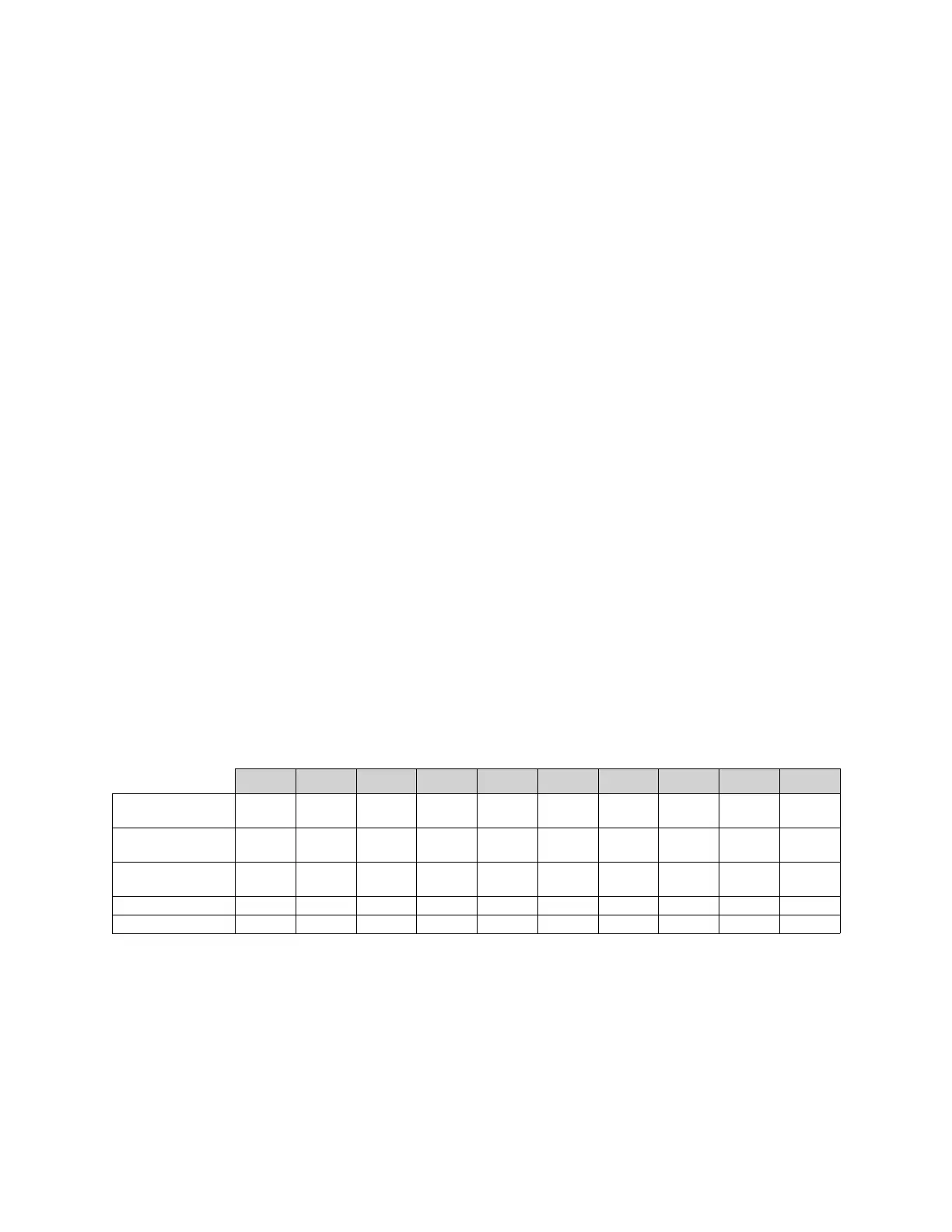
Table 8 - Manual Mode Fan Startup Checklist
Fan 1 Fan 2 Fan 3 Fan 4 Fan 5 Fan 6 Fan 7 Fan 8 Fan 9 Fan 10
Maximum
Frequency
Amperage at
Maximum Speed
Minimum
Frequency
Rotation Correct
Group Number



 To Next Page