46 Chapter 5 Acquiring Images
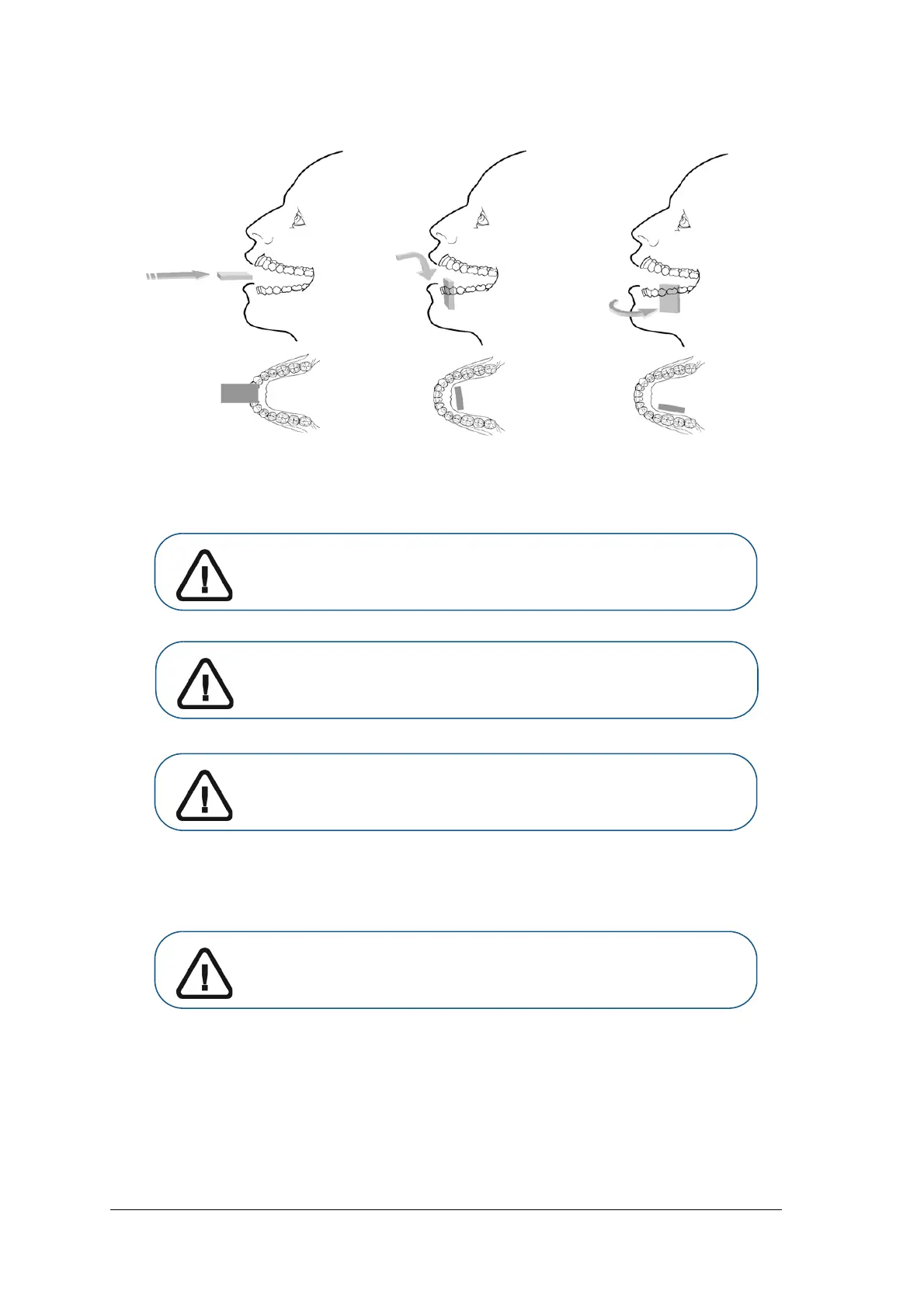
2. Position the CS 7200 imaging plate in the mouth of the patient depending on the region of interest.
3. Move the X-ray generator tube head close to the patient and align it with the tooth of the patient and the
CS 7200 imaging plate.
4 Tell the patient to remain still without moving the tongue.
5. Position yourself either two meters behind the X-ray generator or outside the room.
6. Trigger the X-ray with the remote switch of the X-ray generator.
7. Remove the CS 7200 imaging plate from the mouth of the patient.
Important: Respect the X-ray techniques to avoid image distortion and
minimize magnification.
Important: Make sure that the tube head is not shaking.
Important: Perform the required X-rays according to your clinical
procedure.
Important: Make sure you can keep visual contact with the patient
during the X-ray.



 To Next Page