EasyManua.ls Logo

Carimali BlueDotPlus - Reset Counters; Gsm;Ftp Status

Carimali BlueDotPlus
262 pages
Print Icon
To Next Page IconTo Next Page
To Previous Page IconTo Previous Page
Loading...
5.93Programming
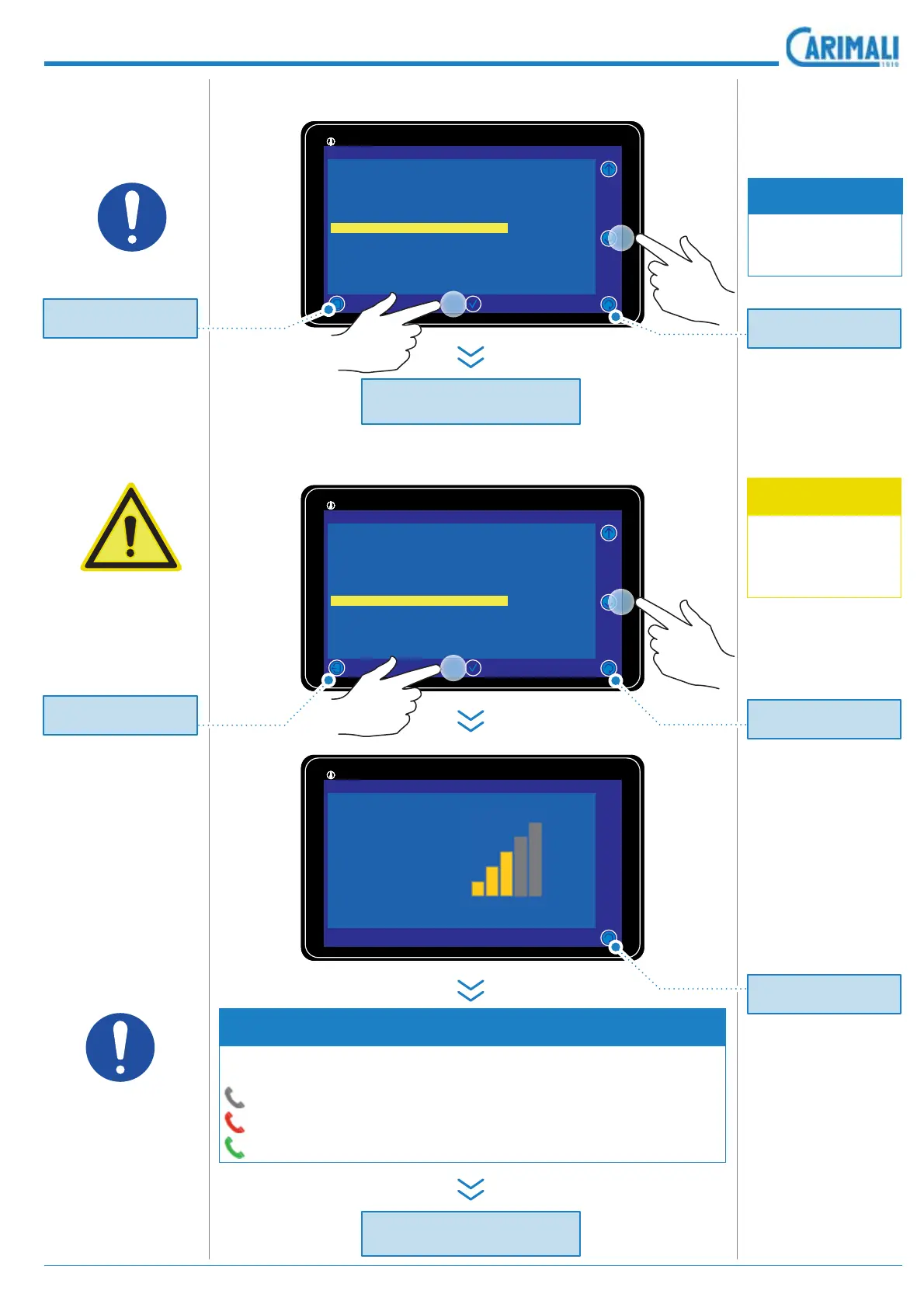
5.7.4 Reset counters
5.7.5 GSM/Ftp Status
WARNING
This option is avail-
able only if the
GSM presence is
enabled.
NOTE
The connection icon in the information bar changes according to
the connection status:
Initial connection status
Not connected
Connected
It enables the ma-
chine counter reset
screen.
Access the page of
visualization of the
Gsm/Ftp status.
,WVKRZV
General status of
the Gsm / Ftp
• Connection status
Signal level (both
the numerical val-
XHDQGWKHJUDSKLF
Any possible errors
Any possible mes-
sages
NOTE
7KH FRQ¿UPDWLRQ
for the counters ze-
roing is requested.
11:25 19 February 2017
92°/145°
|
Info reset
System data
Restore default
Reset counters
GSM/Ftp Status
Status Wifi
Read doses data
11:25 19 February 2017
92°/145°
|
Info reset
System data
Restore default
Reset counters
GSM/Ftp Status
Status Wifi
Read doses data
11:25 19 February 2017
92°/145°
|
Gsm/Ftp Status
Network OK
Signal level
22
Module Error 0
General status Active
Description en
d
R
eset
C
ounters
Description en
d
GS
M
/
Ftp status
x3
x4
2
2
1
1
Pr
ess
t
o
r
e
t
u
rn t
o
the previous pa
g
e.
Pr
ess
t
o
r
e
t
u
rn t
o
the previous pa
g
e.
Pr
ess
t
o
r
e
t
u
rn t
o
the previous pa
g
e.
Pr
ess
t
o
r
e
t
u
rn t
o
th
e
Power
O
n pa
g
e.
Pr
ess
t
o
r
e
t
u
rn t
o
th
e
Power
O
n pa
g
e.

Table of Contents

Related product manuals