3.11Installation
3.1.8 Software settings
0DFKLQHFRQ¿JXUDWLRQ
NOTE
Enter the pass-
word to access this
menu.
NOTE
7KHLQLWLDOFRQ¿JXUDWLRQRIWKHPDFKLQHLVVHWE\WKH0DQXIDFWXUHU
ATTENTION
Modify these parameters only in case the electronic boards are
replaced.
NOTE
For further details, refer to chapter 5 “PROGRAMMING”.
,I WKH ERLOHU ¿OOLQJ ZDV FDUULHG RXW SURSHUO\ ZKHQ WKH PDFKLQHLV
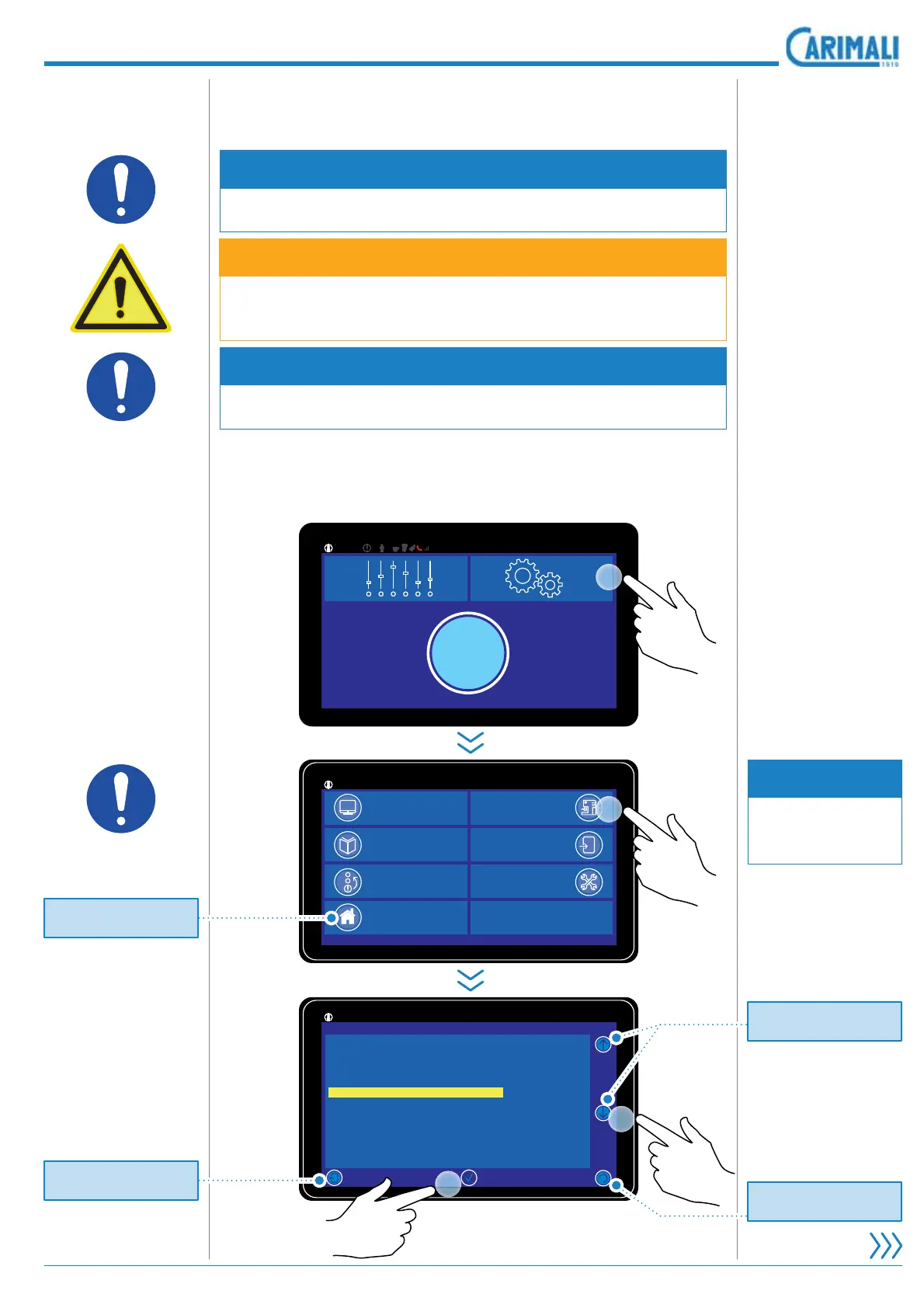
switched on, after software loading, the following screen is shown:
11:25 19 February 2017Initial page
92°/145°
|
Power On
11:25 19 February 2017
92°/145°
|
Info reset
Doses Counter
Alarm History
Initial Page
System Manager
Backup
Service
11:25
92°/145°
|
19 February 2017
System Manager
Display Regulation
System clock programming
Machine Configuration
Machine Parameter
Boiler Empty
Boiler Fill
Change Password
Energy Save
Calibration
GSM Service
2
1
x2
Pr
t
r
t
rn t
th
Power
n pa
e.
Pr
t
r
t
rn t
th
Power
n pa
e.
Pr
t
r
t
rn t
the previous pa
e.
Pr
t
r
ll
th
m
n
ntri
.









 To Next Page