3.22
Installation
NOTE
For further information, refer to the instructions supplied with the
kit.
3.3.2 Direct discharge of solid grounds
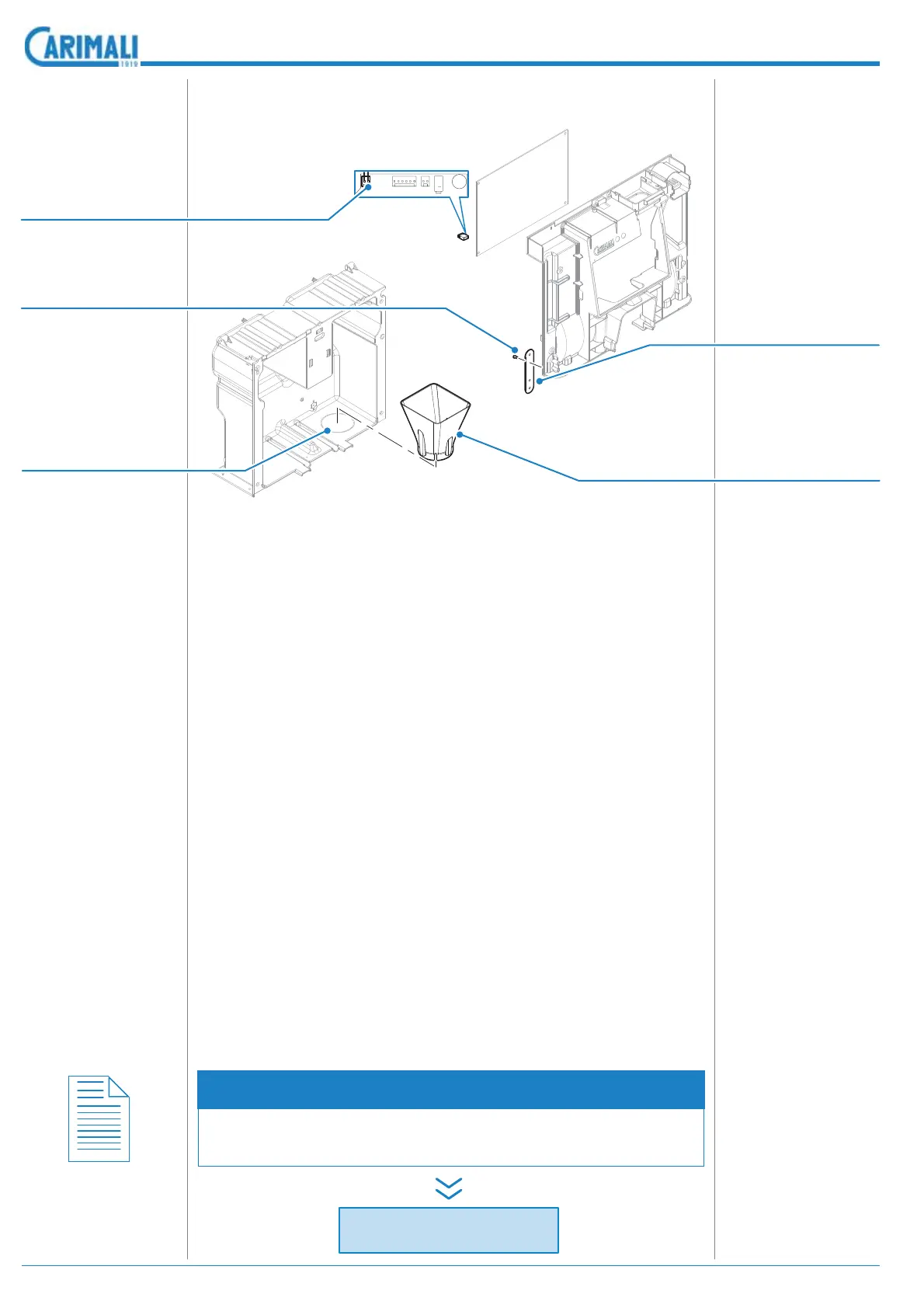
1. Open the hole on the base for the direct exit of coffee grounds.
To make the perforated part rounder, it is necessary to use a
hollow cutter and a drill. The machine features a base envisaged
for the addition of the kit and for making the hole (break with a
hammer).
2. Insert the funnel (37.05367) into the hole made with care and
correctly (see the bevelled part). In case, remove the exceeding
part for a better insertion of the funnel.
3. Position the direct hole of the machine in the correct position,
where the hole of the machine support surface is made. If nec-
essary, position a ring between the support and the machine
base.
4. Put a container with suitable capacity underneath the machine.
5. Connect the upper part with the lower one of the door using the
screw (91.05039) and the door connecting plate (11.05361).
6. In the machine software, change the number of coffee grounds
and the parameters of the locked door:
- Insert the parameters menu and change the number of ES
grounds by putting the value to 0 (zero).
- ,QVHUW WKH FRQ¿JXUDWLRQ PHQX DQG HQDEOH WKH ORFNHG GRRU
For further information, refer to the relevant section of this
manual.
7. Switch the machine off.
8. On the mother board (on the back of the machine), put the jump-
er of the connector named rack (right upper part of the mother
board).
9. Switch the machine on.
Description end
Direct dischar
e o
solid
rounds
Screw (91.05039)
Remove
Door connecting
plate (11.05361)
Coffee grounds
conveyor (37.05367)
Control unit jumper
(96.001146)









 To Next Page