3-SETUP
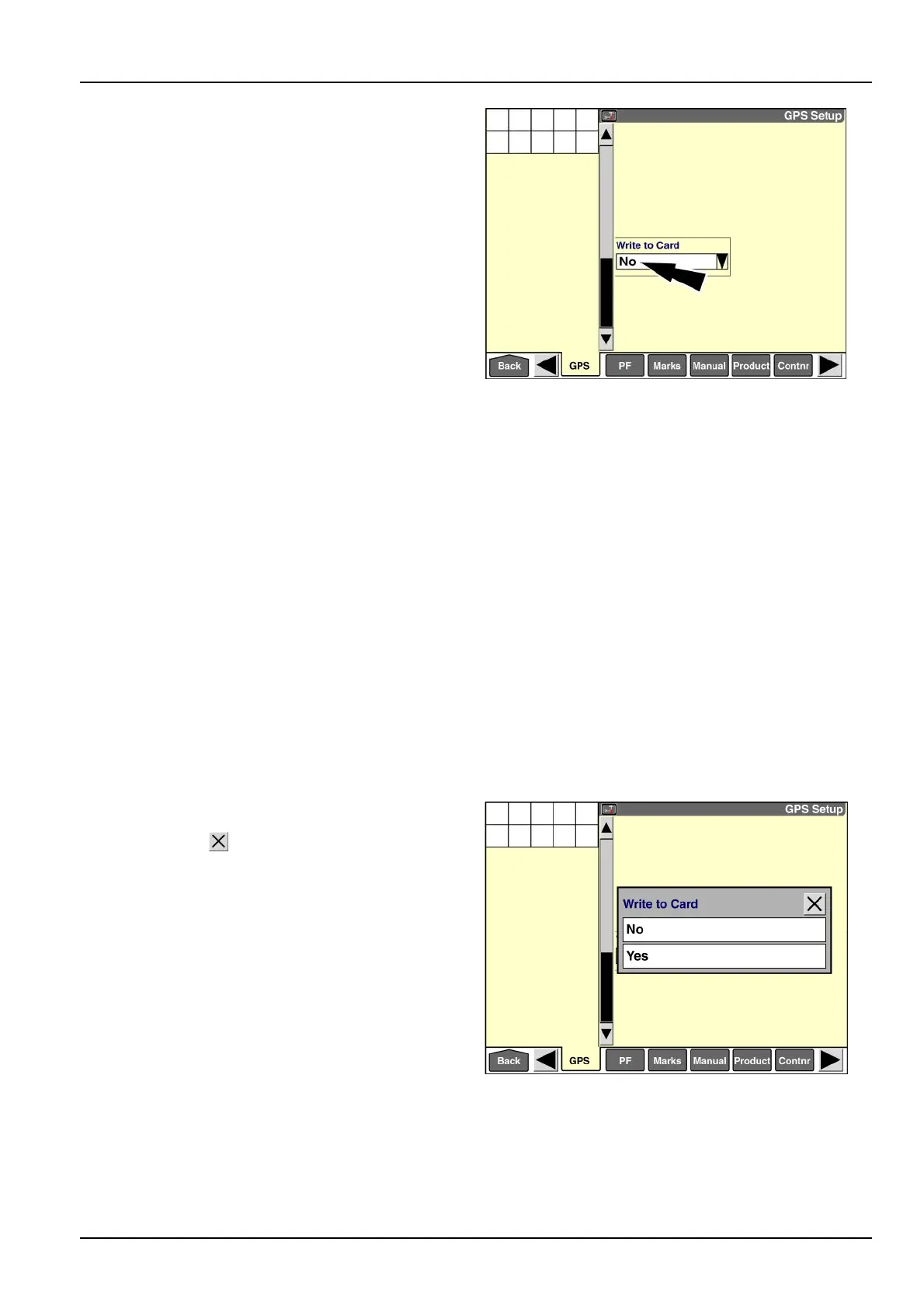
“WritetoCard”
NOTE:The“WritetoCard”windowisonlyvisiblewhen
the“GPSLocation”windowissetto“NotInstalled”and
the“InterfaceLevel”window(Home>Toolbox>Disp)is
setto“Advanced.”
NOTE:Thisfunctionalityisretainedforsomecombines.
Thecombinemustbeequippedwithgroundspeed,
headerheight,andcropsensorstousethisoption.
Pressthedownarrowonthescrollbartoviewthesecond
“GPSSetup”screen.
The“WritetoCard”windowisavailablewhenfarmingsoft-
waresupportsdatalogging,butnoGPSreceiverisin-
stalledonthevehicle.Inputfromcropsensorsandarea
countersisrecordeddirectlytotheinternalmemoryofthe
display,butisnotmapped.
Whenthe“WritetoCard”windowissetto“No,”thesystem
doesnotcheckforthepresenceofthememorystick.Op-
erationalsummarydataisloggedtointernaldisplaymem-
oryonly.
Whenthe“WritetoCard”windowissetto“Yes,”thesys-
temdoescheckforthepresenceofthememorystick.
Operationalsummarydataisloggedtothememorystick
whensupportedbythevehiclesoftware.
WhenthesystemisconguredforGPS,the“Writeto
Card”windowisautomaticallysetto“Yes.”Thewindowis
notavailablesinceallGPSdataisrecordedtothemem-
orystick.
Pressthedownarrowonthescrollbartoaccessthesec-
ond“GPSSetup”screen.
Pressthe“WritetoCard”windowtodisplaytheoptions
window.
RAIL14DSP1501BA3
Press“Yes”toenabletheoption.
Pressthe“Close”buttontoexitthewindowwithout
changingthesetting.
RAIL14DSP1502BA4
3-37



 To Next Page