2-ICONSANDWINDOWS
"TOOLBOX"SCREENS
Introduction
Thischapterintroducesbasic“T oolbox”screensthatarecommontoallapplicationsontheAFSPro700display.The
informationenteredonthesescreensisasharedresourceforallfarmingapplicationsonthedisplay.
Thetechniquesusedtosetupthedisplay,operators,“Run”screenlayouts,andvehiclenamecanbeusedinany
otherapplication.
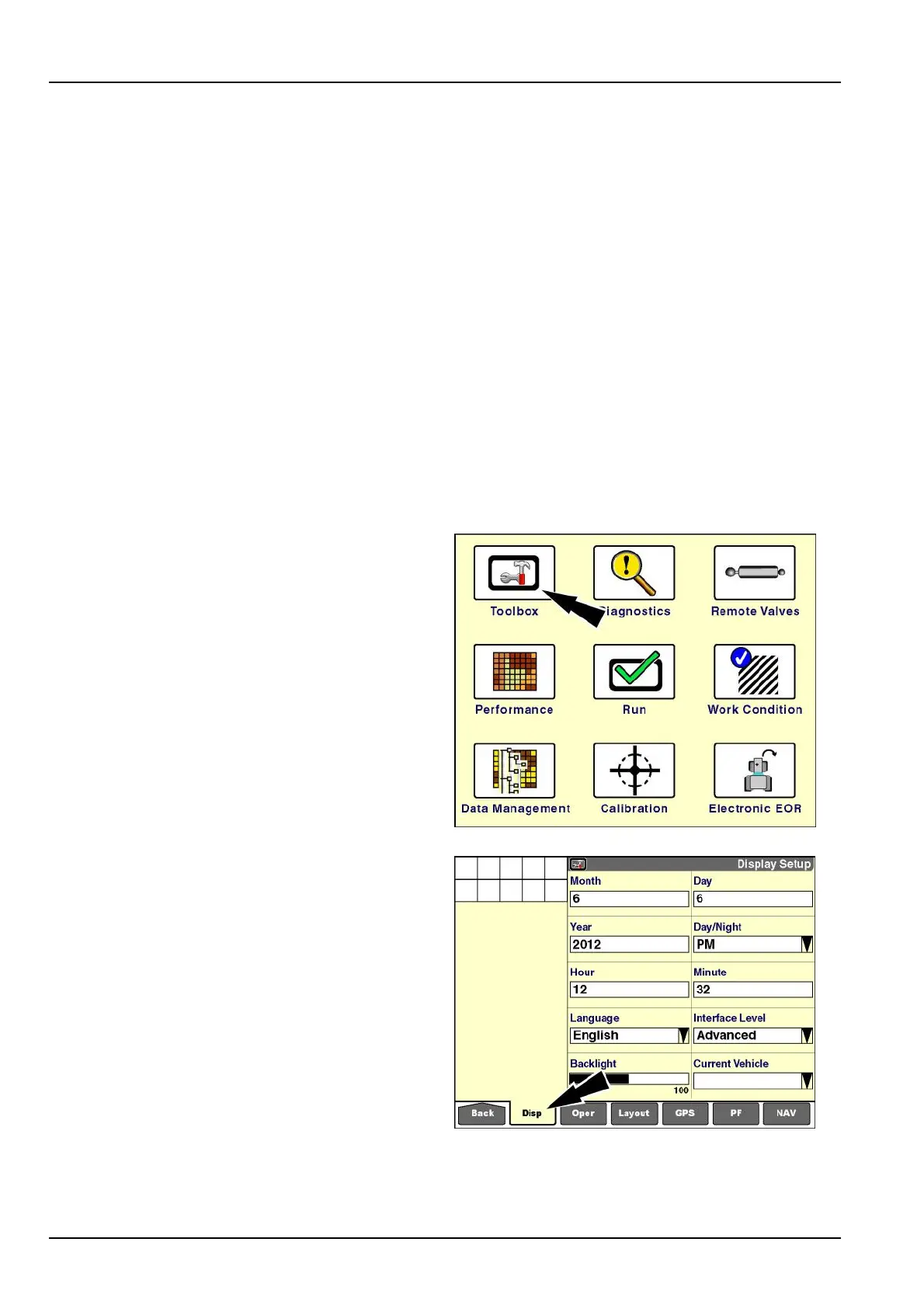
"DisplaySetup"screen
Usethe“DisplaySetup”screen:
•
Tosetthecurrentdateandtimeonthedisplay,
•
Toselecttimeformat
•
Toselectdisplaylanguage
•
Toselecttheoperator’sinterfacelevel
•
Tosetthedisplaybacklightlevelforallapplications
•
Toselectthecurrentvehicletype
Onthe"Home"screen,pressthe“T oolbox”icontoaccess
the“T oolbox”screens.
RCIL11DSP108BBG1
The“DisplaySetup”screendisplaysbydefault.
Ifadifferent“T oolbox”screendisplays,pressthe“Disp”
(display)icononthenavigationbartoaccessthe“Display
Setup”screen.
RCIL11DSP109BBG2
2-24



 To Next Page