2-ICONSANDWINDOWS
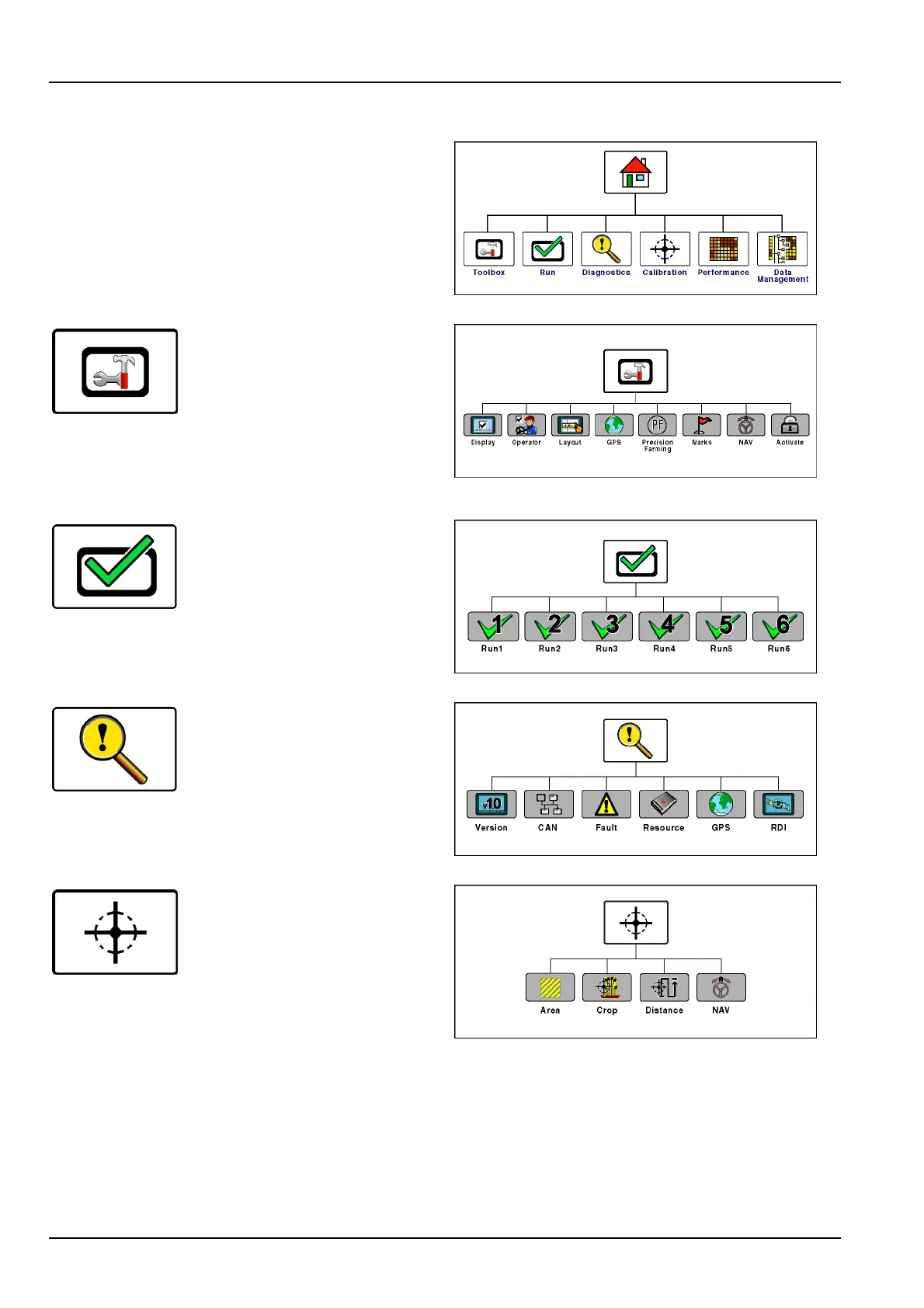
"Home"screenarea
Theiconsonthe“Home”screenorganizethescreensfor
allfarmingapplicationsbyfunction.
Autoguidance,performance,planting,harvesting,and
anyvehicle-specicapplicationscanaddcomponentsto
thesenavigationicons.
RCIL11DSP003ABG1
Pressthe“T oolbox”iconto
accessscreensforsetting
displaypreferencesandoperator
preferences,customizingthe
“Run”screens,settingupthe
GPSreceiver,etc.Theselections
varywiththeapplicationsthatare
installed.The“Toolbox”screens
providethelocationwhereshared
toolscanbecongured.
RCIL11DSP001ABG2
Pressthe“Run”icontoaccessthe
sixcustomizablescreensforall
applicationsthatareinstalledonthe
display.Thesearethescreensthat
theoperatornormallyuseswhile
operatingtheequipment.
NOTE:Thenamesforthe“Run”screennavigationicons
cannotbeedited.
RCIL11DSP004ABG3
Pressthe“Diagnostics”iconto
accessscreensforchecking
softwareversions,controllerstatus,
specicsensorsignals,resource
usage,GPSsignalstatus(if
equipped),GPSreceiverinterface
(ifequipped),andfaultcodes.
RCIL11DSP012ABG4
Pressthe“Calibration”iconto
accessthescreensforvehicle-
andapplication-speciccalibrations
suchasdistance,area,crop,
steeringsensor,etc.
RCIL11DSP005ABG5
2-14



 To Next Page