2-ICONSANDWINDOWS
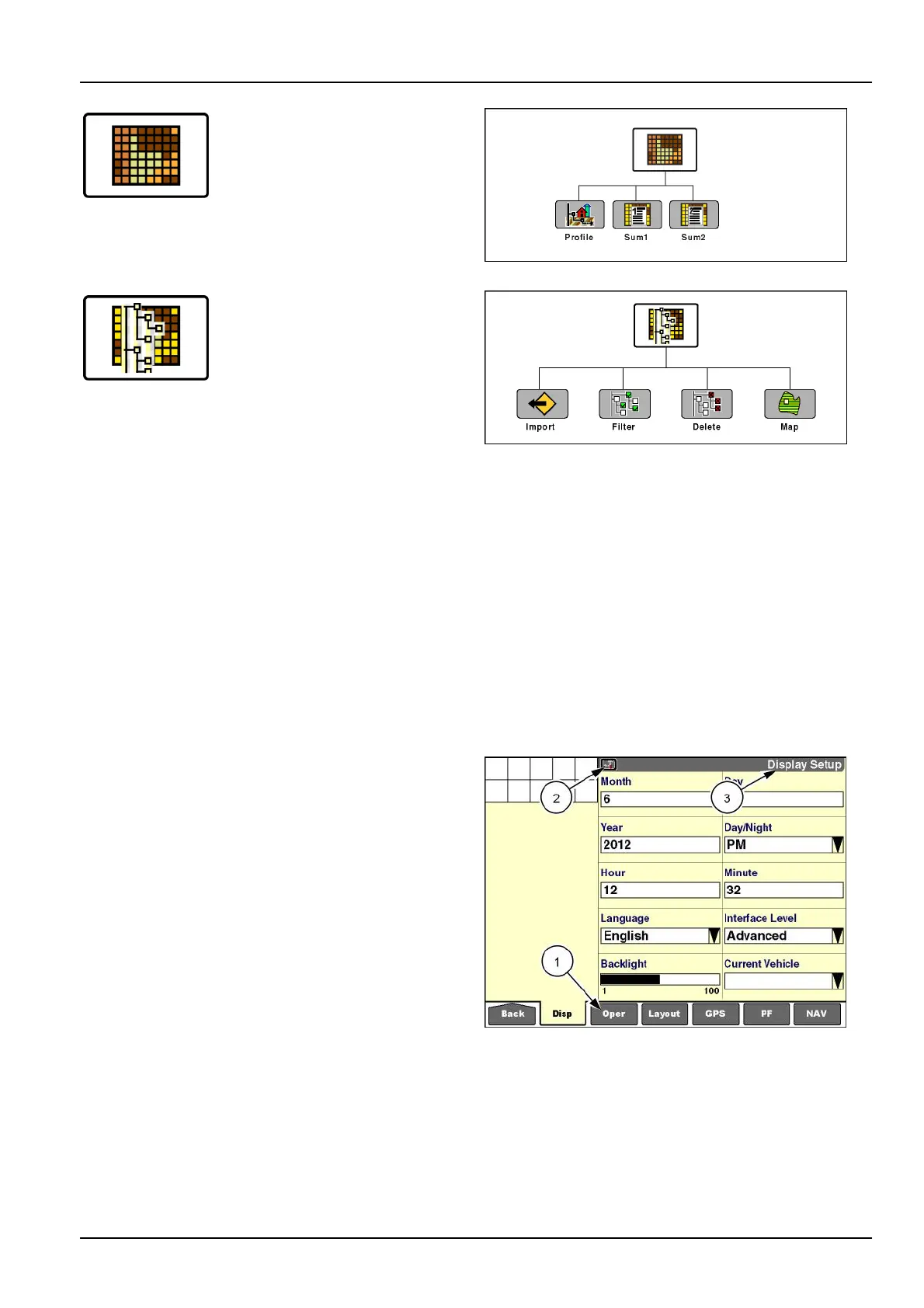
Pressthe“Performance”iconto
accessscreensforviewingthe
activedatasetandanalyzing
operationalresults.
RCIL11DSP006ABG6
Pressthe“DataManagement”icon
toaccessscreensforimporting
data,lteringdata,deletingdata,
andmanagingmapitems.
NOTE:Theremainingiconsaremorevehicle-specic.
Refertothevehicleoperator’smanual.
RCIL11DSP002ABG7
Whenany"Home"screeniconispressed,theapplication
uses“lastscreenrecall”todeterminewhichscreentodis-
play.
NOTE:The“Toolbox”screensareshownasanexample.
Thersttimeanoperatorentersthe“Toolbox”screensin
thecurrentworksession,therstscreen(“DisplaySetup”)
isshownbydefault.
Thereafter,whentheoperatorentersthe“Toolbox”
screens,thelastscreenthatwasvieweddisplays.
“Lastscreenrecall”isuseduniformlythroughallthefunc-
tionalicons.“Lastscreenrecall”persistsuntilthedisplay
ispoweredOFFattheendoftheworksession.
All“T oolbox”screenssharethesamenavigationbar(1)
atthebottomofthescreen.
Each“Toolbox”screendisplaysthe"T oolbox"icon(2)and
ascreenlabel(3).
Pressanyiconinthenavigationbartoaccessthescreen
forthaticon.
Pressthe“Back”icononthenavigationbartoreturnto
thepreviousscreenorthe"Home"screen.
RCIL11DSP100BBG8
2-15



 To Next Page