2-ICONSANDWINDOWS
Thenumberof“Toolbox”screensdependsonthevehicle
applicationsandthemixofotherapplicationsthatarein-
stalledonyourdisplay.
Your“T oolbox”screensmayhavefewerormorenaviga-
tioniconsthanthoseshown.
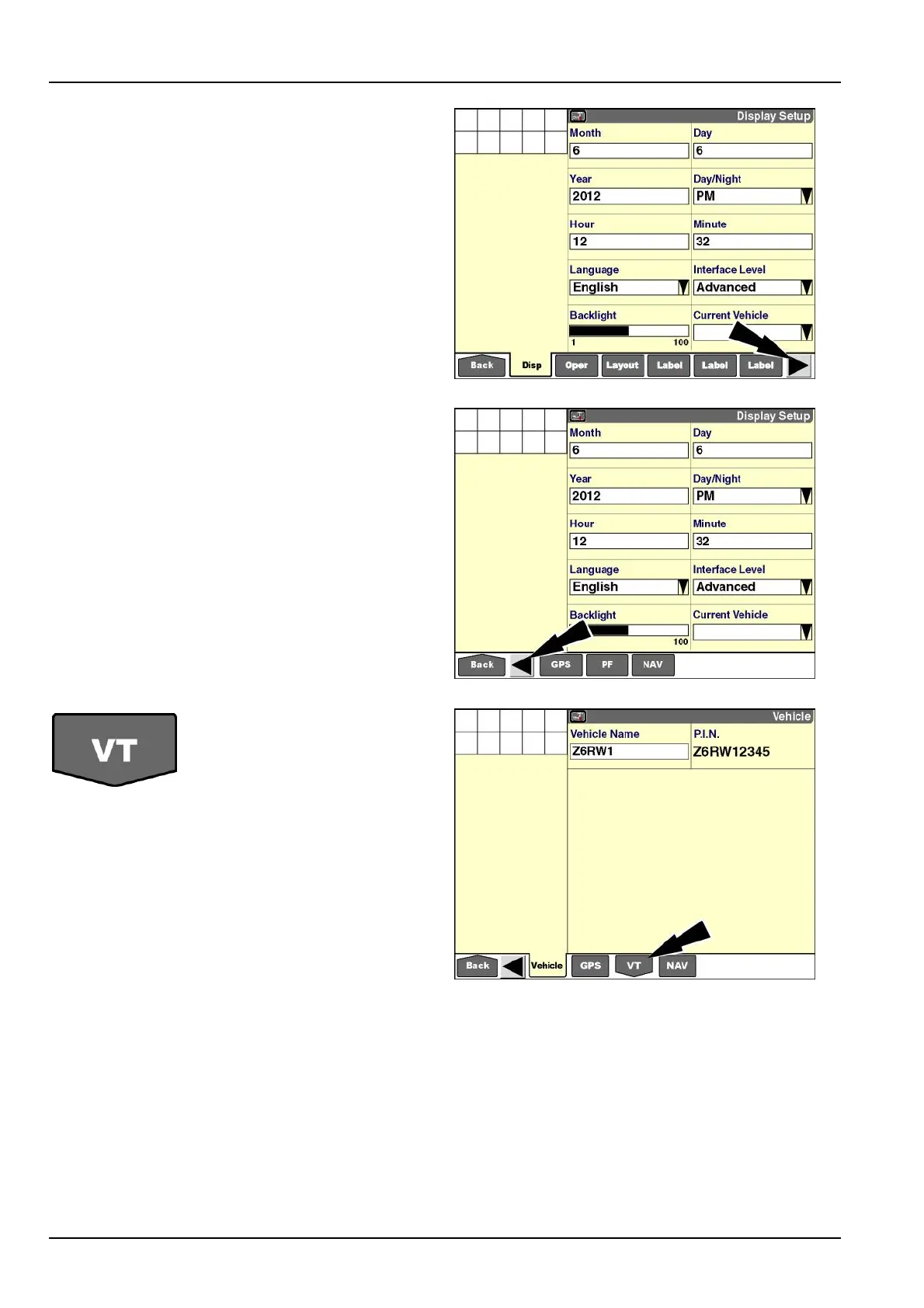
Thenavigationbaraddsanarrowtoindicatewhenthere
areadditionaliconsbeyondthosethatarevisible.
Presstheforwardarrowtoviewthenextpageofnaviga-
tionicons.
RCIL11DSP461BBG9
Pressthebackarrowtoviewthepreviouspageofnavi-
gationicons.
RCIL11DSP102BBG10
Somenavigationiconsopen
sub-menus.Theseiconsare
shapedlikedownarrows.
Pressthedownarrowicontoaccessthesub-menu
screens.
NOTE:Theexampleshownisfortheoptional“VirtualTer-
minal”applicationandits“Toolbox”screens.See6-1for
informationaboutsettingupandusingthe“VirtualTermi-
nal”application.
RCIL11DSP103BBG11
2-16



 To Next Page