8-DIAGNOSTICS
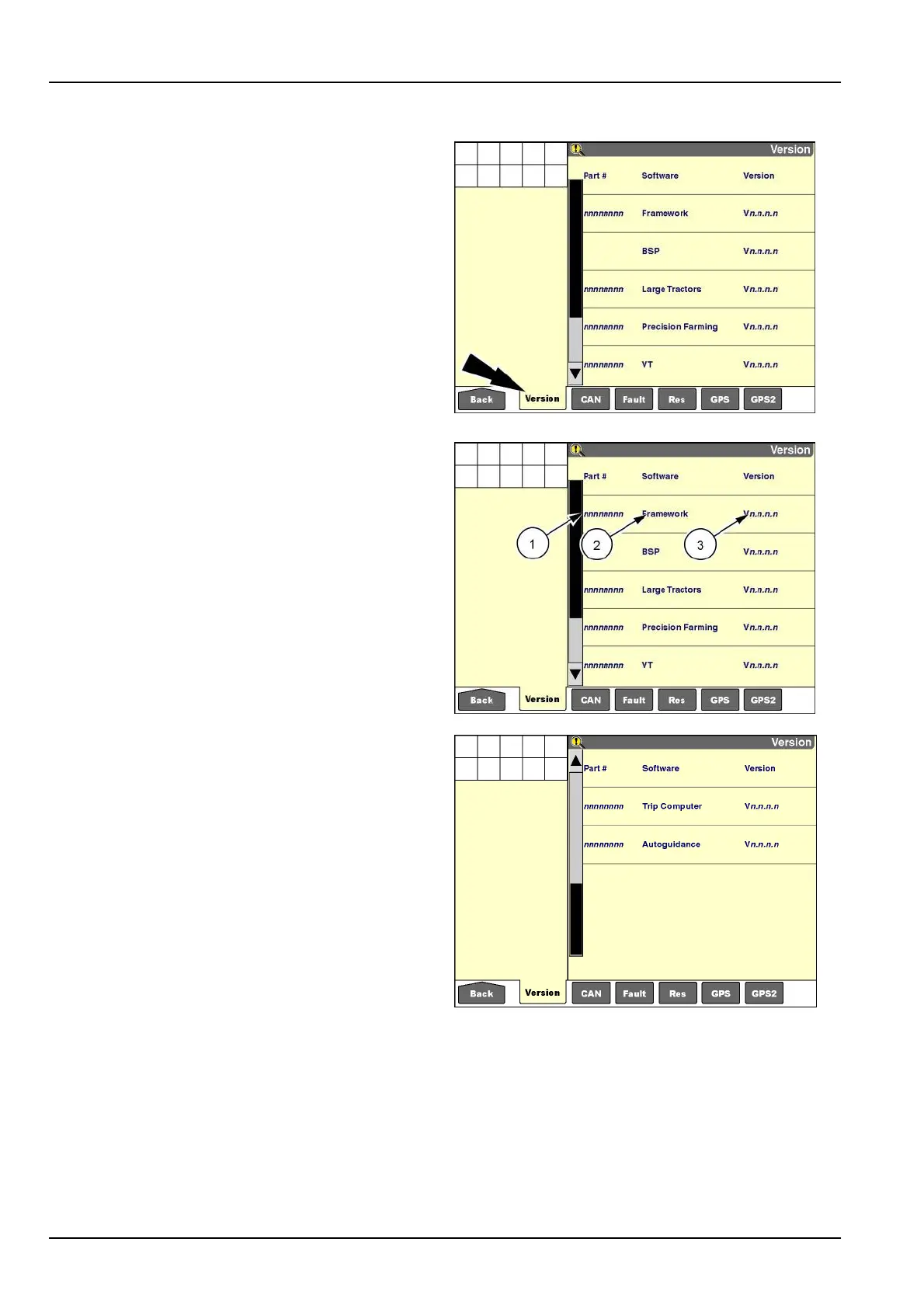
"Version"screen
Pressthe“Version”iconinthenavigationbartodisplay
the“Version”screen.
RCIL11DSP148BBG1
The“Version”screenliststheeightdigitpartnumber(1),
thesoftwarename(2),andtherevisionlevel(3)forevery
applicationthatiscurrentlyrunningonthedisplay.
NOTE:Pressthearrowsonthescrollbartopagedown
andpageuponthescreen.
Thelistincludesapplicationsthatarerequiredbythedis-
play,applicationsthatarevehicle-specic,andfarming
applications.
Onlyapplicationsforthevehicleinwhichthedisplayis
installedappearasactive.Ifthedisplayisinstalledin
atractor,onlytractorappropriateapplicationsdisplayon
the“Version”screen.Whenthedisplayismovedtoa
combine,onlycombineappropriateapplicationsdisplay
onthe“Version”screen.
Intheexampleshown:
•
“Framework”and“BSP”belongtothedisplay.
•
“LargeTractors”isthevehiclesoftware.
•
“VT,”“PrecisionFarming,”“TripComputer,”and“Auto-
guidance”arefarmingapplications.
RCIL11DSP148BBG2
RCIL11DSP150BBG3
8-2



 To Next Page