4-OPERATION
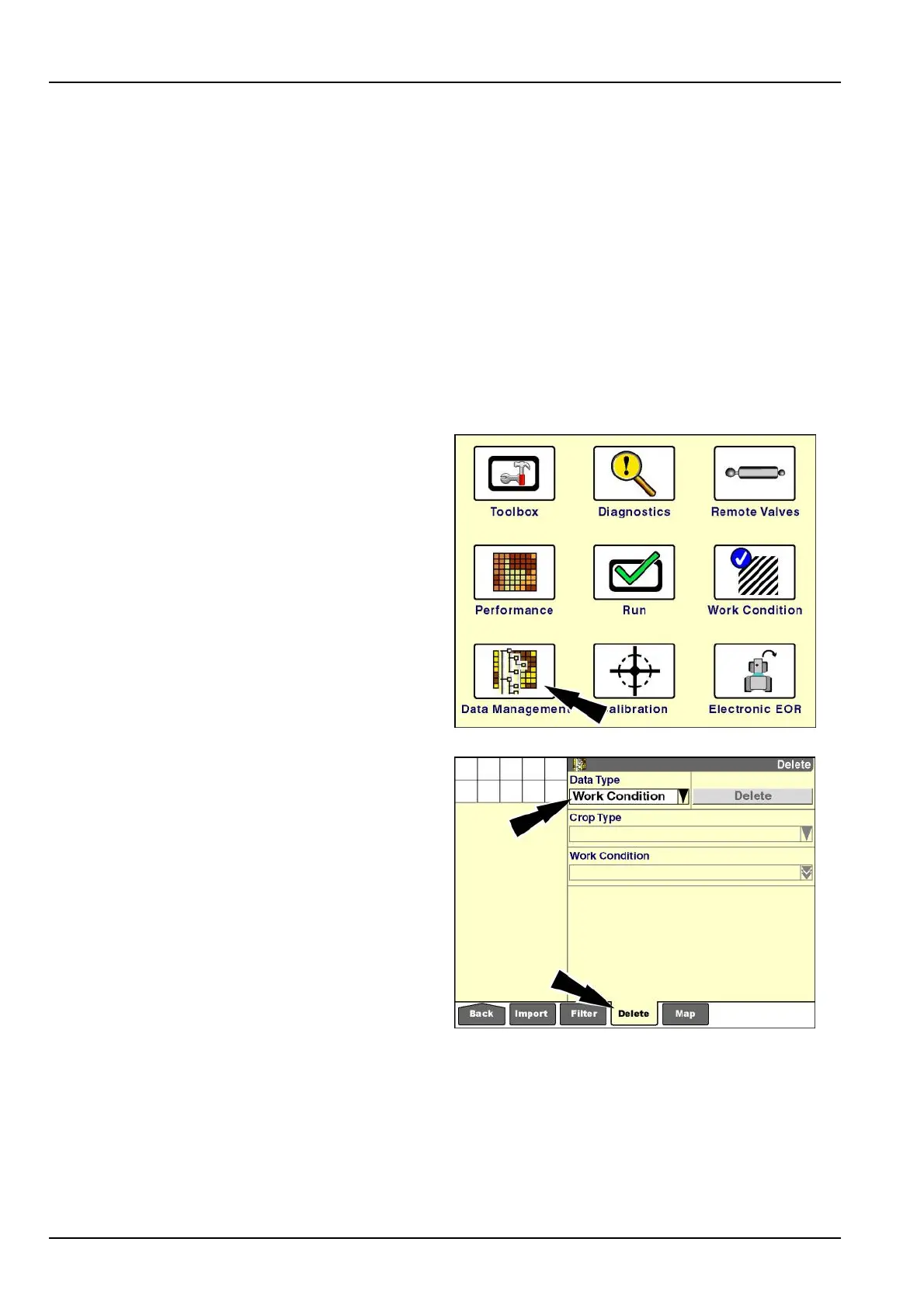
"Delete"screen
Usethe“Delete”screentomanagetheinformationonthe
memorystick.Deletingdatatypes–farm,eld,task,etc.
–removestheinformationfromboththedisplaymemory
andthememorystick.Thisinformationcannotberecov-
eredifithasnotbeenarchived.
Deleteinformationfromthememorystickonlyafterthat
informationhasbeenarchivedonyourbusinesscomputer
withthedesktopsoftware.Thispracticepreventstheac-
cidentaldeletionofinformationthatyourequire.
Theremaybeoccasionswherea“DeviceFull”message
willtemptyoutocreatefreespacebydeletingstored
datasothatyoucancontinueyourcurrentoperation.
Knowwhatyouaredeletingandensurethatyouhavean
archivedcopyoftheinformationbeforeyouproceed.
Onthe“Home”screen,pressthe“DataManagement”
icontoaccessthe“DataManagement”screens.
RCIL11DSP108BBG1
Pressthe“Delete”iconinthenavigationbartodisplaythe
“Delete”screen.
NOTE:The“Delete”buttonandotherwindowsare
dimmedandunselectableifthememorystickordisplay
memorydoesnotcontaindataofthetypedisplayedin
the“DataType”window.
Pressthe“DataType”windowtoaccessthepop-upop-
tionswindow.
RCIL11DSP522BBG2
4-8



 To Next Page