3-SETUP
"E-NOTES"APPLICATION
Introduction
The“E-Notes”applicationisrequiredbyanyvehiclethatperformsspraying,buttheapplicationisavailableforany
farmingoperationinwhichtrackingeldandweatherconditionsisimportant.
The“E-Notes”applicationdoesnotrequireaGPSreceiver,butthe“Grower,”“Farm,”“Field,”“Task,”and“Crop”win-
dowsmustbepopulatedbeforethe“E-Notes”screensbecomeactive.
Anyinformationoneldandweatherconditionsautomaticallysavestothetaskonthememorystick.Weatherinfor-
mationistimeanddatestampedatthetimeofobservationandcanbeupdatedasfrequentlyasrequiredasconditions
change.
Tominimizethestepsfortheoperator,theselectionsonall“E-notes”screensapplytoallsubsequenttasksuntil
theyarechanged.ThefollowingactionsdoNOTresetthewindowstotheirdefaultselections:
•
Changinganycomponentintheactivedataset–grower,farm,eld,task,crop,etc.
•
PoweringthedisplayOFFandthenON
Theoperatoronlyvisitsthe“E-notes”screenswhenanyofthenotewindowsmustbechanged.
Thischapterexplains:
•
Howtoselectsoiltype,soilmoisture,soilcondition,andcropresidueforthecurrenteldonthe“FieldNotes”screen
•
Howtoselectskycondition,windspeed,winddirection,temperature,andhumidityonthe“WeatherNotes”screen
•
Howtocreatenotesandcreate,edit,orselectspraytipsforsprayingoperationsonthe“XtraNotes”screen
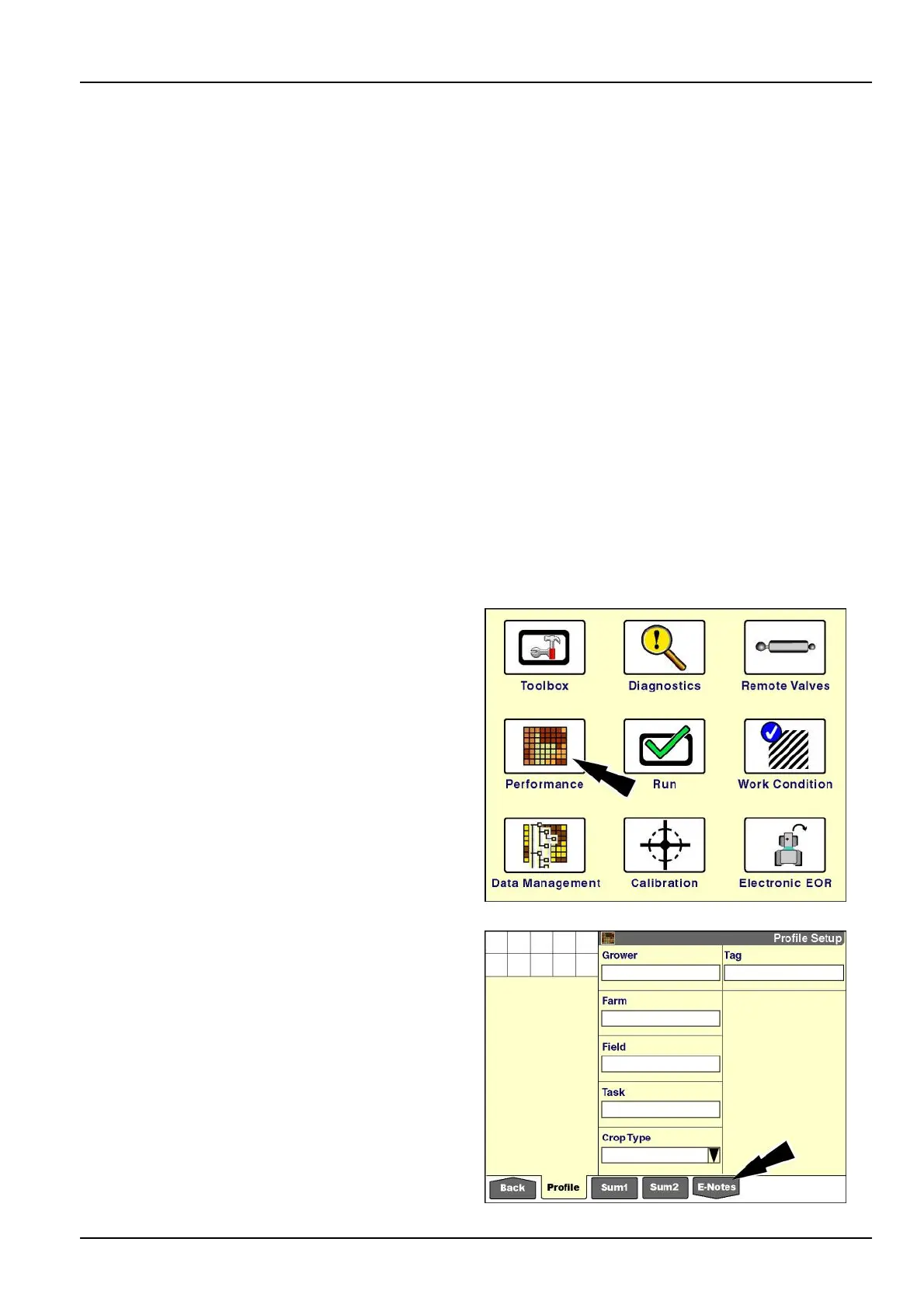
Onthe“Home”screen,pressthe“Performance”iconto
accessthe“Performance”screens.
RCIL11DSP108BBG1
Pressthe“E-Notes”iconinthenavigationbar.
NOTE:Sincethe“E-Notes”iconisshapedlikeadown
arrow,itopensaseriesofsub-menusforthe“E-Notes”
application.
RCIL11DSP545BBG2
3-169



 To Next Page