2-ICONSANDWINDOWS
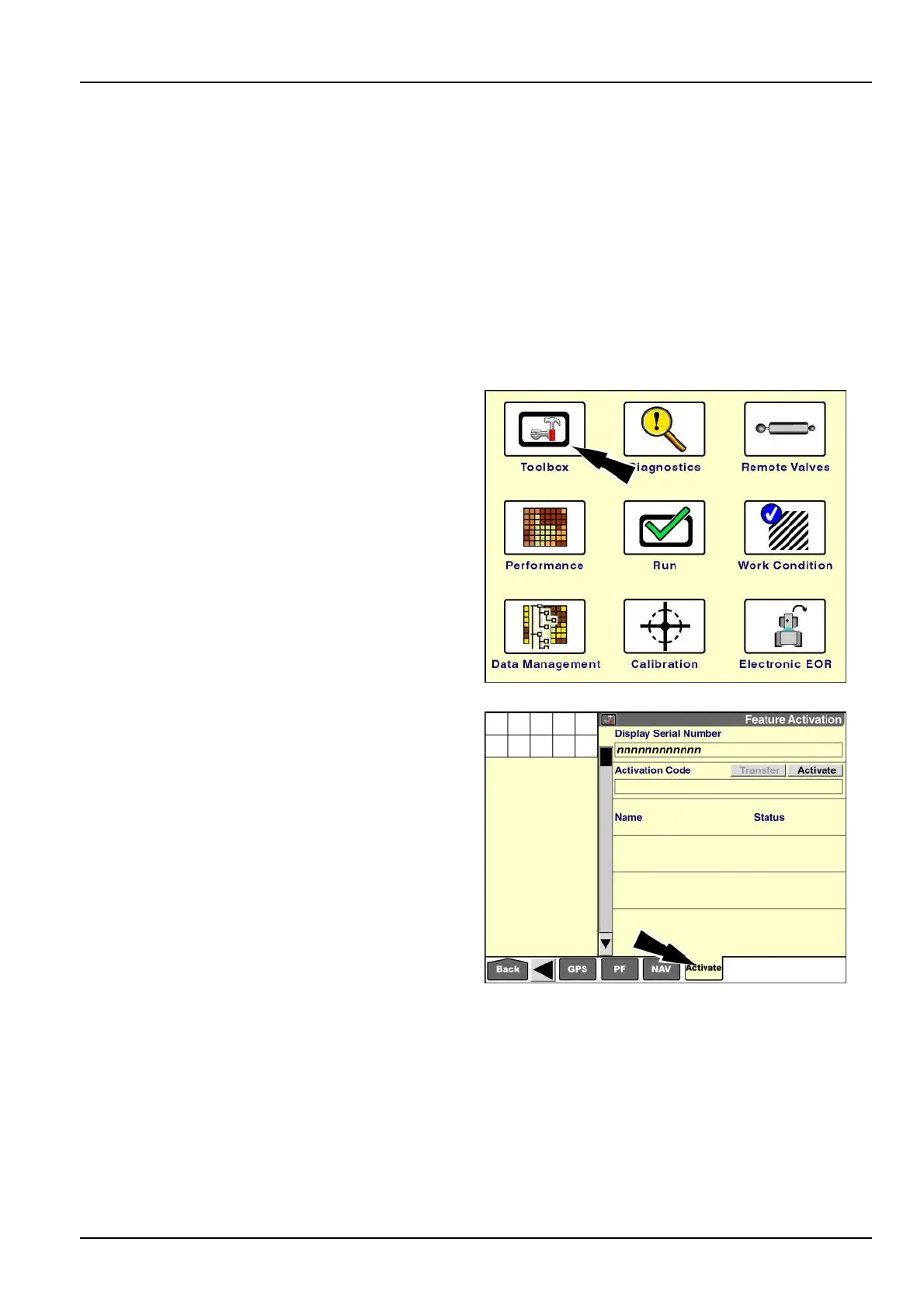
"FeatureActivation"screen
Somesoftwareapplications,suchasthe“TaskController”applicationforISOBUSimplements,requireactivationon
thedisplay.Usethe“FeatureActivation”screentoenteractivationcodesortoexportactivationcodesfortransferto
anotherdisplay.
Theactivationcodeisa32-charactersequenceofnumbersandlettersthatisuniquetotheserialnumberofyour
display.WhenyoucontactyourCASEIHdealerforanactivationcode,yourdealerwillrequiretheserialnumberof
yourdisplay.
NOTE:PerformactionsonthisscreenundertheinstructionofqualiedCASEIHservicepersonnelonly.Donot
transferanactivationcodeunlessyouarecertainthatyounolongerneedthesoftwareapplicationonthecurrent
display.
NOTE:Usethe“ActivationCode”windowonthe“GPSSetup”screen(Home>Toolbox>GPS)toinputanactivation
codeforCenterPoint™RTX™orRangePoint™RTX™correctionsignal.
Onthe“Home”screen,pressthe“T oolbox”icontoaccess
the“T oolbox”screens.
RCIL11DSP108BBG1
Pressthe“Activate”icononthenavigationbartoaccess
the“FeatureActivation”screen.
RAIL15DSP0021BA2
2-61



 To Next Page