7-"TELEMATICS"APPLICATION
7-"TELEMATICS"APPLICATION
"Telematics"screen
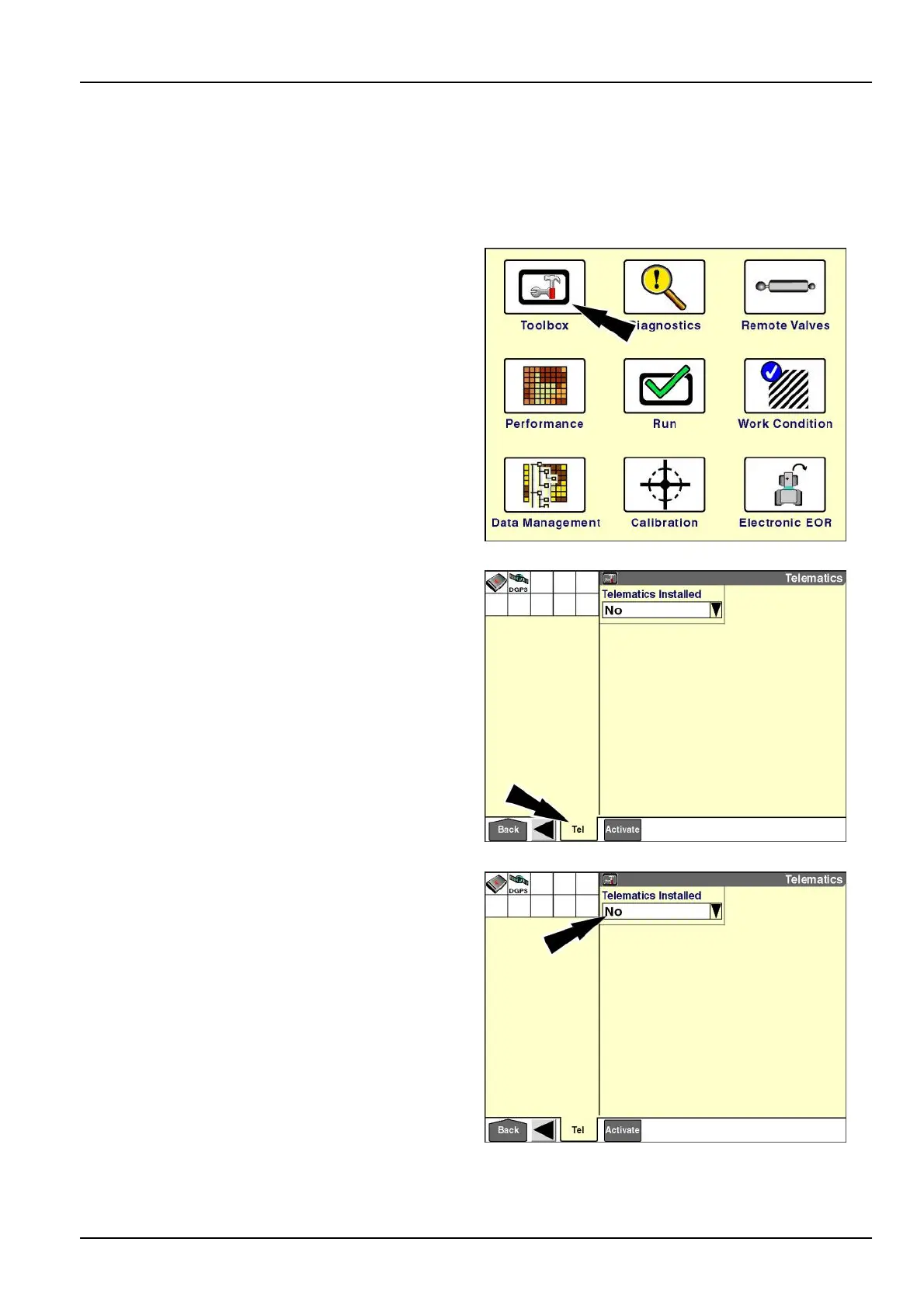
Whenthe“T elematics”applicationispresentforusewiththeAFSConnect™telematicsservice,the“T elematics”
screenisaddedtothe“T oolbox”screens.
Onthe“Home”screen,pressthe“T oolbox”icontoaccess
the“T oolbox”screens.
RCIL11DSP108BBG1
Pressthe“Tel”icononthenavigationbartoaccessthe
“Telematics”screen.
The”T elematics”screendisplays.
RAIL12DSP1429BA2
“TelematicsInstalled”
Usethe“T elematicsInstalled”windowtoenablethe
“Telematics”applicationonthedisplay.
Pressthe“T elematicsInstalled”windowtoaccessthe
pop-upoptionswindow.
RAIL12DSP1429BA3
7-1



 To Next Page