4-OPERATION
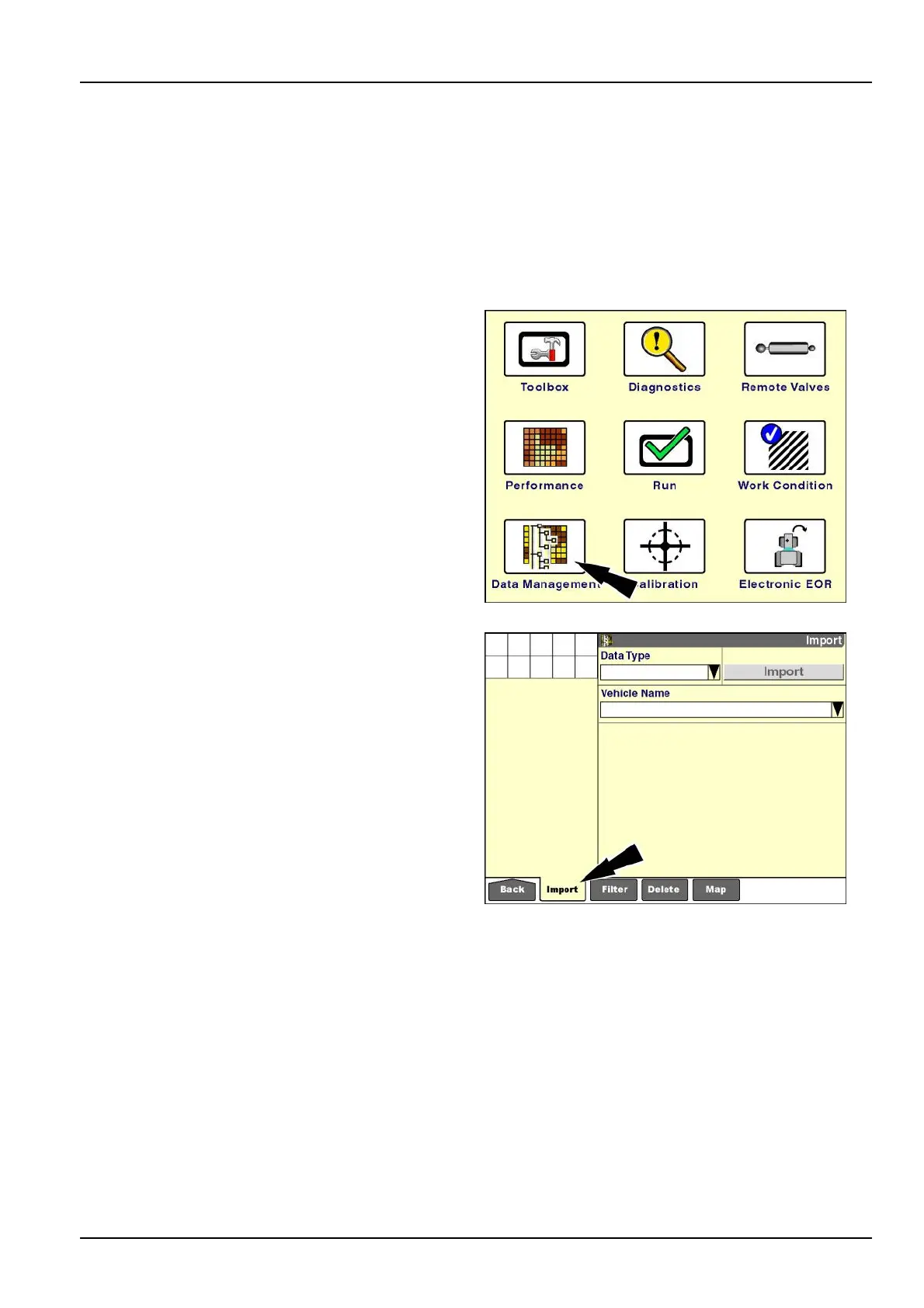
"Import"screen
Thedatatypesthatarediscussedinthefollowingpages
arenotautomaticallysharedbetweenvehicles.
Inmostcases,thedatathatisimportedisaddedtothe
existingdataonthedisplay.
Therearetwoexceptionsforcombinesonly:imported
cropsetupinformationandimportedcropcalibrationin-
formationreplacetheexistingdatainthedisplay.
Onthe“Home”screen,pressthe“DataManagement”
icontoaccessthe“DataManagement”screens.
NOTE:Thememorystickfromwhichthedataistobeim-
portedmustbeinsertedintothedisplaybeforethedisplay
ispoweredON.
RCIL11DSP108BBG1
Pressthe“Import”iconinthenavigationbartodisplaythe
“Import”screen.
NOTE:The“Import”buttonremainsunselectableuntil
boththe“DataType”and“VehicleName”windowsare
populated.
RCIL11DSP297BBG2
4-3



 To Next Page