3-SETUP
Fieldobstacles
Fieldobstaclescanbecreatedwiththedisplaywhen:
•
The“PrecisionFarming”applicationispresent
AND
•
ThevehicleisequippedwithaGPSreceiver
NOTE:Thememorystickmustbepresentwhentheop-
eratorcreatesanobstacleonthedisplay.
NOTE:Fieldboundariescanalsobecreatedwiththe
desktopsoftware.
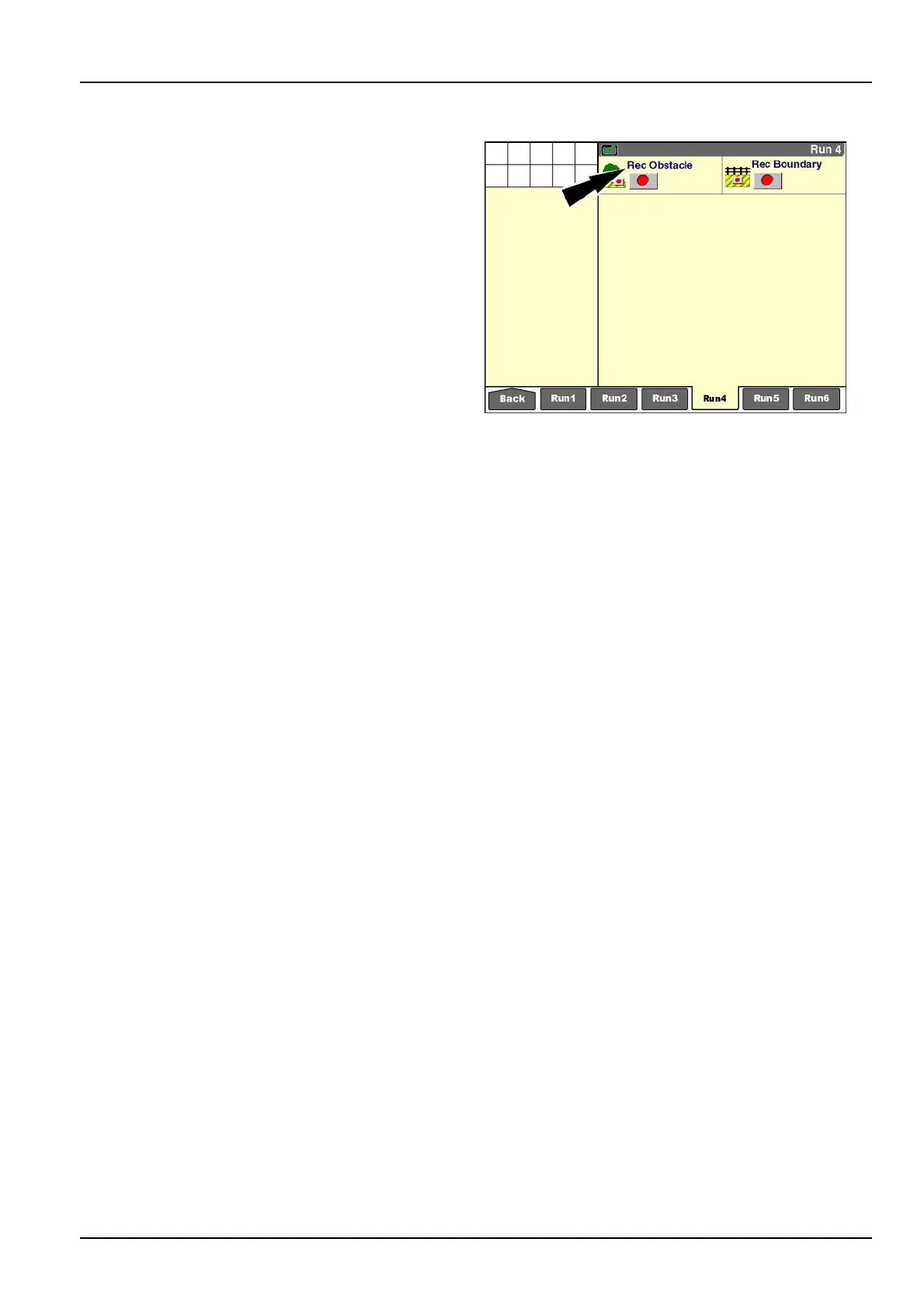
The“RecObstacle”window(placementlabel:Obstacle
Record)isnotpartofthedefaultlayoutandmustbeadded
toa“Run”screen.Ifrequired,createanewnameinthe
“CurrentLayout”windowonthe“RunLayout”screenand
addthe“RecObstacle”windowtothe“Run”screenof
yourchoice(Home>Toolbox>Layout).
Oneeldcancontainmultipleobstaclesasneeded.All
obstaclesaresavedtotheeld.Ifaeldisdeletedon
the“Delete”screen(Home>DataManagement>Delete),
alloftheobstaclesfortheeldarealsodeleted.Delete
individualobstaclesusingthe“Map”screen(Home>Data
Management>Map).
RCIL11DSP051BBG1
3-127



 To Next Page