2-ICONSANDWINDOWS
"RunLayout"screen("Run"screencustomization)
Six“Run”screensaresharedbyallapplicationsonthedisplay–forexample,harvestingwithcombinecontroland
autoguidanceORtractorperformancewithautoguidance.Each“Run”screenisaccessiblefromthenavigationbar.
Ifthe“PrecisionFarming”applicationisinstalled,two“SummaryData”screenscanalsobecustomizedwiththe"Run
Layout"screen.
Usethe"RunLayout"screeninthe“T oolbox”screens:
•
Tocustomizethelayoutforeach“Run”screen
•
Toselectcontrolwindowsorreportingwindowsforthesix“Run”screens
•
Tocustomizethelayoutandselectwindowsfortheleft-handarea
•
Tocustomizethelayoutandselectwindowsforthe“SummaryData”screens,ifapplicable
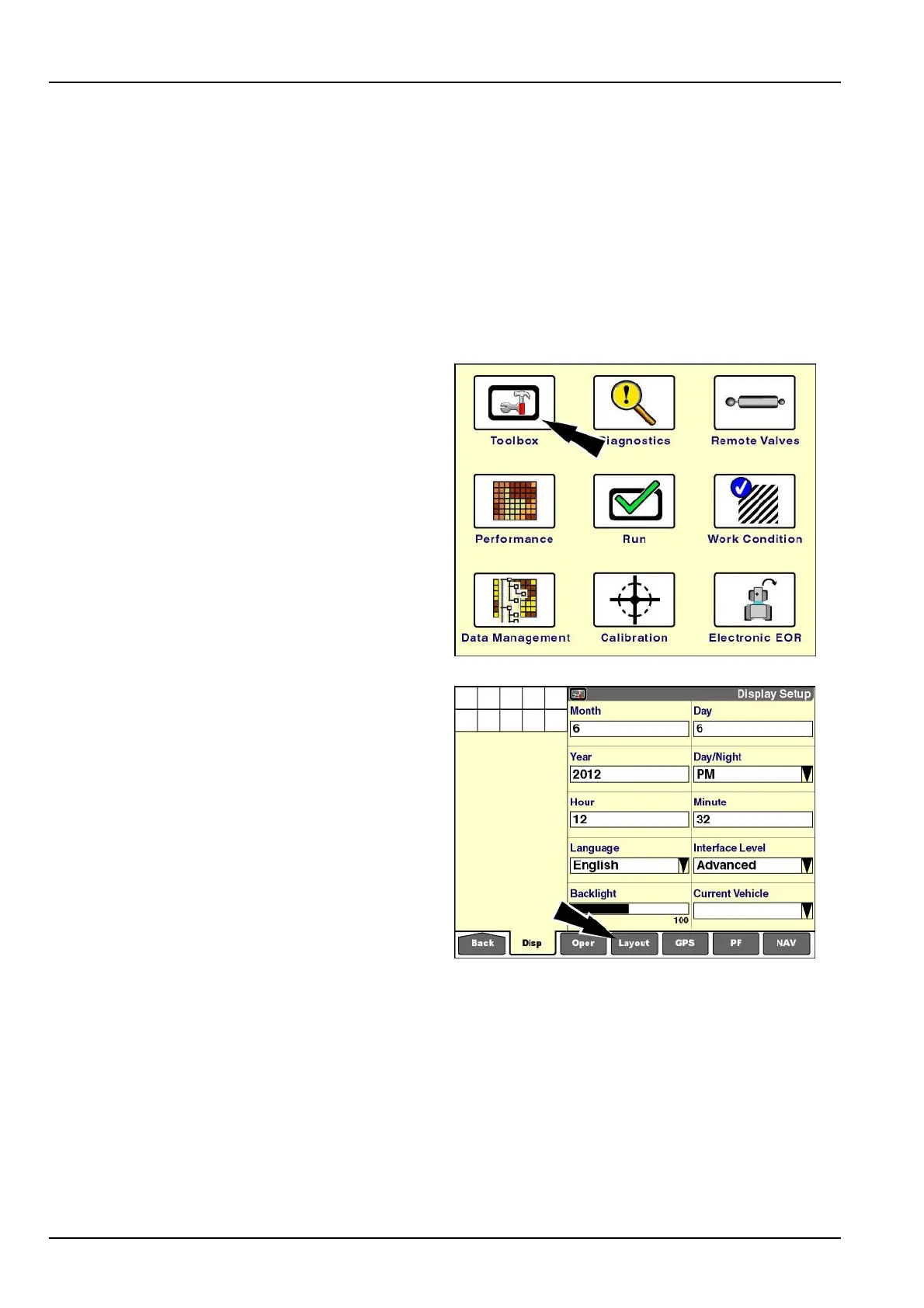
Onthe"Home"screen,pressthe“T oolbox”icontoaccess
the“T oolbox”screens.
RCIL11DSP108BBG1
The"DisplaySetup"screendisplaysbydefault.
Pressthe“Layout”icononthenavigationbartoaccess
the"RunLayout"screen.
RCIL11DSP109BBG2
2-38



 To Next Page