2-ICONSANDWINDOWS
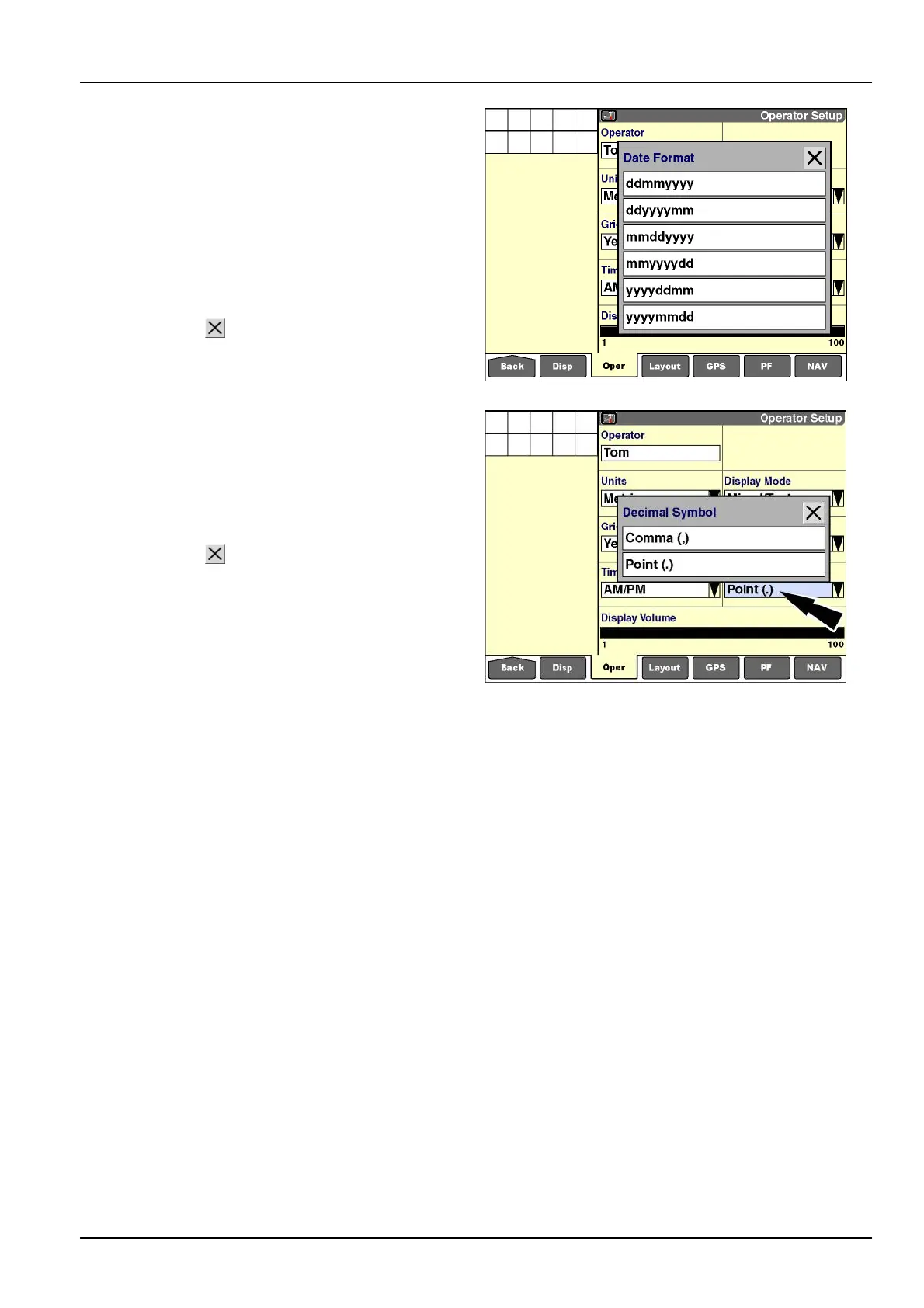
“DateFormat”
Pressthe“DateFormat”windowtoaccessthepop-up
optionswindow.Usethiswindowtoselecttheformatin
whichdateswillappearonthedisplay.
“dd”denotesthetwo-digitdayofthemonth(01-31)
“mm”denotesthetwo-digitmonthoftheyear(01-12)
“yyyy”denotesthefour-digityear(forexample,“2013”)
Pressyourpreferencetochangethesetting.
Pressthe“Close”
buttontoexitwithoutchangingthe
currentsetting.
RCIL11DSP585BBG20
“DecimalSymbol”
Pressthe“DecimalSymbol”windowtoaccessthepop-up
optionswindow.Usethiswindowtoselectthesymbolto
displaywhenadecimalvalueisdisplayed.
Pressyourpreferencetochangethesetting.
Pressthe“Close”
buttontoexitwithoutchangingthe
currentsetting.
RCIL11DSP586BBG21
2-37



 To Next Page