2-ICONSANDWINDOWS
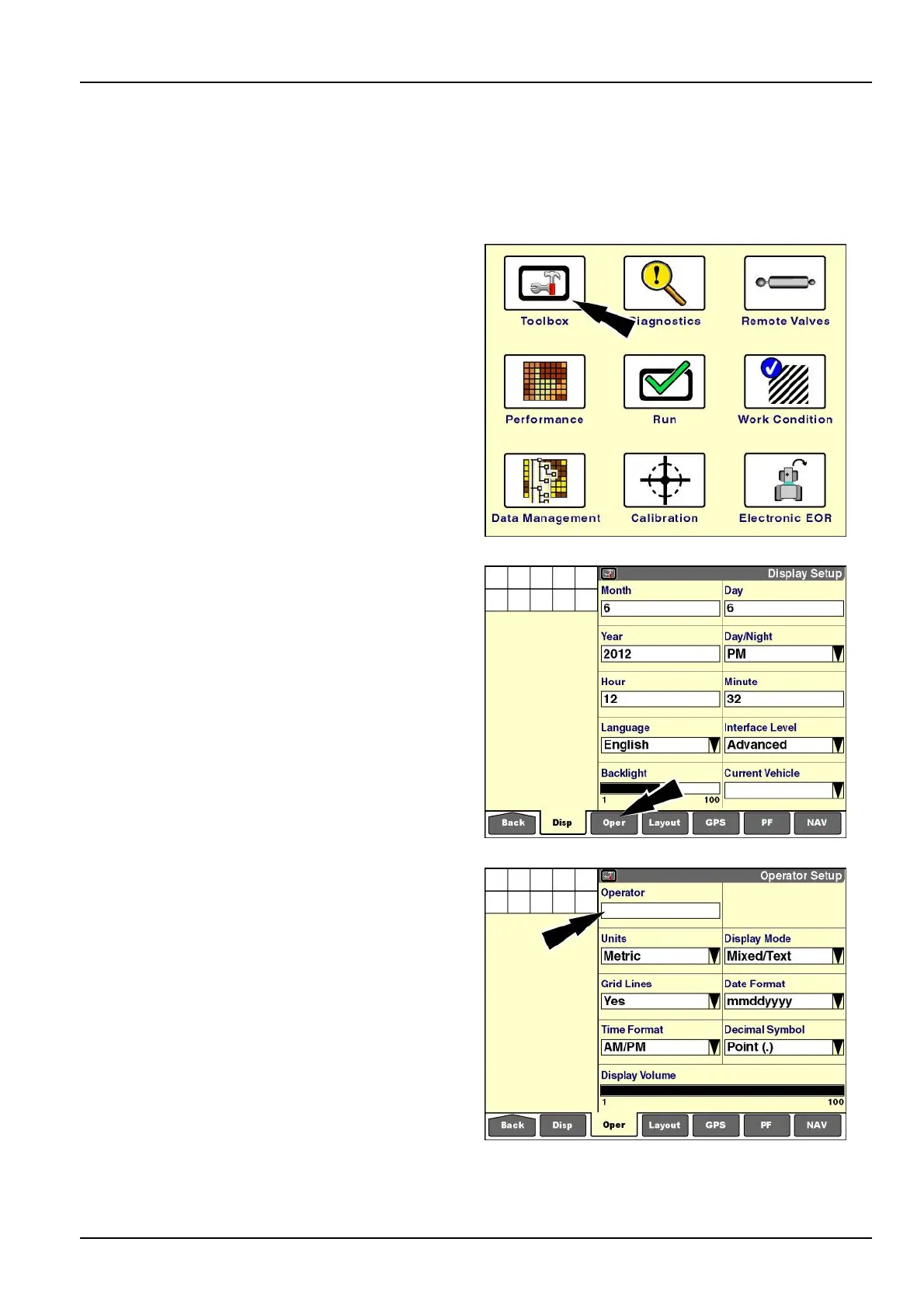
"OperatorSetup"screen
Usethe“OperatorSetup”screen:
•
Tocreatetheoperatorlistforallapplicationsonthedisplayorselectyournameforworktracking
•
Toselectpreferencesforeachoperator.Anychangesmadetothe“OperatorSetup”screen’swindowswhilean
operatorisselectedareautomaticallystoredtothatoperator.
Onthe"Home"screen,pressthe“T oolbox”icontoaccess
the“T oolbox”screens.
RCIL11DSP108BBG1
PressThe“Oper”(operator)icononthenavigationbarto
accessthe"OperatorSetup"screen.
RCIL11DSP109BBG2
Createorselectanoperatorbeforechangingtheprefer-
encewindowsonthisscreen.
RCIL11DSP530BBG3
2-31



 To Next Page