3-SETUP
OmniSTAR®setup
ForsystemsusingDGPScorrection,theGPSreceiveris
initiallyconguredtomatchtheOmniSTAR®subscription
serviceselectedforyoursystem.
Thefoursubscriptionchoicesavailablefrom
OmniSTAR®are:
•
OmniSTAR®VBS-Availableinmostregionsexcluding
someareasintheextremenorth
•
OmniSTAR®HP-Availableinmanyregions,butnot
all
•
OmniSTAR®XP-Availableworldwide
•
OmniSTAR®G2-Availableworldwide
WithasubscriptiontoOmniSTAR®XP ,OmniSTAR®HP ,
orOmniSTAR®G2,thesystemsupportsoperatingwith
automaticVBSbackupormanualbackup.
NOTE:Thissoftwareoperatingguidemayreferto
“OmniSTARHP/XP/G2”toavoidduplicatingoperating
instructions.OmniSTAR®HP,OmniSTAR®XP,and
OmniSTAR®G2areseparatesubscriptionswithdiffer-
entcostsandaccuracylevels,andyouchooseonlyone.
Intermsofdisplayoperation,though,theyareidentical.
RCIL11DSP327BBG1
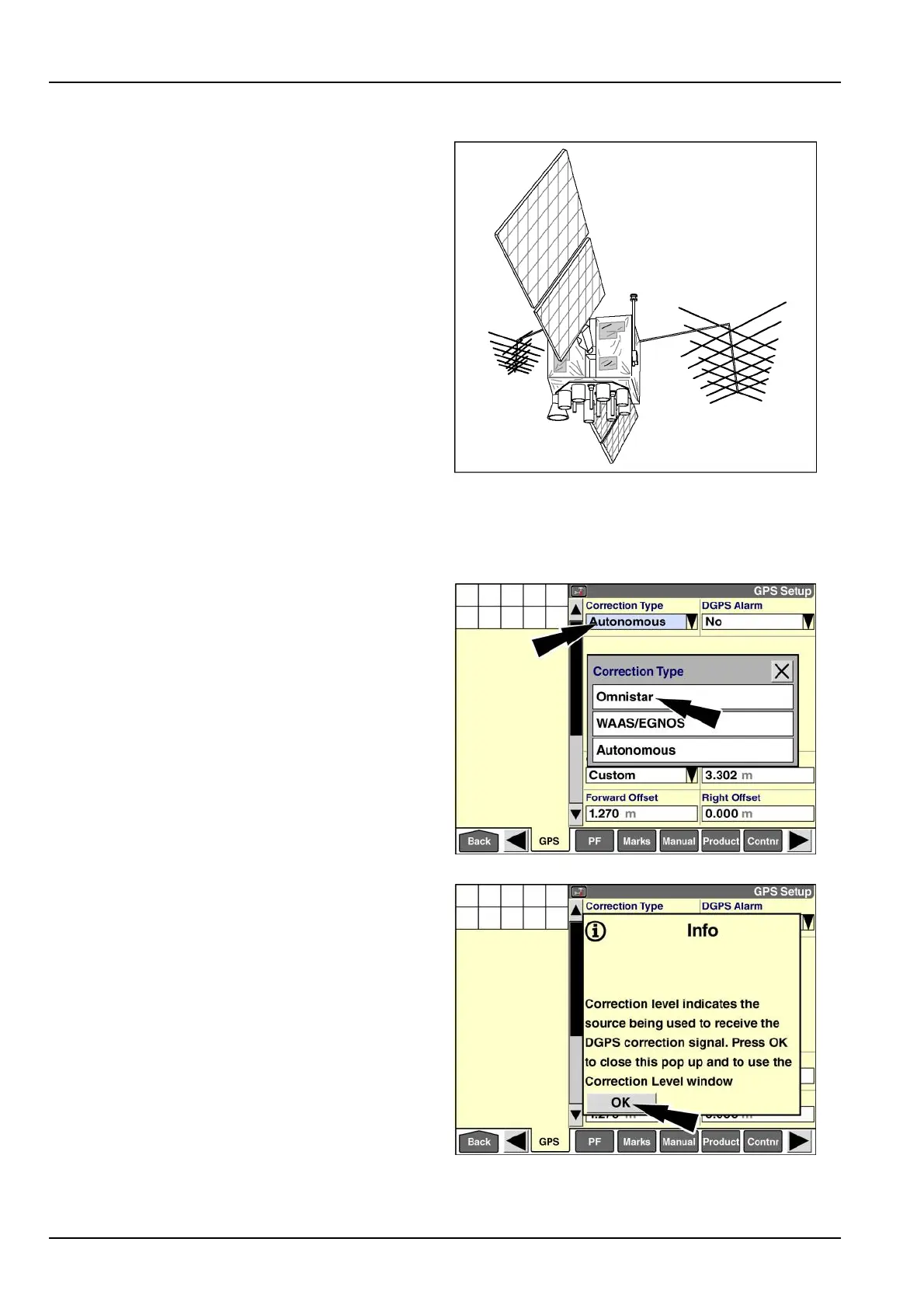
Pressthe“CorrectionType”windowtoaccessthepop-up
optionswindow.
Press“Omnistar.”
RAIL14DSP1575BA2
Apop-upmessagedisplays:“Correctionlevelindicates
thesourcebeingusedtoreceivetheDGPScorrection
signal.PressOKtoclosethispopupandtousethe
CorrectionLevelwindow.”
Pressthe“OK”buttontoacknowledgethemessage.
RAIL14DSP1576BA3
3-68



 To Next Page