6-VIRTUALTERMINAL(VT)ORUNIVERSALTERMINAL(UT)
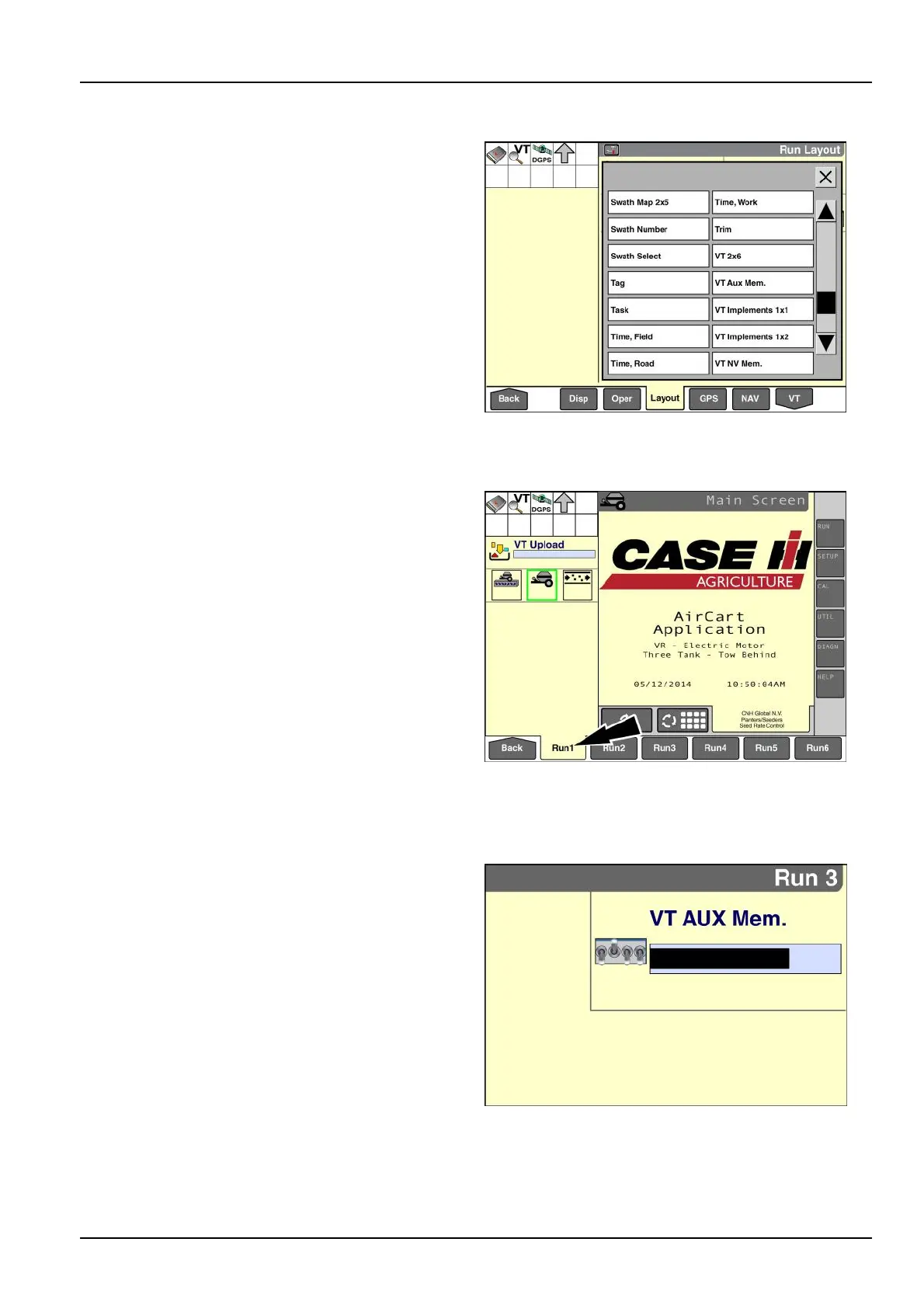
"Run"screenwindowsfortheVirtualT erminal(VT)
Uptosevenadditional“Run”screenwindowsare
availablewheneverthe“VirtualT erminal”applicationis
present:
•
“VT2x6”
•
“VTAuxiliaryMemory”
•
“VTImplements1x1”
•
“VTImplements1x2”
•
“VTNVMemory”
•
“VTRAMMemory”
•
“VTUpload”
Thewindowsareprimarilyintendedfordeveloperstotest
thecompatibilityoftheirsoftwarewiththe“VirtualTermi-
nal”application.Selectthewindowsfora“Run”screen
usingthe“RunLayout”screen(Home>T oolbox>Lay-
out).
RAIL14DSP1397BA1
“VT2x6”
Placementlabel:VT2x6
Placementlocation:“Run”screens
Ratherthanusethe“Home”screenasapivotpoint
betweenthe“VirtualTerminal”screensandthe“Run”
screens,youcanplacethe“VT2x6”windowonany
“Run”screentomakenavigationquicker.Thiswindow
hasatwocolumnbysixrowlayoutandusesthetotal
areaoftheselected“Run”screen.
NOTE:Ifrequired,changethelayoutoftheselected“Run”
screentoa2columnby6rowlayoutbeforeyouplacethe
“VT2x6”window.
TheoperationoftheISOBUSapplicationisthesame
whetheryouaccessitwiththe“VT”screen(Home>VT_
orwiththe“VT2x6”windowtheonthe“Run”screens.
Onlythecontentofthebottomnavigationbardiffers.
RAIL14DSP1436BA2
“VTAuxiliaryMemory”
Placementlabel:VTAuxMem.
Placementlocation:“Run”screensorleft-handarea
Abargraphvisuallyrepresentstheuseofauxiliarymem-
orybyallactiveimplementortoolapplications.
NOTE:Thiswindowisonlyavailablewhenthe“VTCom-
patibility”windowonthe“VTSetups”screen(Home>
Toolbox>VT>Setup)issetto“Version2.”
RAIL14DSP1399BA3
6-21



 To Next Page