2-ICONSANDWINDOWS
Windows
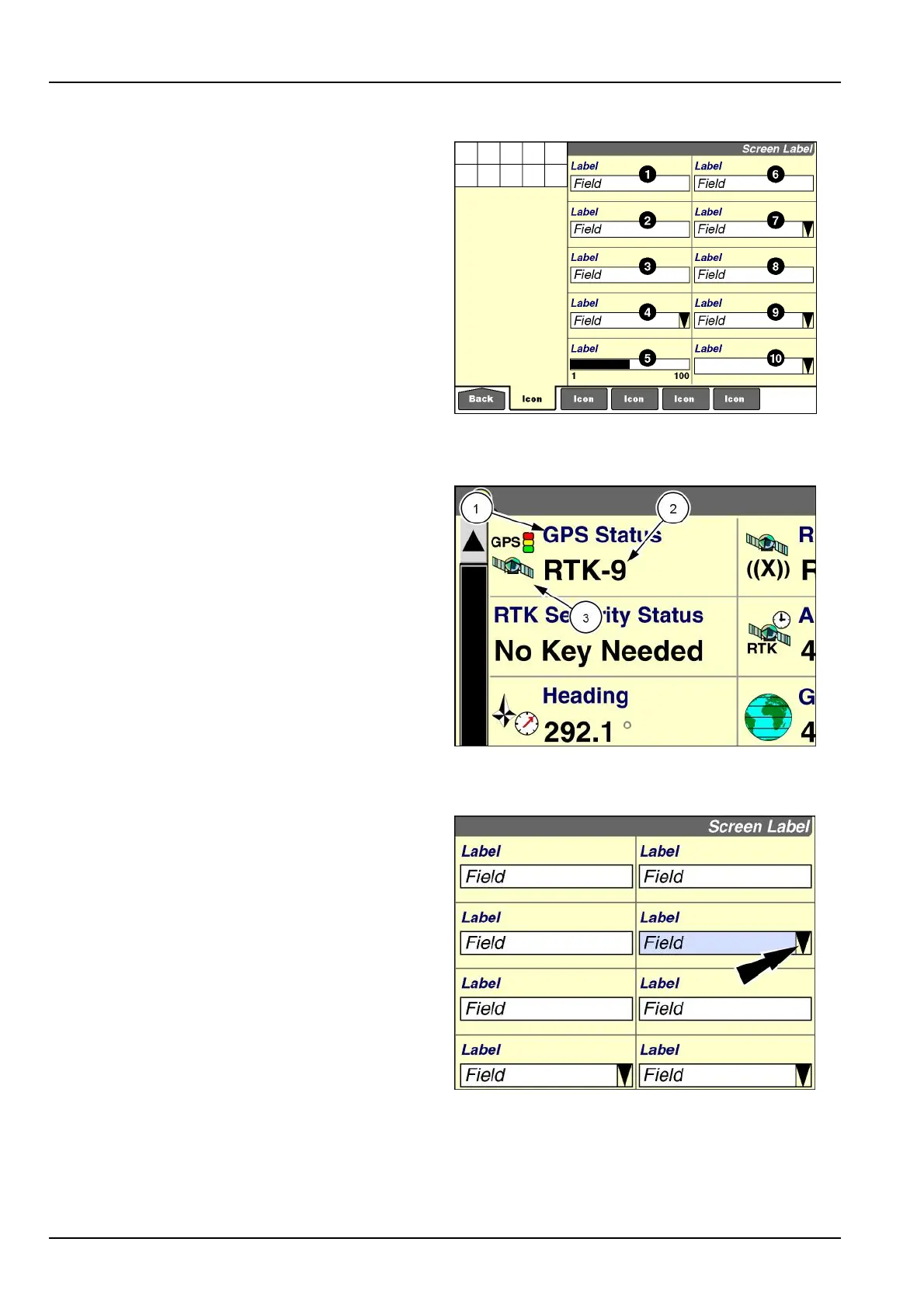
Allscreensonthedisplayarecomposedofwindows(ex-
ceptforthe"Home"screen,explainedlater).Theexample
shownhastenwindowsthatareseparatedbygridlines.
Therearetwotypesofwindow:controlwindowsandre-
portingwindows.
Theoperatorusescontrolwindowstostoporstartafunc-
tion,ortoselecttheoperationalmodeforafunction–
forexample,“On,”“Off,”“Manual,”and“Automatic.”Other
controlwindowsallowtheoperatortoinputarequiredpa-
rameter–forexample,name,date,time,croptype,im-
plement,distance,andheight.
Reportingwindowsreportstatusorameasurablevalue
–forexample,speed,position,fuelconsumption,seed
population,yield,andarea.Assuch,reportingwindows
areseldomuser-modiable,andresettingacounteristhe
onlypermitteduseraction.
RCIL11DSP080BBG1
Windowcomponentsalwaysincludealabel(1)andaeld
(2).Agraphicicon(3)isoptional.
Thelabeldescribeswhatawindowisdisplaying.Theicon
identiesgraphicallywhatthewindowisdisplaying.
Theeldisacontainerforinformation.
RAIL14DSP1598BA2
Predenedoptionwindows
Theshapeoftheeldindicateshowitfunctions.
Aeldwithadownarrowindicatesthatapop-upoptions
windowwithpredenedoptionsisavailable.
NOTE:Theoptionsarepredenedbytheapplication.
Presstheeldtodisplaythepop-upoptionswindow.
NOTE:Thewindowchangescolorwhenselected.
RAIL12DSP1000BA3
2-2



 To Next Page