2-ICONSANDWINDOWS
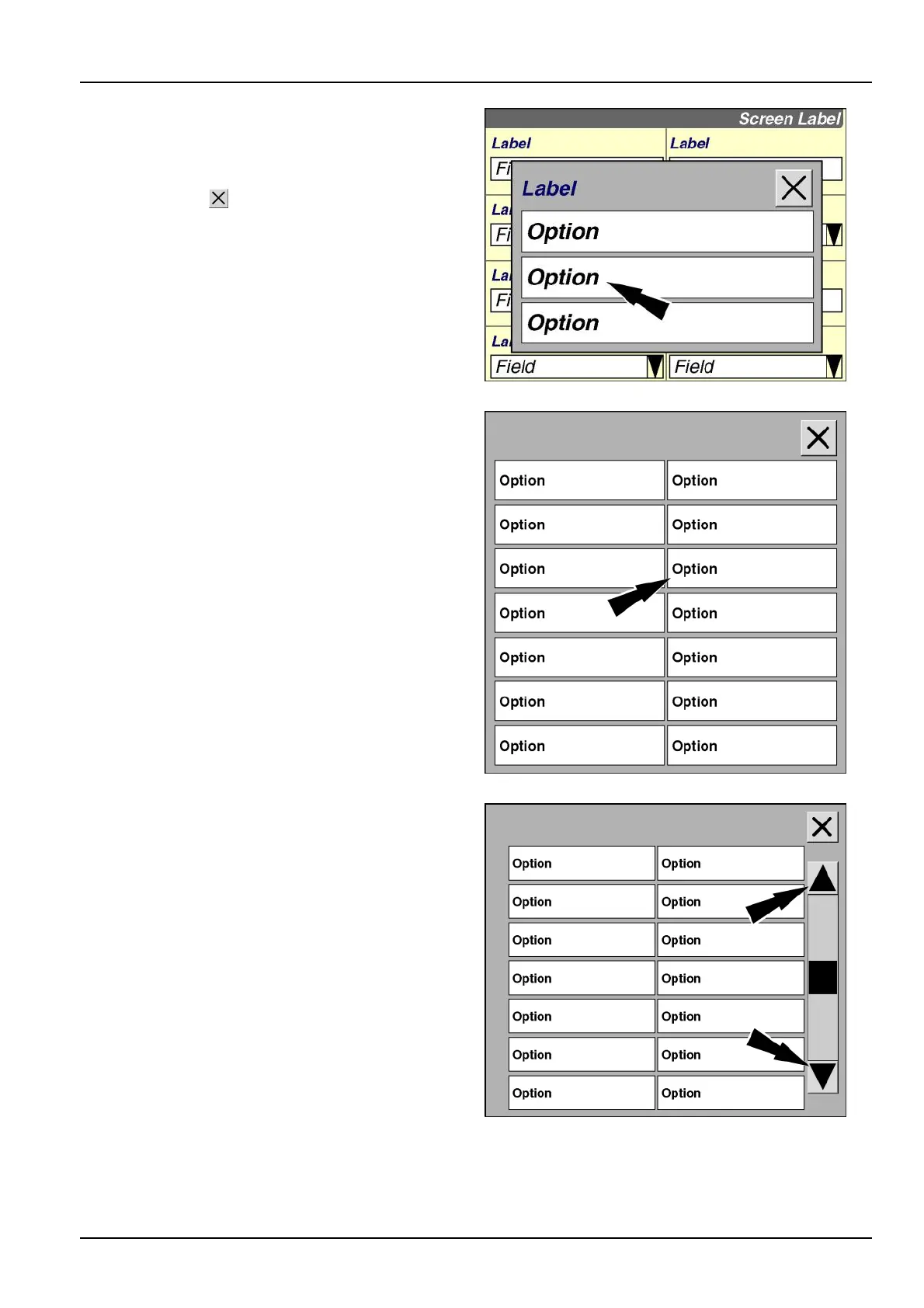
Thepop-upoptionswindowdisplaysinthecenterofthe
screen.
Pressanyoptioninthewindowtoselectitfortheeld.
Pressthe“Close”buttontoexitthewindowwithout
changingthecurrentsetting.
RCIL11DSP086BBG4
Dependingontheeldselected,theoptionslistmaybe
quiteextensive.Pop-upwindowsautomaticallyexpandto
twocolumnsasrequired.
RCIL11DSP084BBG5
Whentheoptionsexceedthespaceviewableonasingle
screen,ascrollbarappearsontherightsideofthepop-up
optionswindow.
Pressthedownarrowinthescrollbartopagedown
throughtheoptions.Presstheuparrowinthescrollbar
topageupthroughtheoptions.Pressanarrowmultiple
timestopagethroughanextensivelistofoptionsinthe
directionselected.
RCIL11DSP085BBG6
2-3



 To Next Page