2-ICONSANDWINDOWS
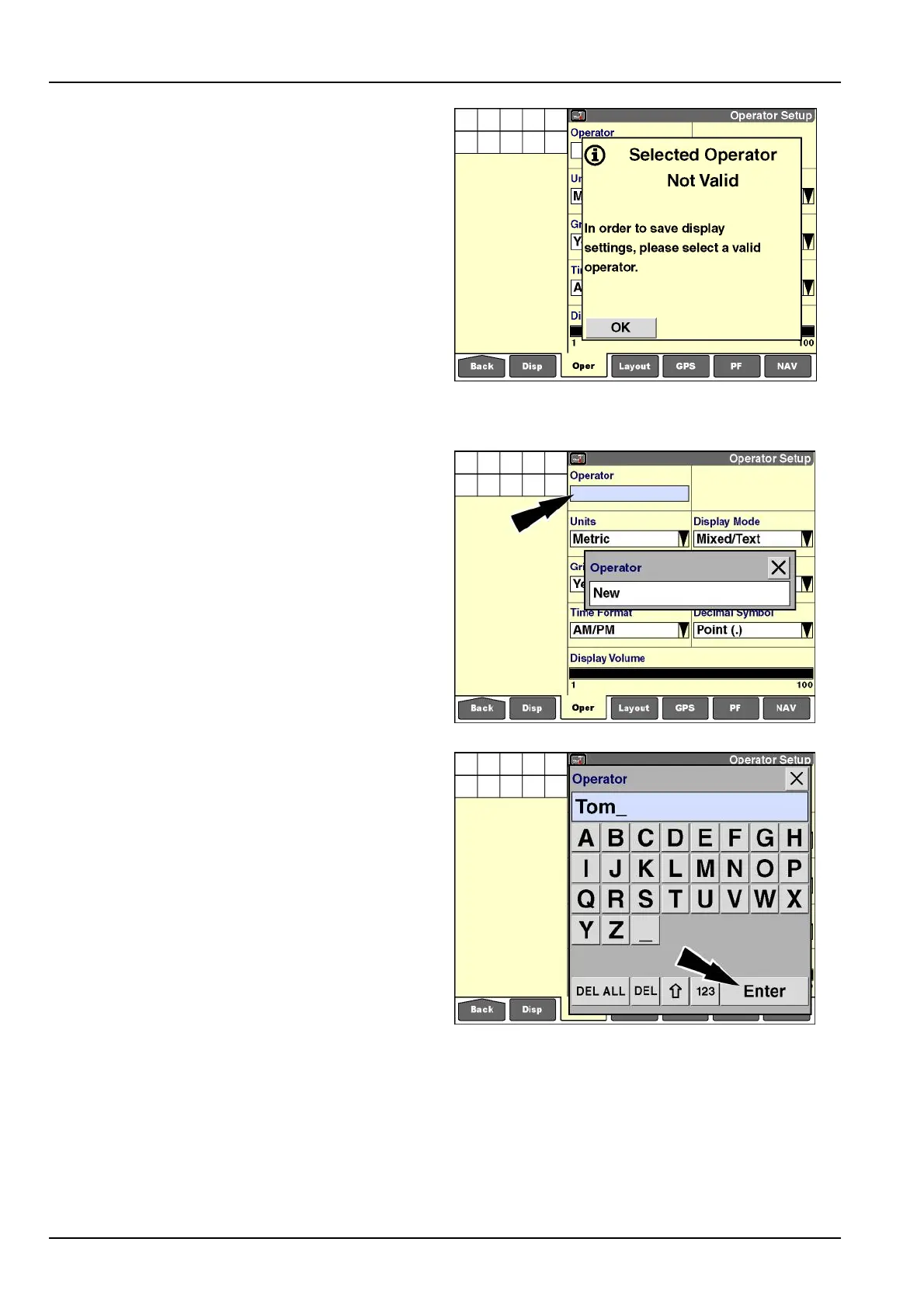
Ifawindowischangedbeforeanoperatorisselected,
amessagedisplays:“Inordertosavedisplaysettings,
pleaseselectavalidoperator.”
Pressthe“OK”buttontoacknowledgeandclearthemes-
sageifrequired.
RCIL11DSP531BBG4
“Operator”
EveryoperatormusthaveauniqueIDforreportingpur-
poseswithinthesoftware.Toshareacommonlistofop-
eratorswithmultiplevehicles,createthelistononevehi-
cle,andthentransferthelist,viathememorystick,tothe
othervehicles.Thisensuresthattheoperatorusesthe
sameinternalIDacrossallvehicles.
Amaximumof20operatorscanbecreated.
NOTE:Anoperatorcanalsobecreatedwiththedesktop
softwareandthenimported.
Pressthe“Operator”windowtoaccessthepop-upoptions
window.
Ifnooperatorshavebeencreated,theonlyoptionis“New”
tocreateanewoperator.
RCIL11DSP532BBG5
If“New”ischosen,thealphanumerickeypaddisplays.
Usethekeypadtocreateaname.
Pressthe“Enter”buttononthekeypadtosavethename.
NOTE:Beconsistentwhenenteringoperatornames,par-
ticularlyifthedisplayisusedondifferentvehicletypes.
Thesoftwareinterpretsthenames“PETER,”“Peter,”and
“peter”asthreedifferentoperators.Yourabilitytomea-
sureproductivityorsummarizeproductionresultsmaybe
complicatedifworktasksarelinkedtooperatorsthatare
namedinconsistently.
RCIL11DSP535BBG6
2-32



 To Next Page